
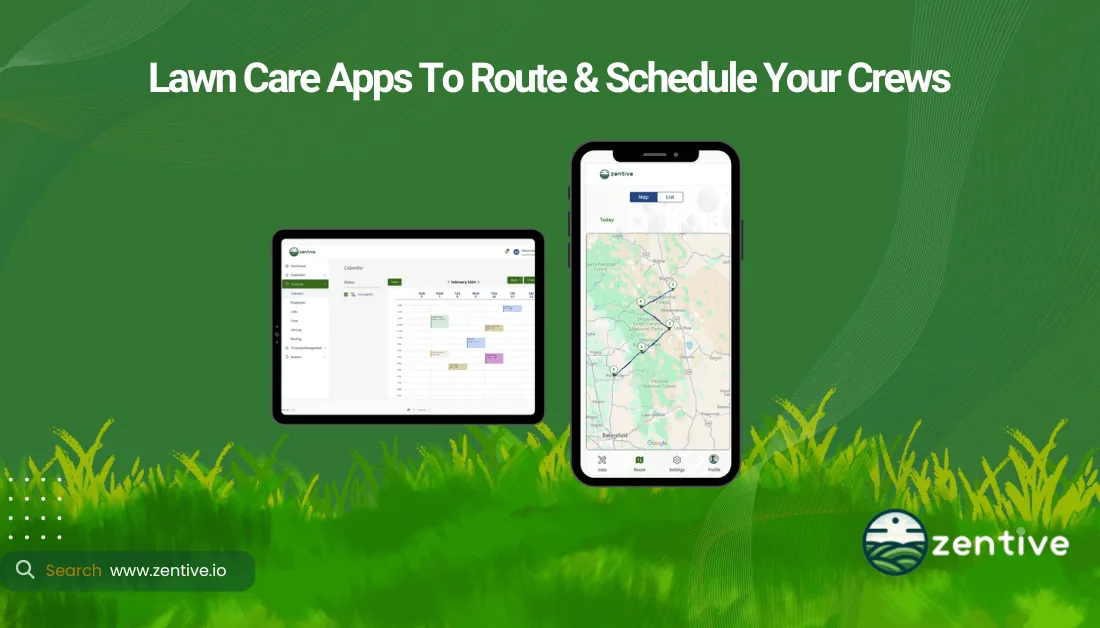
Lawn care scheduling apps help lawn businesses create recurring mowing visits, assign crews, organize daily routes, and react to weather or customer changes. This guide compares 10 lawn care scheduling software options for 2026 by the scheduling capabilities that matter most: recurring-service rules, calendar and dispatch controls, batch rescheduling, route planning, mobile schedule access, and crew notifications.
Zentive is a lawn care schedule app for small and medium-sized businesses that supports recurring visits, crew assignments, schedule changes, route planning, and mobile access for field teams. When selecting a lawn mowing schedule app, compare how each product handles rain delays, weekly and biweekly service, multi-crew capacity, route density, and same-day updates.
Last reviewed July 14, 2026. Product facts below were checked against each vendor's official scheduling, routing, mobile, or pricing documentation. This article evaluates scheduling ability only; it does not attempt to compare every accounting, CRM, marketing, or business-management feature.
What Is Lawn Care Scheduling Software?
Lawn care scheduling software organizes one-time and recurring services across customers, properties, crews, time windows, and routes. A useful lawn maintenance scheduling system should make it easy to create a weekly or biweekly series, identify scheduling conflicts, dispatch the correct crew, shift multiple visits after rain, and communicate the updated schedule to the field.
Most current products are cloud-based and provide web or mobile schedule access, but their focus differs. Some are lawn-specific route schedulers, some are broad field-service platforms, and others primarily schedule employee shifts. The best scheduling app for a lawn care business depends on whether the main challenge is recurring property service, route density, crew availability, or time and attendance.
| Lawn Care Schedule App Benefits | Description |
|---|---|
| Automated Appointment Booking | Eliminates manual entry and speeds up customer booking. |
| Job Scheduling Automation | Streamlines assignment of tasks to crews without manual coordination. |
| Crew Routing Optimization | Calculates the most efficient routes to ensure on‑time service. |
| Conflict Prevention | Detects and prevents overlapping bookings and double‑bookings. |
| Reduced Administrative Work | Minimizes paperwork and frees staff for field tasks. |
| Improved Customer Satisfaction | Ensures timely service and clear communication with clients. |
| Increased Profitability | Boosts revenue by optimizing schedules and reducing downtime. |
| Mobile Accessibility | Allows schedule management from Mac, Windows, phones, or tablets. |
| Better Resource Management | Allocates staff and equipment efficiently across jobs. |
| Scalability & Efficiency | Supports business growth with streamlined, scalable scheduling. |
What Type Of Lawn Care Business Needs Scheduling Software?
Lawn care businesses that need scheduling software are commercial and residential lawn care companies.
Commercial lawn care businesses maintain large properties for corporate clients, government facilities, and institutions. These businesses benefit from scheduling software by efficiently managing multiple crews, optimizing routes, and coordinating services for numerous clients.
Residential lawn care businesses serve individual homeowners. These businesses benefit from scheduling software by streamlining appointment booking and efficiently dispatching technicians to multiple homes.
Both types of lawn care businesses gain advantages from scheduling software. The software enhances operational efficiency by automating task assignments and improving resource allocation. It boosts customer satisfaction through timely service delivery and improved communication.
10 Best Lawn Care Scheduling Software
We compared each app using scheduling-specific criteria: recurring jobs, calendar and dispatch controls, rescheduling, routing, mobile schedule access, and the type of lawn operation it best fits.
| # | App Name | Best For | Scheduling Strength | Pricing / Free Trial | Important Scheduling Limitation |
|---|---|---|---|---|---|
| 1 | Zentive | Small to medium businesses (up to 50 employees) | GPS route optimization, customer notifications, mobile access | From $51/month with annual billing; 14-day free trial | Designed for small and midsize teams rather than 50+ employee enterprise operations |
| 2 | Jobber | Home-service teams wanting flexible recurring schedules | Day/week/month calendar, recurring visits, drag-and-drop changes, daily or weekly route optimization | Plans from $29/month; 14-day free trial | Broad field-service platform rather than lawn-specific scheduling |
| 3 | Service Autopilot | Established lawn companies with complex recurring schedules | One-click scheduling and routing plus scheduling automations | From $49/month plus setup fee; free trial available | Greater setup complexity than a scheduling-first tool |
| 4 | Synchroteam | Field-service teams dispatching by skill, location, and availability | Recurring jobs, conflict detection, drag-and-drop dispatch, mobile updates | From $39/user/month billed annually; 14-day free trial | Route optimization is a premium feature; product is not lawn-specific |
| 5 | LawnPro | Small to medium-sized companies | Day/week/month calendars, recurring series, quick dispatch, multi-step programs, route optimization | Free plan; paid plans and a $9/month Routes add-on available | Scheduling depth varies by plan and workflow configuration |
| 6 | Yardbook | Small businesses and independent contractors | One-time and recurring jobs, batch rescheduling, route assignment, shortest-route optimization | Free Starter plan; paid plans from $34.99/month | Dedicated mobile app is Android; iOS users rely on web access |
| 7 | Workyard | Teams prioritizing employee scheduling and GPS time visibility | Drag-and-drop crew scheduling tied to GPS time and job locations | Paid plans; 14-day free trial | Not a lawn route scheduler; lacks lawn-specific recurring-property and route-optimization depth |
| 8 | TurfHop | Small to medium businesses | Drag-and-drop scheduling, recurring services, route optimization, web and mobile schedules | From $49/month; 14-day free trial | Smaller ecosystem than broad field-service platforms |
| 9 | RealGreen by WorkWave | Medium to large lawn-treatment and maintenance operations | Lawn-specific dispatch, Quick Fit scheduling, service dependencies, and interactive route planning | Contact sales; demo available | Sales-led product evaluation rather than self-serve scheduling setup |
| 10 | Connecteam | Deskless teams scheduling employee shifts and jobs | Templates, recurring shifts, open shifts, mobile updates, GPS stamps, and geofencing | Free for up to 10 users; 14-day free trial on paid plans | Employee scheduler rather than a property-based lawn route optimizer |
Best Lawn Care Scheduling App by Scheduling Need
| Scheduling need | Best fit | Why |
|---|---|---|
| Recurring mowing and maintenance routes | Zentive | Connects recurring visits, crew assignments, route planning, mobile schedules, and customer notifications. |
| Complex recurring-service automation | Service Autopilot | Supports automation-heavy scheduling and routing for established lawn operations. |
| Free scheduling and route planning | Yardbook | The free Starter plan includes jobs, scheduling, and routing for budget-conscious operators. |
| Lawn-treatment scheduling and dispatch | RealGreen by WorkWave | Quick Fit scheduling, service dependencies, and interactive routing target lawn-specific workflows. |
| Employee shift scheduling | Connecteam | Templates, recurring shifts, open shifts, geofencing, and mobile updates center on workforce schedules. |
| General home-service scheduling | Jobber | Flexible recurring visits and calendar controls fit teams serving lawn care alongside other trades. |
1. Zentive
Zentive is lawn care scheduling software for small and medium-sized businesses with up to 50 employees. Its schedule connects one-time and recurring property visits with crew assignments, GPS-aware routes, customer notifications, and mobile job details. Managers can update assignments as the day changes while field crews see the latest schedule and route information.
Zentive supports weekly, biweekly, monthly, and custom recurring schedules for residential and commercial lawn maintenance. Select the customer and property, enter the service details and timing, assign a crew, and place the work on the schedule without recreating every visit.
| Feature | Pros | Cons |
|---|---|---|
| Recurring Schedules | Weekly, biweekly, monthly, and custom recurring visits | Best suited to small and midsize operations |
| Crew Assignment | Assign crews while creating or updating a job | Initial schedule setup still requires accurate customer and service data |
| Routing | GPS-aware route planning connects the calendar with field travel | Route quality depends on accurate property and service-duration data |
| Scheduling Features | Supports recurring jobs and crew assignments | Not positioned for enterprise teams above 50 employees |
| Schedule Communication | Mobile crew access and automated customer notifications | Requires field users to keep job statuses current |
2. Jobber
Jobber is a broad home-service scheduling app with one-time and recurring visits, day/week/month calendar views, drag-and-drop rescheduling, team notifications, and mobile schedule access. Its current routing tools can optimize a single day, multiple days, or a week and notify crews when routes change. It is a strong scheduling fit for service companies that want flexibility across multiple trades, although its calendar is not lawn-specific.
| Feature | Pros | Cons |
|---|---|---|
| Calendar Controls | Day, week, and month views with drag-and-drop rescheduling | General field-service calendar rather than a lawn-specific workflow |
| Scheduling Functionality | Handles real-time updates and last-minute changes | Advanced scheduling and routing availability can vary by plan |
| Mobile Access | Strong field accessibility for crews | Crews need the mobile app and current connectivity for live changes |
| Recurring Visits | Supports one-time jobs and multiple recurring visits | Recurring lawn programs may require careful job and visit setup |
| Route Optimization | Optimizes a day, multiple days, or a full week and can notify teams of changes | Confirm the required routing level is included in the selected plan |
3. Service Autopilot
Service Autopilot is lawn and landscape software built around recurring scheduling, routing, and workflow automation. Its scheduling tools can place and route a full day of work, while mobile GPS and team-hour visibility help dispatchers understand field progress. The automation depth is useful for established operations with complex recurring schedules, but it generally requires more configuration than a lightweight lawn mowing schedule app.
| Feature | Pros | Cons |
|---|---|---|
| Recurring Scheduling | Built for repeat lawn and landscape service schedules | Configuration depth can take longer to learn |
| Daily Scheduling | Can schedule and route an entire day of work in one workflow | Complexity may overwhelm teams seeking only a simple calendar |
| Multi-Crew Fit | Strong fit for established operations with many recurring clients | May be more system than a solo operator needs |
| Field Visibility | Mobile access, GPS tracking, and team-hour visibility support dispatch decisions | Field accuracy depends on consistent mobile use |
| Scheduling Automations | Automations can trigger repeat scheduling and communication workflows | Automations require deliberate setup and testing |
4. Synchroteam
Synchroteam is general field-service scheduling software rather than a lawn-specific app. Dispatchers can assign recurring jobs by availability, skill, and location, detect conflicts, drag jobs on the schedule, and send updates to mobile workers. Route optimization can reorganize planned jobs while respecting job duration and visit windows, but Synchroteam lists that optimizer as a premium feature.
| Feature | Pros | Cons |
|---|---|---|
| Dispatch Board | Drag-and-drop jobs by availability, skills, and location | General field-service terminology rather than lawn-specific scheduling |
| Recurring Jobs | Supports contracts, recurring jobs, and conflict detection | Recurring programs require contract and job-template setup |
| Mobile Schedule | Mobile workers receive job details, changes, and notifications | Full administrative scheduling remains best suited to the web interface |
| Route Planning | Optimizer can reorganize jobs while respecting duration and visit windows | Route optimization is a paid premium option |
| Schedule Monitoring | Mapping and live location tracking support dispatch decisions | Not purpose-built around lawn route density or weather workflows |
5. LawnPro
LawnPro is lawn-specific scheduling software with day, week, and month calendars, recurring series, pending and quick-dispatch views, multi-step programs, and filters for crews and services. Its route planner can optimize by shortest distance or fastest time, build custom routes, and display traffic, weather radar, and weather alerts—useful details when rain changes a mowing schedule.
| Feature | Pros | Cons |
|---|---|---|
| Calendar Views | Day, week, and month calendar or grid views | Teams must configure filters and service data for the clearest dispatch view |
| Recurring Work | Recurring-series and multi-step-program scheduling | Complex treatment programs need careful template setup |
| Dispatch | Pending Dispatch, Quick Dispatch, and crew/service filters | Workflow depth may take onboarding for new users |
| Route Optimization | Optimize by fastest time, shortest distance, or a custom sequence | Accurate property locations are required for reliable routes |
| Weather Rescheduling | Route map can show traffic, weather radar, and weather alerts | Weather layers inform decisions but do not replace dispatcher judgment |
6. Yardbook
Yardbook offers one-time and recurring jobs, day/week/month calendars, drag-and-drop changes, batch rescheduling, route-based crew assignment, and off-season periods. Its routing tools support manual stop ordering, shortest-route optimization, start/end locations, map dispatch, and reusable prior routes. The Starter plan currently includes jobs, scheduling, and routing at no charge; web and Android access are listed, but not a dedicated iOS app.
| Feature | Pros | Cons |
|---|---|---|
| Starter Scheduling | Free Starter plan includes jobs, scheduling, and routing | Advanced GPS and automation features require paid plans |
| Recurring Calendar | One-time and recurring jobs with day, week, and month views | Users must define off-season periods and recurrence rules accurately |
| Mobile Access | Web, desktop, and Android app access are listed | No dedicated iOS app is listed on the current pricing page |
| Batch Rescheduling | Batch changes, schedule shifting by week, and route-based crew assignment | Large schedule moves should be reviewed before dispatch |
| Route Planning | Shortest-route optimization, map dispatch, start/end points, and reusable routes | Optimize Routes XL is identified as beta |
7. Workyard
Workyard schedules crews and jobs with a drag-and-drop calendar and connects scheduled work to GPS time and location records. It is useful when the primary scheduling problem is crew availability, arrival visibility, and labor allocation. Workyard is positioned as construction workforce management software, however, so lawn companies needing recurring property-service rules and automatic multi-stop lawn routes should confirm those requirements before choosing it.
| Feature | Pros | Cons |
|---|---|---|
| Product Focus | Crew and job scheduling tied to workforce time visibility | Not a lawn-specific recurring-property scheduler |
| GPS Schedule Context | Job locations and geofences help managers compare schedules with arrivals | GPS visibility is not the same as multi-stop route optimization |
| Scheduling Interface | Drag-and-drop tool increases flexibility and control | Designed around crew jobs rather than lawn-service recurrence rules |
| Mobile Updates | Field schedules and time activity update manager visibility | Not positioned as a customer appointment-booking system |
| Best Scheduling Use | Useful for assigning labor across projects and monitoring attendance | Lawn companies may still need separate route and recurring-service tools |
8. TurfHop
TurfHop is lawn and landscape scheduling software with drag-and-drop scheduling, recurring services, route optimization, job updates, and web, iOS, and Android access. Its lawn-specific scope makes it a relevant option for contractors that want the office and field working from the same recurring schedule rather than using a separate employee-shift app.
| Feature | Pros | Cons |
|---|---|---|
| Recurring Services | Supports repeating lawn and landscape visits | Recurrence rules still depend on accurate service setup |
| Calendar | Drag-and-drop scheduling with real-time job updates | Teams should confirm plan and user requirements before rollout |
| Route Optimization | Route planning is integrated with the daily lawn schedule | Route results depend on accurate property and duration inputs |
| Mobile Schedule | Core schedule and job-update features are available on web, iOS, and Android | Field users must keep job status current for reliable dispatch visibility |
| Best Scheduling Use | Lawn and landscape contractors wanting scheduling and routing in one industry-focused app | Smaller scheduling ecosystem than larger field-service suites |
9. RealGreen by WorkWave
RealGreen by WorkWave is the company's lawn-specific scheduling and dispatch product. It includes real-time routing, an interactive route planner, Quick Fit scheduling, service dependencies, custom service plans, and mobile schedule access. Those controls are aimed at established lawn-treatment and maintenance operations coordinating dense routes and dependent services.
| Feature | Pros | Cons |
|---|---|---|
| Product Focus | Lawn-specific scheduling and dispatch through RealGreen | Sales-led evaluation may be less convenient for buyers wanting instant self-serve access |
| Scheduling Controls | Quick Fit scheduling, service dependencies, and custom service plans | Advanced configuration may require onboarding |
| Dispatch | Schedule and dispatch technicians while coordinating dependent lawn services | Best fit is established treatment and maintenance operations |
| Route Planning | Real-time routing, route optimization, and an interactive route planner | Route setup is part of a broader operational platform |
| Mobile Schedule | Field crews can view schedules and service information from mobile tools | Confirm the required mobile capabilities during the product demo |
10. Connecteam
Connecteam is an employee scheduling app for deskless teams. Managers can use templates and recurring shifts, publish open shifts, attach job instructions, send changes to mobile workers, and use GPS stamps or geofences to verify attendance. It schedules people and shifts effectively, but it is not designed to optimize recurring lawn properties into service routes.
| Feature | Pros | Cons |
|---|---|---|
| Schedule Templates | Templates and recurring shifts speed up employee schedule creation | Shift recurrence is not the same as recurring property-service scheduling |
| Open Shifts | Publish open work for qualified employees to claim | Not designed to optimize stops across a lawn route |
| Mobile Updates | Employees receive schedule changes, instructions, and notifications in the app | Customers and properties are not the primary scheduling entities |
| GPS & Geofencing | GPS stamps and geofences verify attendance at scheduled jobs | Attendance verification does not automatically build efficient driving routes |
| Best Scheduling Use | Deskless workforce scheduling, shift coverage, and attendance visibility | Lawn companies may still need a separate property and route scheduler |
How To Pick A Lawn Care Scheduling Software?
Pick a lawn care scheduling software by evaluating software type, benefits, business services, growth objectives, and pricing. Choosing the right lawn care scheduling app improves efficiency, streamlines scheduling, and enhances customer satisfaction.
The devices your businesses needs determines if you need desktop, mobile, or cloud-based solutions for accessibility and ease of use. Lawn companies have field technicians that travel to customer job sites & benefit from having mobile app compatibilty for their scheduling app.
Understand the software benefits, such as automated scheduling, route optimization, invoicing, and real-time crew tracking are important to pick the best app for your company. The lawn care business services you offer impacts your software choice because companies offering mowing, fertilization, or snow removal need a system that supports diverse scheduling needs.
Know your company growth objectives by selecting a scalable lawn care scheduling software that can expand as your business grows. Pricing is antoher critical factor when picking a lawn mowing scheduling software. Consider software pricing by comparing monthly fees, hidden costs, costs for additional users, and included features to ensure affordability without sacrificing essential tools.
What Type Of Software Is A Lawn Care Scheduling App?
A lawn care scheduling app is a type of management software for Lawn Care that automates job assignments, crew dispatching, and appointment scheduling. Lawn care management software streamlines operations by handling scheduling, routing, invoicing, and client communication.
This lawn care scheduling software optimizes time management, prevents conflicts, and improves productivity. By integrating with management tools, it reduces admin tasks, enhances workflow, and increases profitability.
What Are The Benefits Of Schedule Apps When Starting A Lawn Care Business?
The benefits of schedule apps when starting a lawn care business are improved efficiency, enhanced customer service, and streamlined operations. Lawn care business owners often spend too much money & time on administrative tasks that software like Zentive can reduce.
Schedule apps enable effective employee scheduling and routing. Before any lawn mowing company can scale they need to maximize their worker efficency and productivity. Lawn care businesses use these apps to assign tasks, optimize routes, and manage workloads, which reduces travel time and increases productivity.
Schedule apps improve customer relationships through timely communication and service delivery. Nothing makes a homeowner or customer more angry than a service provider showing up late. These apps send automated reminders and provide real-time updates, which enhances customer satisfaction.
Schedule apps integrate with other software and tools like accounting software and CRM systems. Having a scheduling software that integrates with other areas of your business is a massive time saver.
How Does Lawn Care Software Help Schedule Employees?
Lawn care software helps schedule employees by automating job assignments, grouping crews by skill and location, and routing them efficiently between sites. Many lawn businesses waste a significant amount of time manually scheduling their crews using text & other messaging apps.
Scheduling software increases completed jobs by efficiently routing crews & grouping employees based on skills and job location. Monitoring employee workloads & providing real-time visibility into assigned tasks for balanced productivity are easy with modern software. The software schedules both one-off and recurring jobs, efficiently managing all services in one system.
Lawn care software like Zentive lets management track their crews as they travel to jobs. Crew tracking software features provide real-time updates on team locations & enable more informed scheduling decisions.
Which Types Of Work Schedules Do Lawn Care Businesses Use?
Lawn care businesses use diverse work schedules tailored to their specific needs and services. A typical lawn care work schedule involves early morning starts, with crews working from 7 AM to 5 PM, Monday through Friday, and occasional weekend shifts for residential clients. Fixed 4-day or 5-day are normal in the lawn care industry.
The schedule varies based on the services offered, such as mowing, landscaping, or seasonal maintenance. Work schedules fluctuate throughout the year, with busier periods during spring and summer months requiring longer hours and more flexible scheduling.
How Does Lawn Care Software Help Route Employees?
Lawn care software helps route employees by optimizing travel paths between job sites, reducing drive time and fuel costs. Routing software uses advanced algorithms to optimize route density. Improved route density is key to having lawn care employees spend more time mowing lawns and less time driving around town. Lawn routing software considers factors such as job locations, traffic patterns, and service durations. Benefits of routing software include increased productivity, improved customer satisfaction through timely service delivery, and reduced operational expenses.
Can Lawn Care Scheduling Software Improve Customer Relationship Management?
Yes, lawn care scheduling software can significantly improve customer relationship management by enhancing on-time performance and client communication. Most customers want a lawn company that shows up on time & provides quality service. Showing up late & not communicating are the fastest ways to lose a client.
Lawn care scheduling apps like Zentive optimize schedules and routes to ensure crews arrive on time. Zentive uses automated notifications to keep clients informed about service status, fostering trust and loyalty. A quality routing software should integrate with your lawn care CRM to consolidate customer data management in one platform.
Do Lawn Care Scheduling Apps Integrate With Accounting Software?
Yes, lawn care scheduling apps integrate with accounting software. Most lawn care companies use account software like QuickBooks to keep their financials in order. Apps like Zentive integrate with QuickBooks and allow users to track payments for all their completed jobs on the schedule. This integration enables lawn care businesses to maintain accurate, real-time financial records while automating many aspects of their workflow.
Which Types Of Lawn Care Services Can You Schedule?
You can schedule all types of lawn care services. Consider the lawn care services & how to schedule them.
- Lawn Mowing: Schedule lawn mowing based on grass growth and seasonal needs.
- Weed Control: Schedule weed control treatments during active weed growth periods.
- Lawn Clean-Up: Schedule lawn clean-up in the spring and fall to remove debris.
- Lawn Aeration: Schedule lawn aeration in the spring or fall to improve soil health.
- Lawn Fertilization: Schedule lawn fertilization based on grass type and seasonal requirements.
- Lawn Dethatching: Schedule lawn dethatching when thatch layer is excessive to promote growth.
Can You Use A Lawn Care Scheduling App For Mowing Services?
Yes, you can use a lawn care scheduling app for managing mowing services. Mowing typically requires frequent, recurring schedules throughout the growing season. Zentive's lawn care management software allows easy setup of recurring mowing schedules, optimizes routes for efficiency, and sends automated reminders to clients.
Can You Use A Lawn Care Scheduling App For Yard Aeration Services?
Yes, you can use a lawn care scheduling app for yard aeration services. Aeration is usually performed once or twice a year, typically in spring or fall. Zentive's software helps schedule these seasonal services, allows for easy rescheduling due to weather conditions, and tracks equipment needs for aeration jobs. This allows your employees to know their workload weeks & months in advance.
Can You Use A Lawn Care Scheduling App For Yard Fertilization Services?
Yes, you can use a lawn care scheduling app for yard fertilization services. Fertilization schedules vary based on grass type and season, requiring precise timing throughout the year. Zentive's lawn care management software enables setting up customized fertilization schedules, tracks application history, and helps manage inventory of fertilization products.
How Does A Lawn Care Scheduling App Help Grow Your Business?
A lawn care scheduling app helps grow your business by improving efficiency and customer satisfaction. It streamlines operations for small businesses by removing manual & unorganized scheduling practices. This allows your business to utilize more strategies for marketing a lawn care business & manage more clients with existing resources. For larger lawn care companies, the app optimizes complex schedules and routes, enabling significant scaling of operations that can otherwise be chaotic.
Is A Lawn Care Schedule Management Software Worth It For Small Businesses?
Yes, a lawn care schedule management software is worth it for small businesses. Lawn care business software, like Zentive, offers significant benefits that outweigh the investment. It helps contractors and small businesses spend less time on administrative tasks like scheduling and more time on finding new clients.
Are There Free Scheduling Apps For Lawn Care Businesses?
Yes, there are free scheduling apps available for lawn care businesses such as Yardbook, LawnStarter Pro, and FieldVibe. These apps offer various amounts of functionality on their free plans. Zentive offers a 14-day free trial of its lawn care business software with full access to all features.
Get This Guide as a PDF
Save this article for offline reading. We'll send a formatted PDF straight to your inbox.
No spam. Unsubscribe anytime.
Ready To Streamline Your Field Service Business?
Zentive is the all-in-one field service management software built for landscaping, lawn care, tree care, and snow removal businesses. Start your free trial today.
No credit card required · Cancel anytime