
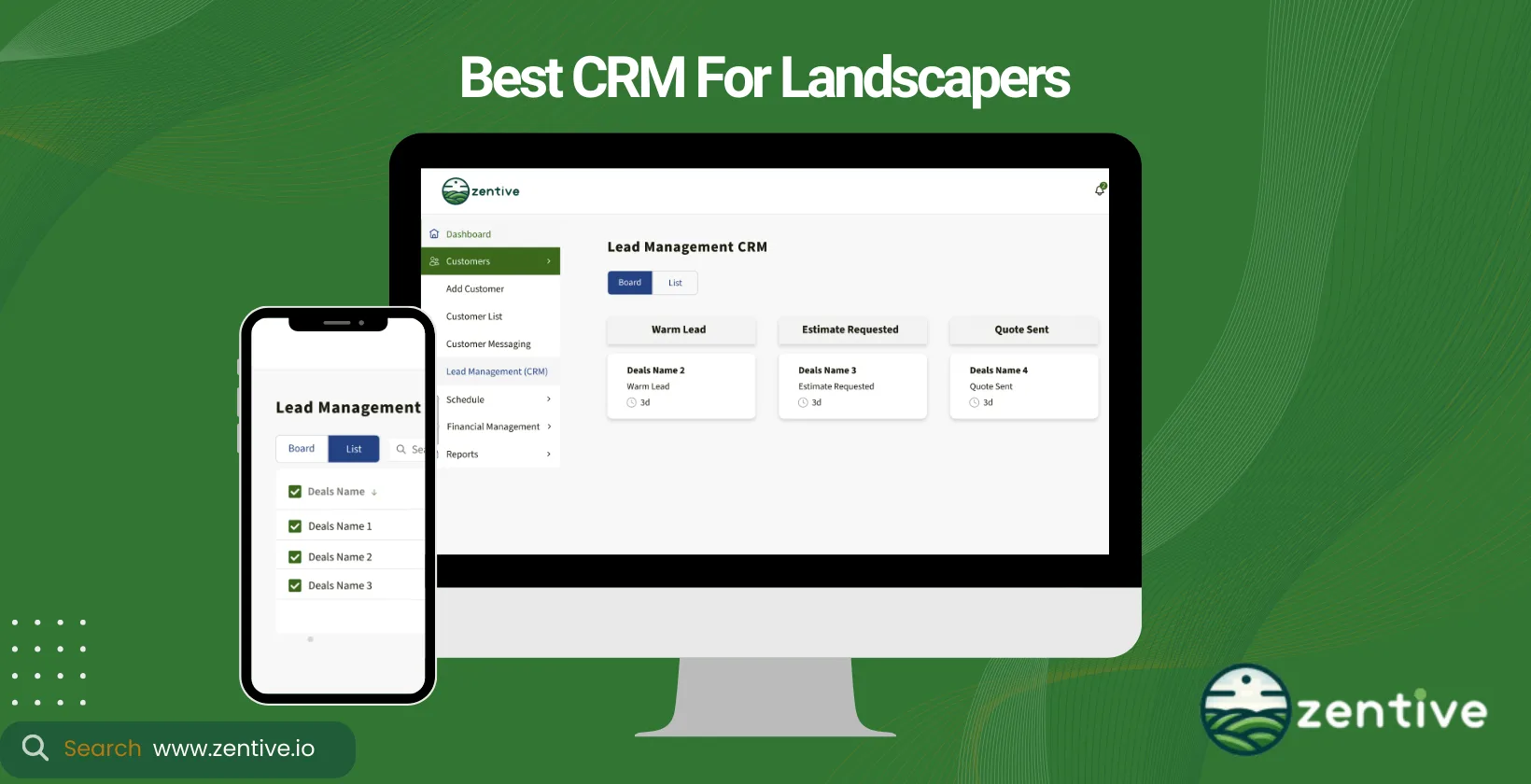
Landscaping CRM software helps you manage client relationships, schedule services, track leads, and grow revenue from one central platform. This guide compares the 9 best landscaping CRM software options for 2026, breaking down the features, pros, cons, and pricing of each so you can pick the right fit for your business, whether you run a two-person crew or a multi-location operation.
Landscape business owners invest in CRM software to enhance customer satisfaction, win more jobs, and drive sales growth. Below you will find the top tools reviewed side by side, plus a plain-English explanation of what a landscaping CRM is, how it works, and how to choose one. Zentive offers a purpose-built solution for landscaping CRM software, with a full suite of features designed for the industry.
14-Day FREE Trial - No Credit Card Needed
When choosing a CRM, consider the type you need, its business benefits, the services you offer, and the devices your team uses.
Answer 3 quick questions—get a tailored pick (and a shortlist alternative).
9 Best Landscaping CRMs
Here are the best CRMs for a landscaping company.
- Zentive: Comprehensive CRM for small to medium-sized landscaping businesses with project management and automated scheduling.
- CLIP: User-friendly CRM that simplifies client communications and job scheduling.
- Jobber: Easy-to-use CRM ideal for managing clients, quotes, and scheduling with flexible pricing options.
- ServiceTitan (Aspire): Scalable CRM for larger businesses, offering advanced project management and detailed reporting.
- Blue Folder: Efficient CRM with robust scheduling, invoicing, and landscape customer management software features.
- LMN: All-in-one management CRM featuring estimating, scheduling, and profitability tools for landscapers.
- RealGreen: CRM tailored for sustainable landscaping, focusing on eco-friendly project management and resource optimization.
- SynkedUP: Integrated CRM that connects job tracking, team collaboration, and real-time workflow updates.
- Contractor Foreman: Versatile CRM for contractors and landscapers, providing project scheduling, expense tracking, and mobile access.
1. Zentive
Zentive is a comprehensive CRM landscaping tool designed to meet the intricate demands of landscapers, lawn care professionals, and other field service businesses. Its CRM functionality excels in managing customer interactions, project management, and streamlining communication channels.
Zentive is built for home service and field service businesses, including landscaping, lawn care, tree care, snow removal, pest control, HVAC, plumbing, and cleaning. This management software for landscapers is particularly suited for small to medium-sized businesses looking to enhance their customer satisfaction and operational efficiency without the complexity often associated with other landscaping CRM software.
Zentive offers really competitive pricing models backed by robust customer support and training resources. This landscaping management software integrates seamlessly with various project management, billing, and service scheduling platforms, providing a cohesive toolset for businesses. Plus, its automation features reduce your team's administrative load by automating routine tasks such as follow-ups, billing, and scheduling.
When you use Zentive for your business, you can expect to achieve higher customer satisfaction through personalized communication and service tracking, leading to increased loyalty and repeat business.
Pros:
- Comprehensive Features: Users appreciate the wide range of features that uphold workflow and enhance productivity.
- Integration Capabilities: Insightly integrates well with other Zentive job tools, allowing for improved productivity.
- Ease of Use: The platform is user-friendly, making it easy for users to take advantage of its features and tools.
- Track & Manage Leads: Ability to track leads & focus your marketing.
Cons:
- Customization Confusion: Some users find the numerous features and configurations confusing.
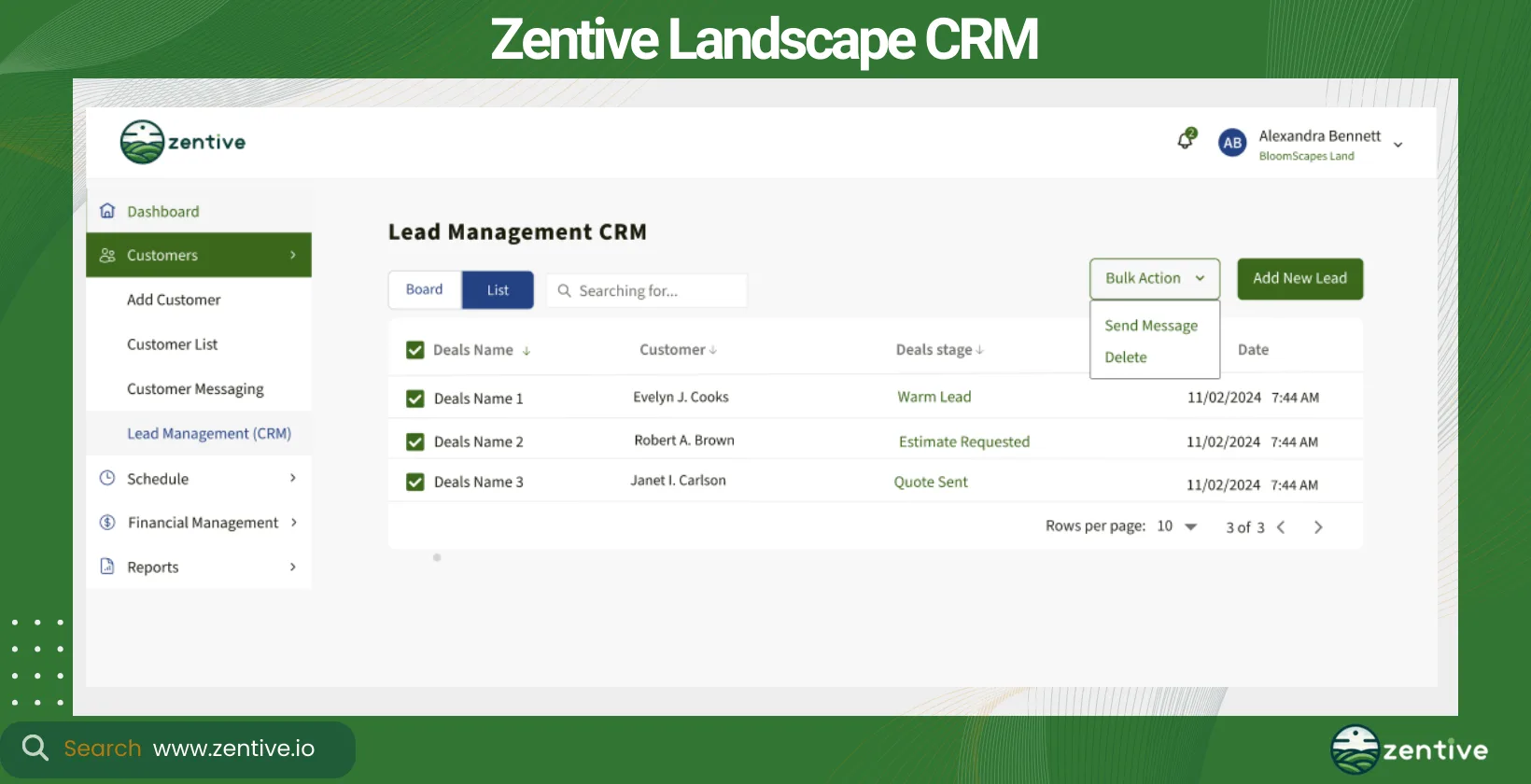
| Feature | Positive Feedback | Negative Feedback |
|---|---|---|
| Comprehensive Features | Supports workflow and productivity | None |
| Integration Capabilities | Easily integrates with other tools | None |
| Ease of Use | User-friendly and efficient tools | None |
| Customer Responsiveness | Responsive in dealing with customers | None |
| Customization | None | Confusing configurations and customization |
2. Arborgold
Arborgold is a premium CRM and business management software developed specifically for companies in the tree, lawn, and landscape industries. It offers a robust suite of features, including detailed customer management, job scheduling, and invoicing.
Arborgold is perfect for the landscaping, tree service, and lawn care sectors. Larger landscaping businesses benefit more from Arborgold due to its advanced features.
Positioned at a higher price point, this landscaping CRM app justifies its cost through advanced features and integrations with leading accounting software, email marketing tools, and more. Zentive offers the same suite of features at a more affordable price, which makes Zentive a great alternative to Arborgold.
Arborgold includes features like automated billing, service reminders, and marketing campaigns to help streamline your landscaping business's operations and improve customer engagement. With Arborgold, businesses can expect improved efficiency in project management and customer relations, leading to enhanced profitability in the close and long run.
Pros:
- User-Friendly: The software is noted for being user-friendly and easy to learn, with seamless transitions between screens.
- Comprehensive Features: Arborgold includes valuable features like route optimization, crew scheduling, and inventory tracking.
- Customer Support: The support team and customer service representatives are highly praised for their responsiveness and helpfulness.
Cons:
- Performance Issues: Users report that the software can be sluggish, making navigation through pages and items slow and frustrating.
- Setup and Transition: Transitioning from old processes to using Arborgold can be challenging, and getting staff acclimated takes time.
- Mobile Limitations: The Mobile Estimator does not support invoicing, accounting, or deposits, which is a significant drawback for some users.
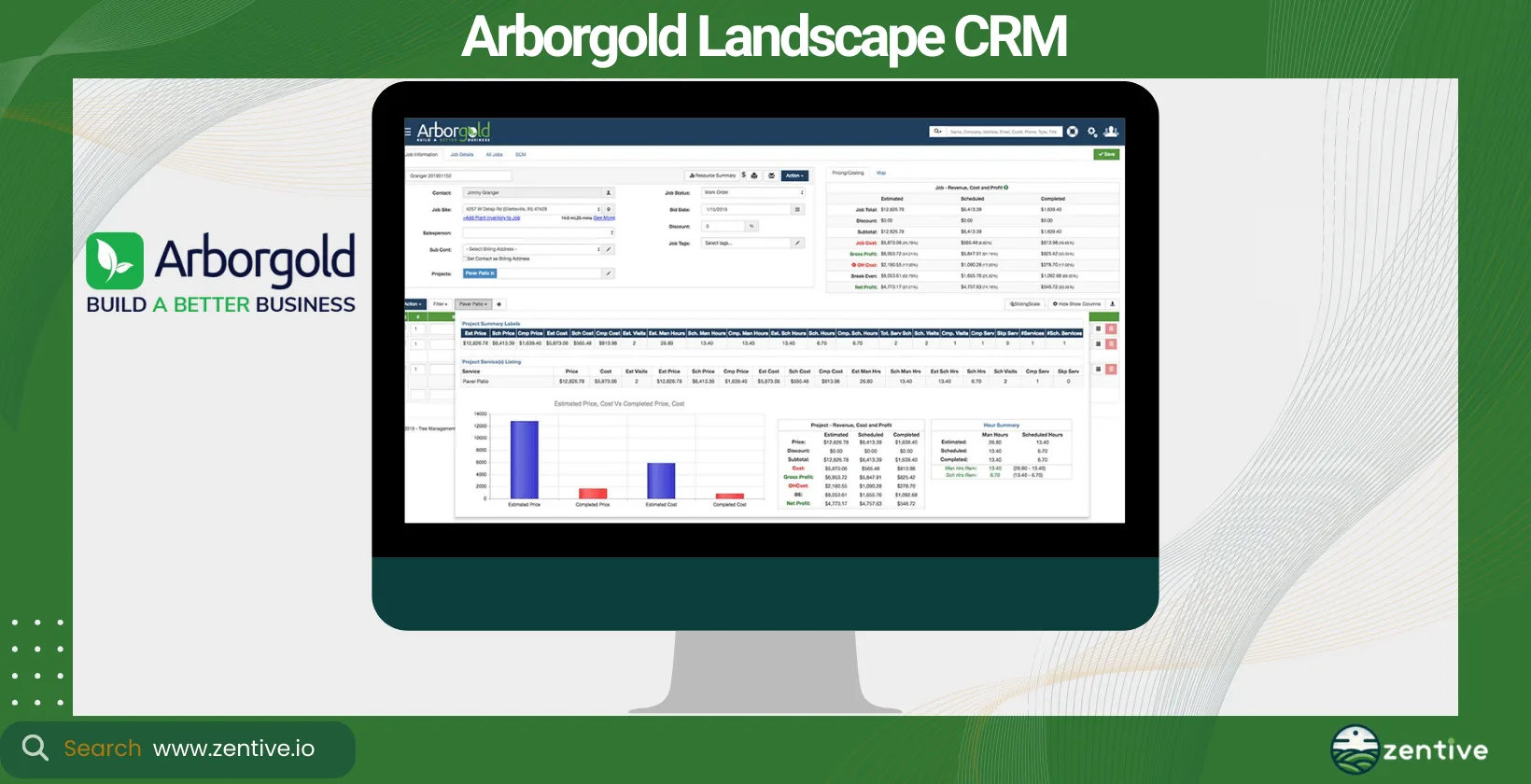
| Feature | Positive Feedback | Negative Feedback |
|---|---|---|
| User-Friendly Interface | Easy to learn, seamless screen transitions | None |
| Comprehensive Features | Route optimization, crew scheduling, inventory tracking | None |
| Customer Support | Great support team and responsive CSR | None |
| Performance | None | Sluggish navigation and page toggling |
| Setup and Transition | None | Difficult transition from old processes |
| Mobile Functionality | None | Mobile Estimator lacks invoicing, accounting, and deposits |
| CRM (Customer Relationship Management) | Manage customer communication effectively | None |
3. Jobber
Jobber is a highly versatile CRM for landscapers that simplifies client management, quoting, and scheduling. It's designed to be intuitive, making it easy for businesses to adopt and integrate into their daily operations. Jobber serves various service industries, including landscaping and lawn care.
It's ideal for small—to medium-sized businesses that need a straightforward CRM solution that covers the basics without overwhelming users with too many features. Jobber offers flexible pricing tiers and integrates with various payment processing, accounting, and marketing tools.
Its automation capabilities include client follow-ups, payment reminders, and scheduling, helping to save time and reduce manual errors. Jobber can enhance your customer communication and job scheduling efficiency, leading to better service delivery and customer satisfaction.
Pros:
- Ease of Use: Users find Jobber fairly easy to use once accustomed to it, making it effective for time management and client scheduling.
- Workflow Efficiency: The workflow from quoting to job completion is streamlined and efficient, enhancing overall business operations.
- Integrated Storage: Jobber allows easy storage of appointments, photos, and other data, which can be easily shared among coworkers.
- Payment Integrations: The software offers fantastic payment integrations, simplifying the billing and payment processes.
Cons:
- Mapping System Limitations: The mapping system is limited, only allowing route resets twice a day, which users find insufficient and inconvenient.
- Customer Service: Some users report frustrations with customer service, particularly due to delays and issues with phone support, which is based in Canada.
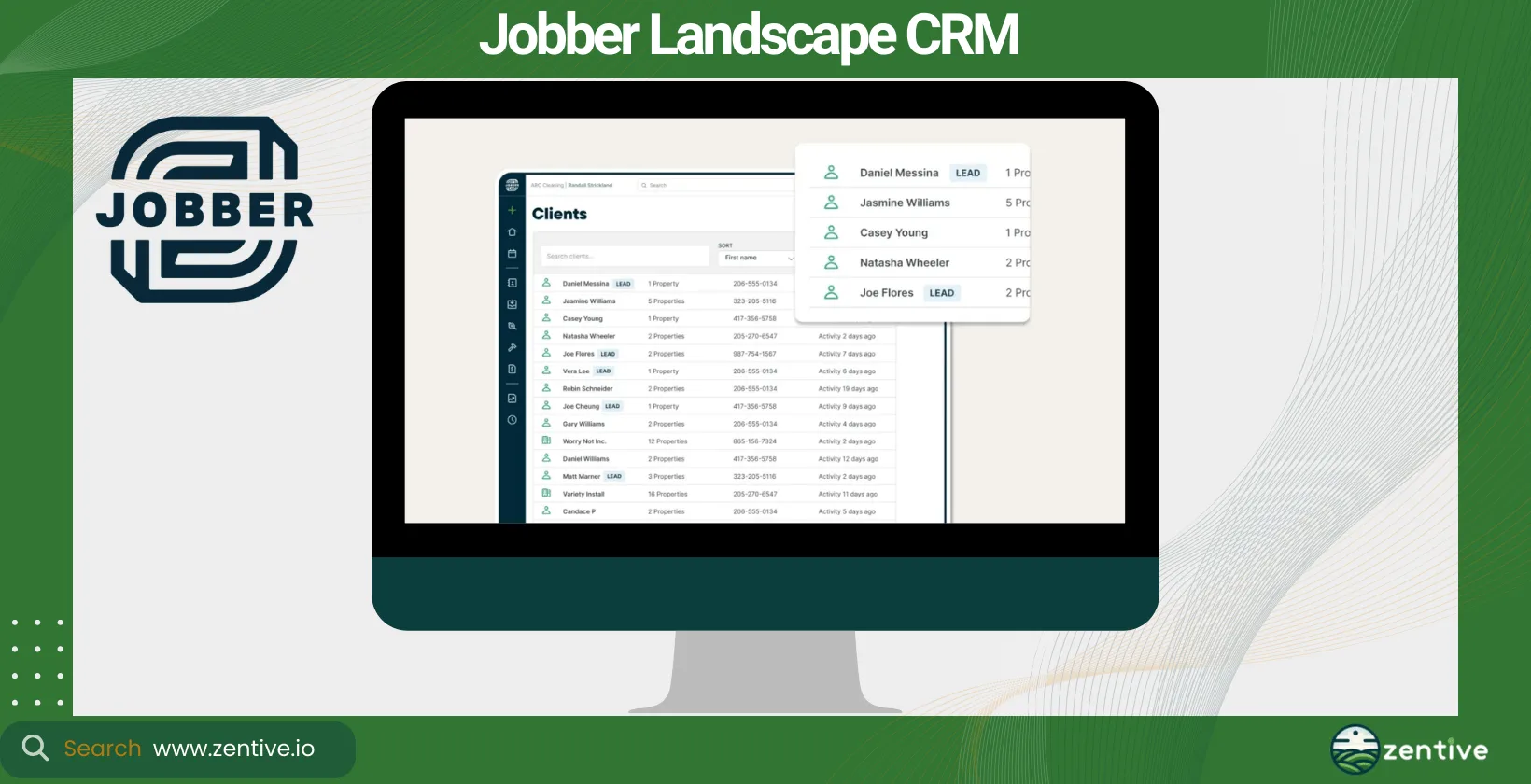
| Feature | Positive Feedback | Negative Feedback |
|---|---|---|
| Ease of Use | Easy to use once familiarized | None |
| Workflow Efficiency | Streamlined workflow from quote to job completion | None |
| Integrated Storage | Easy storage and sharing of appointments and photos | None |
| Payment Integrations | Fantastic payment integrations | None |
| Mapping System | None | Limited route resets (twice a day) |
| Customer Service | None | Delays and issues with phone support |
4. ServiceTitan (Aspire)
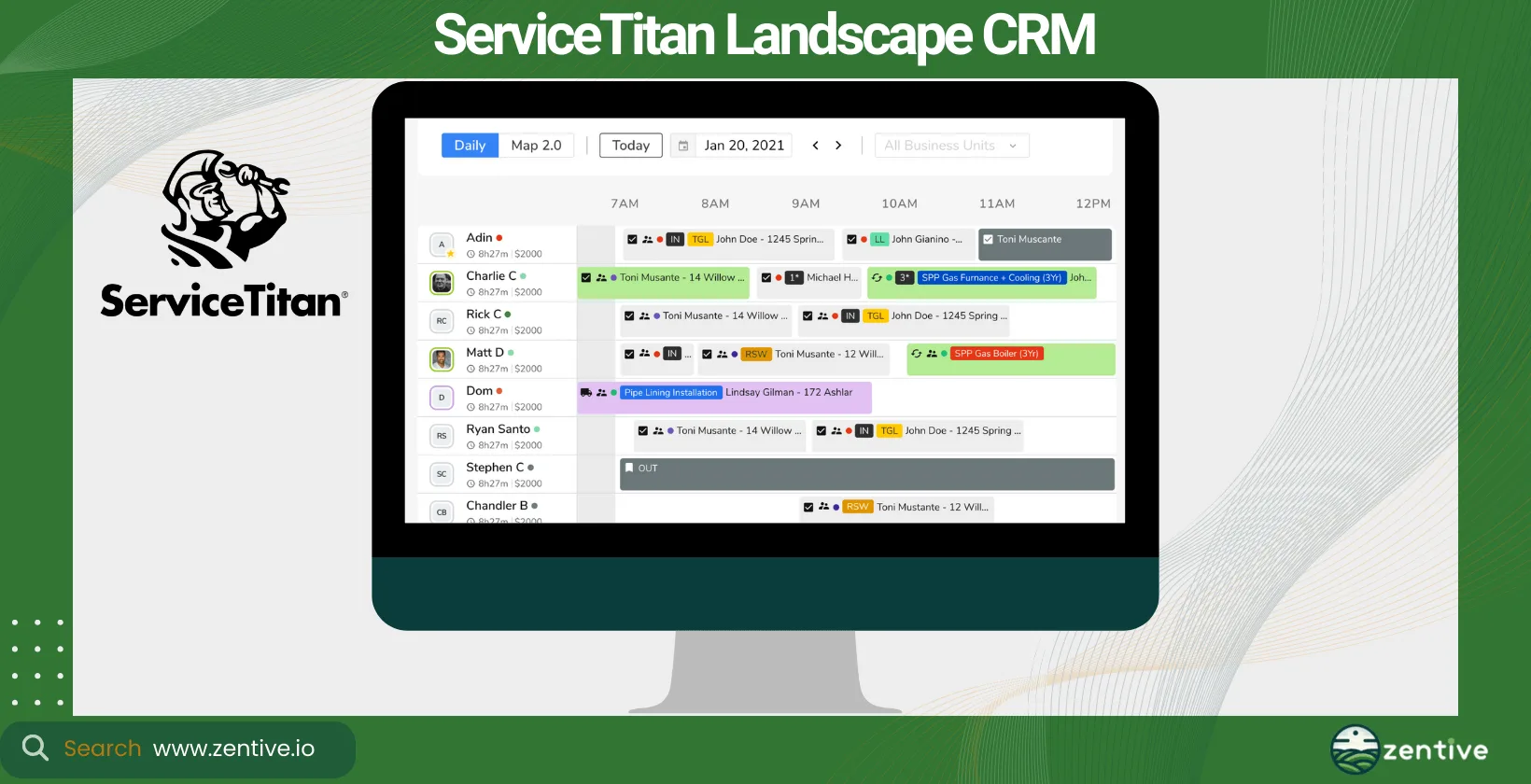
ServiceTitan's Aspire CRM is designed for scalability and efficiency, providing landscaping businesses with the tools they need to manage their customer relationships and projects effectively. It's best suited for the landscaping, lawn care, and construction industries.
This landscape CRM is targeted at larger businesses that require detailed reporting, advanced project management, and customer relationship functionalities. As part of the ServiceTitan platform, Aspire has a higher price tag but offers extensive integration options with other business tools, including marketing, accounting, and inventory management systems.
Its strong automation features streamline complex operations such as scheduling, client communication, and billing. It offers comprehensive insights into customer interactions and business operations, leading to improved decision-making and growth.
Pros:
- Integration Features: Users appreciate the integration with phone lines, messaging boards for technicians, and robust marketing tracking capabilities.
- User-Friendly: The software is praised for being user-friendly, making it easier for staff to adopt and utilize effectively.
- Responsive Support: The support staff is noted for being quick to respond to chats and emails, providing thorough assistance.
- Continuous Improvement: The engineers are commended for constantly updating the software, with notifications about changes and their benefits to users.
Cons:
- Customer Service Inconsistency: Some users report difficulty in getting support after initial setup, experiencing long wait times and unresponsive service.
- Sales and Knowledge Issues: The sales team has been described as lacking knowledge about the software's capabilities and functions.
- Data Management Problems: Users have encountered issues with data technicians causing data loss or creating new problems during system updates or maintenance.
| Feature | Positive Feedback | Negative Feedback |
|---|---|---|
| Integration Features | Integration with phone lines and marketing tracking | None |
| User-Friendly | Easy to use and adopt | None |
| Responsive Support | Quick response to chats and emails | Difficulty in getting support post-setup |
| Continuous Improvement | Regular updates with notifications | None |
| Sales Team | None | Salesperson lacked knowledge about software |
| Data Management | None | Data loss issues and new problems during updates |
5. SingleOps
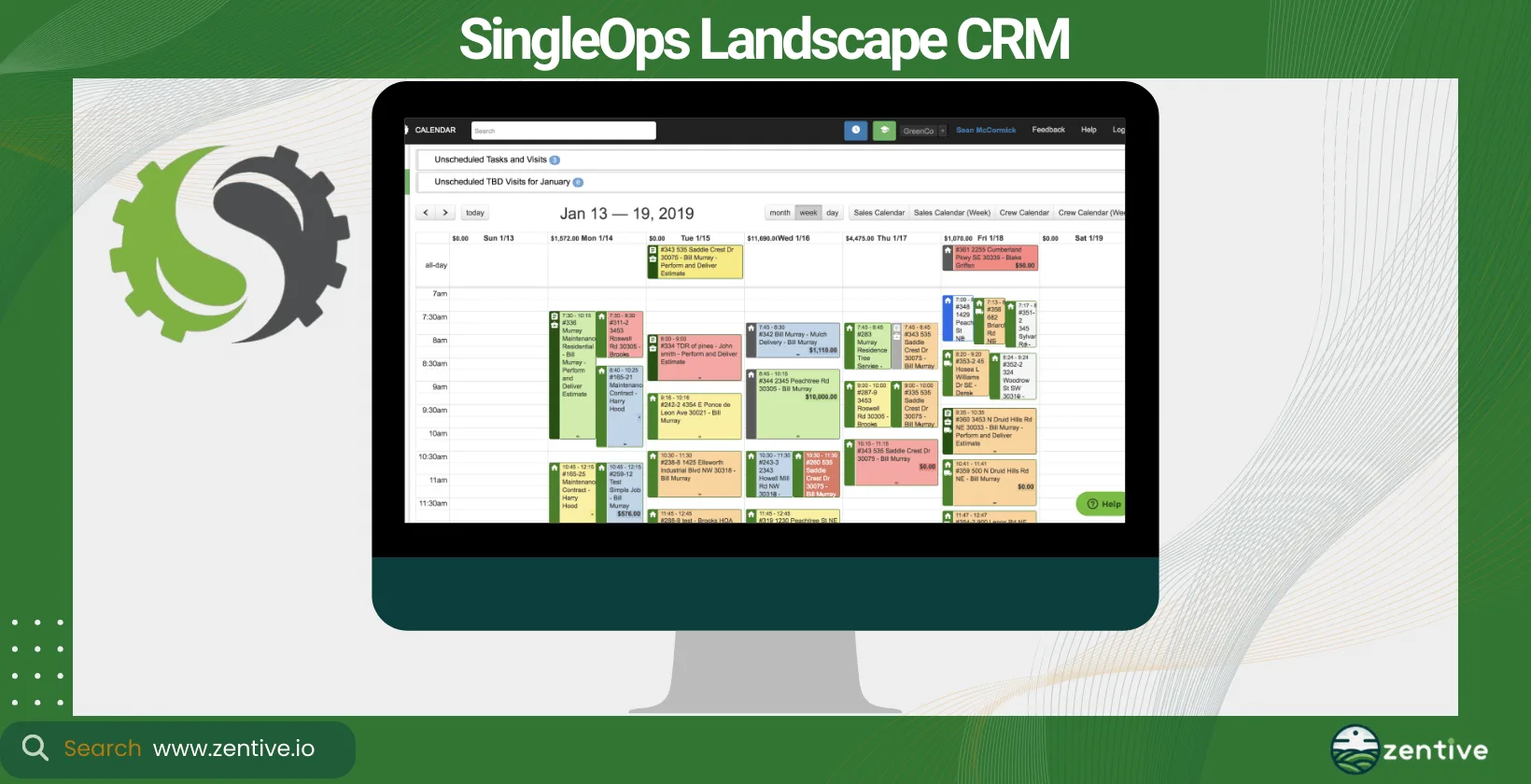
SingleOps offers a holistic approach to the CRM landscape, providing powerful tools for customer relationship management, job quoting, and workflow automation. It's tailored specifically for businesses involved in landscaping, tree care, and lawn maintenance.
SingleOps is best suited for medium to large-sized businesses that are looking for an all-in-one solution to manage every aspect of their operations, from customer engagement to invoicing and reporting.
With a pricing model that scales with your business, SingleOps offers good value for its comprehensive features. Like Zentive, SingleOps integrates smoothly with various accounting software, payment processors, and marketing tools to provide a seamless operational flow.
Its automation capabilities are extensive, covering job scheduling, communications with your landscaping customers, and follow-ups, which significantly reduce the time spent on routine tasks. SingleOps helps businesses improve efficiency, enhance customer satisfaction, and drive growth by centralizing customer data in their platform.
Pros:
- Continuous Improvement: SingleOps is known for its constant updates and improvements, making the software progressively better.
- Customer Success Management: The addition of a dedicated Customer Success Manager has been positively received, enhancing customer support.
- Task Management Feature: Users appreciate the task feature, which helps with reminders and organizing daily activities.
- Ease of Scheduling: The scheduling feature is highly praised for its ease of use, facilitating efficient management of appointments and tasks.
Cons:
- Credit Card Processing Issues: Significant problems with the credit card processing company, including holding large sums of money for extended periods.
- Learning Curve: Some users, especially those accustomed to pen-and-paper methods, find the transition to SingleOps challenging.
- Technology Aversion: Users who dislike using computers may struggle with the software despite its benefits.
| Feature | Positive Feedback | Negative Feedback |
|---|---|---|
| Continuous Improvement | Regular updates and enhancements | None |
| Customer Success Management | Dedicated manager improves support | None |
| Task Management | Useful for reminders and organizing tasks | None |
| Ease of Scheduling | Superb scheduling functionality | None |
| Credit Card Processing | None | Problems with holding funds for long periods |
| Learning Curve | None | Transition challenging for some users |
| Technology Aversion | None | Difficult for users who dislike computers |
6. Salesforce
Salesforce is arguably one of the biggest players in the CRM landscape. It offers a customizable platform that can be tailored to the unique needs of a landscape and lawncare CRM through its various apps and integrations.
Salesforce caters to a wide range of industries, including landscaping businesses. They can leverage its powerful CRM capabilities to manage customer data, sales pipelines, and marketing efforts effectively.
The tool is ideal for large landscaping companies that require a robust, scalable CRM solution capable of handling complex customer relationship processes and data analytics.
There are various pricing tiers, which can get expensive as additional features and customizations are added. Its strength lies in its ability to integrate with nearly any other software tool, which is invaluable for businesses that use multiple systems.
Salesforce can automate sales processes, customer service workflows, and marketing campaigns, helping your admin, sales, and marketing teams save time and increase efficiency. The tool provides in-depth insights into customer behavior, sales trends, and marketing effectiveness, enabling businesses to make data-driven decisions.
Pros:
- Comprehensive CRM Features: Salesforce offers a wide array of functions, from sales management to marketing automation, making it a robust tool for business management.
- Scheduling Capabilities: The scheduling features help streamline daily operations, improving efficiency and productivity for lawn care businesses.
- Scalability and Adaptability: Salesforce can grow and evolve with your business, adapting to changing needs and supporting expansion.
- Workflow Streamlining: The platform’s ability to streamline workflows can significantly increase team efficiency and productivity.
Cons:
- Complexity: The extensive features and capabilities of Salesforce can make it complex and challenging to learn for new users.
- Cost: Salesforce can be expensive, especially for small businesses or startups, due to its comprehensive feature set and advanced functionalities.
- Customization Needs: While highly customizable, the initial setup and ongoing customization may require significant time and technical expertise.
| Feature | Positive Feedback | Negative Feedback |
|---|---|---|
| Comprehensive CRM Features | Wide range of functions including sales management and marketing automation | Complexity can be challenging for new users |
| Scheduling Capabilities | Helps streamline daily operations | None |
| Scalability and Adaptability | Supports business growth and evolution | Cost can be high for small businesses |
| Workflow Streamlining | Increases team efficiency and productivity | Customization requires time and expertise |
7. Pipeline CRM
Pipeline CRM (formerly PipelineDeals) is designed to simplify your CRM process. It offers an intuitive platform that focuses on sales pipeline management, customer tracking, and engagement.
Its straightforward approach makes it a good fit for landscaping and lawn care businesses looking to streamline their sales processes without all the bells and whistles as some of the more advanced tools on this list.
This landscape CRM software is particularly well-suited for small to medium-sized businesses that need a focused, easy-to-use CRM solution to manage their sales pipelines and customer relationships efficiently. Pipeline CRM offers competitive pricing with other tools on this list and integrates with a selection of key business tools, including email marketing platforms and accounting software.
The tool focuses more on sales management than anything else, offering essential automation in tracking sales activities, follow-ups, and customer engagement.
Utilizing Pipeline CRM can help your business maintain a clear view of its sales pipeline, improve customer follow-up, and increase your conversion rates through better relationship management.
Pros:
- Ease of Use: Users find Pipeline intuitive and customizable, making it easy to program and use according to specific business needs.
- Customer Service: The customer service is highly praised, with support staff readily available to help and walk users through any issues.
- Task Management: The console management system allows for easy task setting and follow-up with leads.
- Deal Tracking: Users appreciate the ability to keep track of email threads and monitor the team's progress on specific deals. The feature to add potential revenue from deals is particularly valued.
Cons:
- Clutter Risk: Users say this CRM can become cluttered with unnecessary information when not used properly..
- Feature Gaps: Some users have noted a lack of certain handy features, and the API section can be confusing.
- Lead Upload Issues: Uploading leads can be problematic when not formatted correctly, leading to overwritten, lost, or errored leads.
- Non-Industry Specific: Not built specifically for landscaping businesses.
| Feature | Positive Feedback | Negative Feedback |
|---|---|---|
| Ease of Use | Intuitive and customizable | None |
| Customer Service | Excellent support and helpful staff | None |
| Task Management | Easy to set tasks and follow up with leads | None |
| Deal Tracking | Tracks email threads, team progress, and potential revenue | None |
| Clutter Risk | None | Can become cluttered if not used properly |
| Feature Gaps | None | Lacks some handy features; confusing API |
| Lead Upload Issues | None | Issues with uploading leads if not formatted correctly |
8. HubSpot CRM
HubSpot CRM offers a free, comprehensive solution for managing customer relationships. It has the scalability to add more advanced features and tools through its paid tiers. While not specific to any one industry, HubSpot CRM is highly adaptable and can be used for landscaping businesses looking to manage their customer interactions, sales, and marketing efforts.
Its ease of use and cost-effectiveness make it an excellent choice for small to medium-sized businesses, especially those looking to scale their operations over time. In my opinion, HubSpot CRM's free tier provides substantial value, allowing you to "test the waters" of CRM tools with the option to purchase additional features if you feel the tool offers value to your business.
HubSpot CRM is similar to Salesforce. It offers automation for email marketing, sales pipelines, and customer service tickets. Through the app, you can enhance lead management, streamline sales processes, and improve customer service, increasing customer satisfaction and retention.
Pros:
- Conversion and Tracking: HubSpot excels at converting contacts into sales opportunities and provides robust tools for tracking emails, creating forms, and monitoring leads.
- Customer Support: The customer support team is highly praised for its excellence and responsiveness. Additionally, HubSpot offers detailed how-to guides and demo sections for beginners.
- Automation and Integrations: Users appreciate the platform's powerful automation capabilities and the wide range of useful integrations.
- Customizability: HubSpot is easy to customize to fit specific business needs, making it a versatile tool for various industries.
- Regular Updates: The product receives regular upgrades to enhance the user experience.
Cons:
- Support Limitations: Some users find the support to be slow and limited to English only, which can be a drawback for non-English speaking users.
- Pricing: Over time, users have noted that the pricing has become less favorable, potentially making it less accessible for smaller businesses.
- Email Errors: There is a risk of accidentally sending the wrong document to the wrong contact, which can lead to communication errors.
- Unsubscribe Thresholds: The percentage threshold for unsubscribes can be annoying, especially for businesses with larger audiences.
| Feature | Positive Feedback | Negative Feedback |
|---|---|---|
| Conversion and Tracking | Helps convert contacts into sales opportunities, tracks emails and leads | None |
| Customer Support | Excellent, responsive support team | Slow and English-only support |
| Automation and Integrations | Great automation capabilities and useful integrations | None |
| Customizability | Easy to customize to fit business needs | None |
| Regular Updates | Regular upgrades enhance user experience | None |
| Pricing | None | Pricing has worsened over time |
| Email Management | None | Risk of sending wrong documents to wrong contacts |
| Unsubscribe Management | None | Annoying unsubscribe percentage thresholds |
9. LMN
LMN is not just a CRM but a comprehensive business management solution designed specifically for the landscaping industry. Like Zentive, it offers features for estimating, scheduling, and customer management.
It's tailored for landscaping, lawn care, and snow removal businesses, providing tools that are directly relevant to the needs of these industries. LMN is ideal for businesses of all sizes, from small startups to large enterprises.
The pricing model is designed to accommodate businesses at different stages of growth, with basic to advanced features available. LMN integrates with popular accounting software, payment processing, and other essential business tools.
It offers automation in areas like job scheduling, customer communication, and invoicing, helping businesses save time on administrative tasks and focus more on their growth and service quality.
By providing a suite of tools specifically designed for the landscaping industry, LMN can help your business streamline its operations, improve customer relations, and increase profitability through better resource management and customer engagement.
Pros:
- Profitability Guidance: LMN helps users develop consistent and profitable pricing, ensuring that quotes are based on what businesses need to charge to cover costs and make a profit.
- Budgeting: The budgeting portion is highly valued by users, significantly impacting their business by providing a clear understanding of costs and pricing needs.
- Flexible Functionality: The software is flexible, allowing users to select the features they need, which helps in operating more efficiently with less administrative effort.
- Support and Training: LMN provides excellent customer support and conducts many technical seminars across the country to help users maximize the software's potential.
Cons:
- Learning Curve: The software has a steep learning curve due to its many inter-related capabilities, requiring time to set up and get used to.
- Material Tracking: Users wish there was an easier way to send materials used, indicating a need for improved material tracking features.
- Time Clock Feature: The time clock feature on mobile devices is described as awkward and challenging to learn, indicating usability issues in this area.
- Report Recognition: It takes time for users to recognize and utilize the various reports available within the software.
| Feature | Positive Feedback | Negative Feedback |
|---|---|---|
| Profitability Guidance | Helps develop consistent, profitable pricing | None |
| Budgeting | Significantly improves business budgeting | None |
| Flexible Functionality | Allows selection of needed features, improving efficiency | None |
| Support and Training | Excellent support and numerous technical seminars | None |
| Learning Curve | None | Steep learning curve due to inter-related capabilities |
| Material Tracking | None | Difficult to send materials used |
| Time Clock Feature | None | Awkward and challenging to learn on mobile devices |
| Report Utilization | None | Takes time to recognize and use various reports |
What Is Customer Relationship Management
Customer Relationship Management (CRM) is a strategy businesses implement to manage their interactions with current and potential customers. It uses data analysis about customers' history with a company to improve business relationships with customers, specifically focusing on customer retention. Businesses emphasize CRM for the sole purpose of driving sales growth.
CRM is crucial for field services businesses like landscaping, lawn care, arborists, and snow removal. It organizes customer information, schedules services, and ensures high-quality customer service. CRM is particularly important for field services businesses, as it addresses the unique challenges of managing on-the-go operations and maintaining high levels of customer satisfaction in a service-based industry.
Why Is Customer Relationship Management Important For Landscapers?
Customer relationship management is important for landscapers because it tackles their biggest challenges: follow-ups, past conversations, and service feedback. These aspects are crucial for building long-term relationships with clients and ensuring repeat business, and a CRM keeps them organized in one place. Implementing CRM software is the simplest and most effective solution to manage these aspects efficiently.
What Is A CRM For Landscapers?
A CRM for landscapers is software designed to meet the specific scheduling, tracking, and project management needs of landscaping businesses. A landscaping CRM includes features for scheduling services, tracking customer interactions, managing projects, and integrating with other business tools like accounting software, email marketing platforms, and social media.
Tools like Zentive offer integration with other landscaping business tools, which is a significant advantage, enabling a seamless flow of information across different aspects of the business. For landscaping operations, benefits include better resource allocation, more accurate scheduling, and enhanced communication with clients.
Before you pick and implement a landscaping CRM, consider the need for mobile access, ease of use, and scalability to accommodate business growth. Different-sized businesses use CRM software differently, with larger enterprises requiring more extensive customization and integration capabilities than smaller operations.
What Type Of Landscape Business Needs CRM Software?
Commercial and residential landscaping companies are the two types of landscape businesses that need CRM software. Commercial landscaping businesses manage large projects for corporate clients, municipalities, and other organizations, such as NPOs. CRM software helps them track multiple projects, maintain detailed client records, and manage large teams more effectively.
A residential landscape business serves homeowners. It often deals with a higher volume of smaller projects. A CRM helps it schedule services, communicate with new and recurring clients, and manage billing and invoicing efficiently.
Both types of landscaping businesses benefit from CRM. You can use one of the nine best landscaping CRMs to manage leads and maintain customer relationships, which converts into higher sales.
How To Pick A Landscape CRM?
The six things to consider when picking a landscape CRM are CRM type, business benefits, industry fit, company goals, pricing, and device compatibility. You must consider the CRM type, one that aligns with your business processes, whether focusing on collaboration, operations, or analytics.
You should understand the software benefits, such as improved customer service or increased sales. Ensure the CRM supports landscaping business services, from design to maintenance.
Know your company growth objectives before picking a CRM; this will help you choose a CRM that can scale with your business and support your long-term growth plans. An important factor to consider is the software pricing—does it fit within your budget while meeting your needs?
Finally, consider the type of device the CRM is compatible with and what devices your teams use most - desktops, tablets, or smartphones.
What Are Different Types Of CRMs For Landscapers?
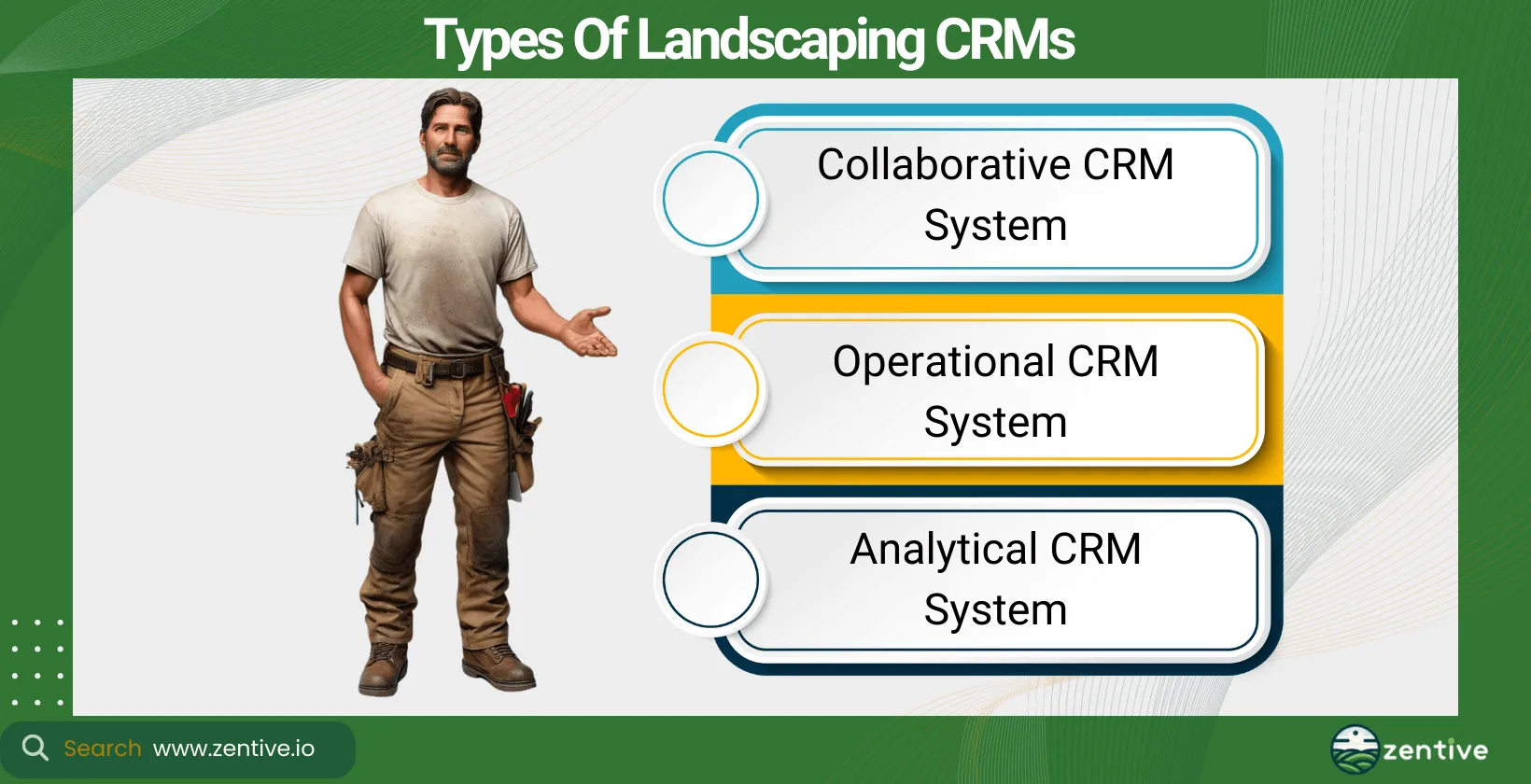
The three types of CRMs for landscapers are collaborative, operational, and analytical CRM systems. Below is a closer look at each of these types of landscape CRMs.
- Collaborative CRM system: Focuses on sharing customer information across different departments to improve the quality of customer service.
- Operational CRM system: Makes business processes more efficient, including sales, marketing, and service automation.
- Analytical CRM system: One of the most powerful types of landscape CRMs for business improvement, as it analyzes customer data to understand patterns and make better business decisions.
What Are The Benefits Of A Landscaping CRM?
The four benefits of a landscaping CRM are that it integrates with your other tools, improves client relations, helps you win more jobs, and boosts marketing effectiveness. Each of these benefits is explained below.
- Integrates With Other Tools: It simplifies business operations, integrating and working with tools for quoting, invoicing, marketing, and customer messaging.
- Improve Client Relations: Helps maintain detailed customer records, from appointments to preferred service, enhancing communication and service.
- Win More Jobs: CRM landscape software helps manage leads efficiently and create competitive job bids, enabling you to win more jobs.
- Boost Marketing Effectiveness: Enables you to conduct targeted marketing efforts based on customer data and preferences.
How Does A CRM Integrate With Landscaping Software?
A CRM integrates with landscaping software by connecting quoting, invoicing, messaging, and routing into one centralized system. It connects with other software for landscaping business, including quoting, invoicing, customer messaging, job routing, and more.
This ensures data flows efficiently between different business functions, reducing manual data entry and improving accuracy by mitigating human error.
How Does Landscaping Software Help Improve Client Relations?
Landscaping software, like Zentive CRM, helps improve client relations by organizing customer data and enabling personalized services to your clients. This is an easy and great method to improve client retention by making it easier to track customer preferences, history, and feedback.
All a client wants is to feel valued and guaranteed that their needs are met. You have a much higher chance of a client returning for additional services if you can ensure these two criteria for a client are met. A CRM system helps you fulfill these two criteria.
Can Landscaping CRM Help Win More Jobs?
Yes, a landscaping CRM can help you win more jobs. Apps like Zentive help you win landscaping bids by tracking and managing leads more effectively. They provide tools for creating detailed job bids, factoring in all necessary information and past performance data to produce competitive and accurate proposals.
This process not only improves the chance of you winning new contracts but makes the lead management process easier, allowing you to bid on even more contracts.
Can Landscape CRMs Improve Marketing Efforts?
Yes, a landscape CRM improves marketing efforts for landscaping businesses by automating lead follow-ups and storing past customer communications. CRM tools can help with your landscape marketing strategies by providing detailed insights into past communications and automating follow-ups with potential clients.
By analyzing data on services that clients appreciate the most, you can tailor your marketing strategies to focus on your business's strengths. This will attract more customers and enhance the overall effectiveness of your marketing campaigns and ROI.
What Size Landscape Company Should Use A CRM?
Landscape companies of all sizes should use CRM software. A small landscape company with less than ten employees can use CRM, as can other sizes and types of landscaping companies, including a medium landscape company (11-50 employees) and a large landscape company (50+ employees). A CRM is a critical landscape business management practice that leads to better efficency.
Should Small Landscaping Companies Use A CRM?
Yes, small landscaping companies should definitely use a CRM. Small landscaping companies need to focus on landing new clients and creating a business footprint. A CRM can help them with these two things by improving customer tracking, increasing winning job bid rates, and enhancing marketing strategies.
The availability of low-cost (Zentive) or even free CRM (HubSpot) options makes it manageable for smaller businesses to adopt these systems without significant investment.
Is There A Free CRM For Landscaping Industry?
Yes, there is a free CRM available for the landscaping industry, though they come with limitations. HubSpot CRM, for example, offers a free basic package that can perform some tasks applicable to landscaping businesses. The risks or negative aspects of using a free CRM include less functionality, limited integrations, and potentially inadequate support, which could impact its effectiveness or even hurt your brand image.
Are Landscaping CRMs Accessible On All Types Of Devices?
Yes, most landscaping CRMs are designed to be accessible on all types of devices, including desktops, tablets, and cell phones. This cross-platform accessibility ensures that all your team members can access the information they need, regardless of where they are or what device they are using.
Can CRM For Landscapers Be Used On A Desktop?
Yes, CRM for landscapers can be used on a desktop. Desktop users include the office managers or administrators who handle scheduling, customer communications, and billing from a central office.
Can CRM For Landscapers Be Used On A Tablet?
Yes, CRMs like Zentive are cloud-based solutions and can be used on a tablet. The tool can be accessed from anywhere as long as there is an internet connection, ensuring easy access to critical business information. Tablet usage is ideal for managers and supervisors on the move or working directly from job sites.
Can CRM For Landscapers Be Used On A Cell Phone?
Yes, a CRM for landscapers can be used on a cell phone. Many landscaping CRMs, including Zentive, offer a mobile app for even greater flexibility. This means that landscapers, sales teams, and even field workers can access customer information, update job statuses, and communicate with clients directly from their cell phones.
Get This Guide as a PDF
Save this article for offline reading. We'll send a formatted PDF straight to your inbox.
No spam. Unsubscribe anytime.
Ready To Streamline Your Field Service Business?
Zentive is the all-in-one field service management software built for home service and field service businesses. Start your free trial today.
No credit card required · Cancel anytime