
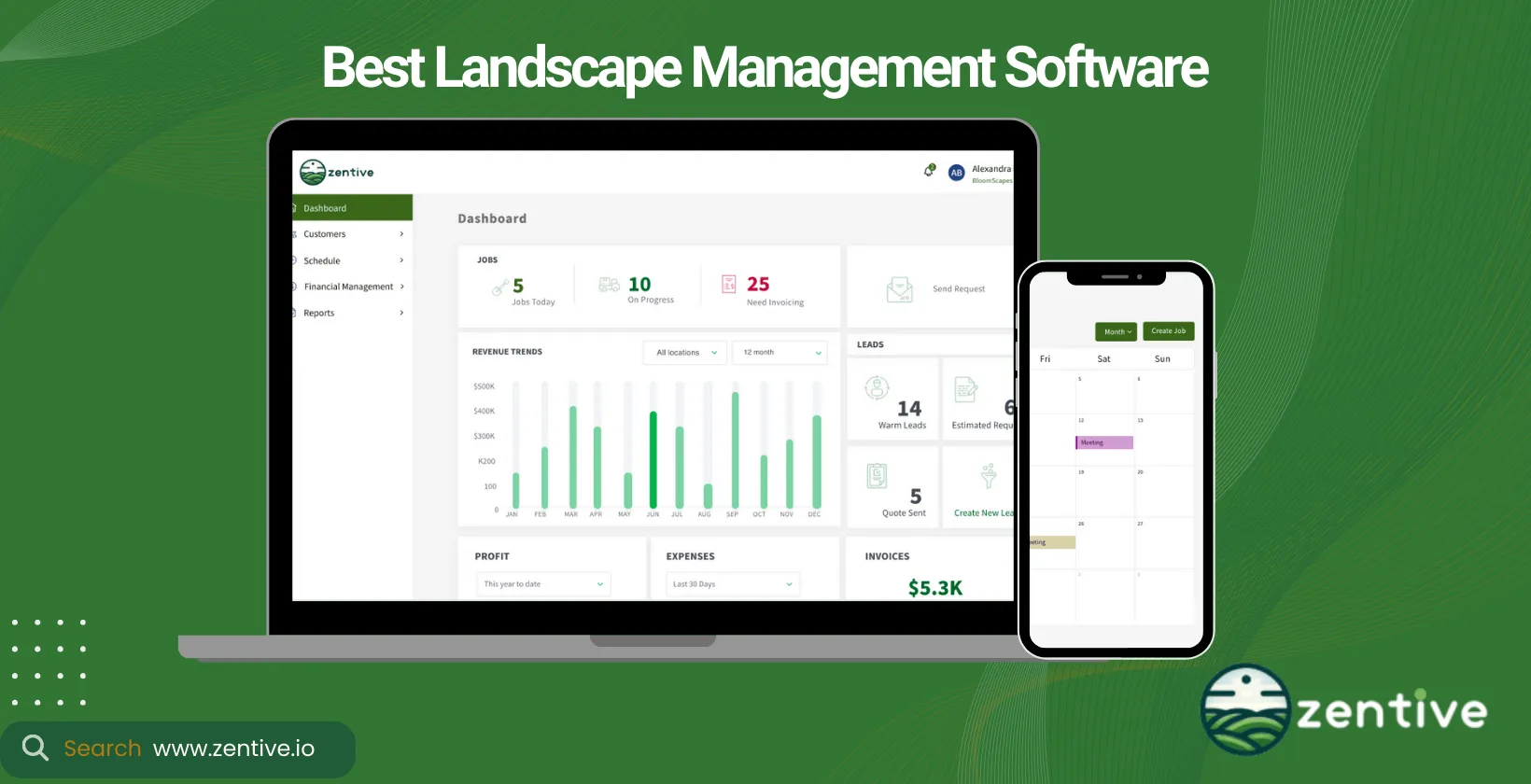
Landscape business management software is specialized field service software that landscaping companies use to schedule crews, manage customers, invoice jobs, and cut down on administrative work. This guide compares the 9 best landscape business management software platforms in 2026 so you can choose the right tool to run and grow your landscape business.
Landscape business owners invest in landscaping management software to boost customer satisfaction and drive profitability by reducing operational costs and working more efficiently. Time is the most valuable resource for a landscaping company, which makes a tool that optimizes scheduling, invoicing, customer management, and project planning essential. Below, you'll see how each platform stacks up, what type of business it fits, and how to pick the software that matches your goals.
Zentive offers a comprehensive suite of features, ensuring a holistic approach to landscape management for small and medium-sized businesses.
When selecting landscape management software, consider critical factors such as desired features, the type of landscaping services (residential, commercial, or maintenance), long-term goals, affordability, and the size and planned use cases of the business.
Landscape Business Management Software Comparison
| Software | Best for | Public price / evaluation | Operation fit | Scheduling and routing | Estimating and job costing | Mobile / QuickBooks | Main limitation |
|---|---|---|---|---|---|---|---|
| Zentive | Small and midsize landscaping companies | From $51/month with annual billing; 14-day free trial | Residential and commercial maintenance plus project work | Crew scheduling and GPS-aware route planning | Quotes, invoices, job tracking, and reporting | Mobile app; QuickBooks integration | Not designed for enterprise teams above 50 employees |
| Aspire by ServiceTitan | Large and enterprise landscape contractors | Custom pricing; free personalized demo | Commercial maintenance and construction at scale | Enterprise scheduling, crew management, and GPS options | Detailed estimating, purchasing, and real-time job costing | Mobile tools; accounting and payroll integrations | Sales-led implementation is more than many small firms need |
| Jobber | Small service businesses prioritizing ease of use | Plans from $29/month; 14-day free trial | Residential maintenance and mixed home services | Recurring scheduling, dispatch, and route optimization | Quotes and job costing features vary by plan | Mobile app; QuickBooks Online integration | Broad home-service platform rather than landscape-specific software |
| CLIP | Lawn and landscape maintenance companies | Contact vendor; trial available | Recurring maintenance and route-dense service | Route optimization and recurring job scheduling | Estimating and production tracking | Mobile access; QuickBooks integration | Less suited to complex landscape construction projects |
| LMN | Contractors prioritizing budgets and profitability | Free version available; paid plans available | Maintenance and landscape construction | Crew scheduling and field time tracking | Detailed estimating, budgeting, and job costing | Mobile time app; QuickBooks Online workflow | Deeper financial tools create a steeper setup curve |
| Yardbook | Solo operators and small landscape businesses | Free Starter plan; paid plans from $34.99/month | Residential lawn and landscape maintenance | Recurring jobs, batch rescheduling, and route optimization | Estimates and invoicing with lighter costing depth | Android app and mobile web; QuickBooks on paid plans | Less operational depth for larger, multi-division contractors |
| SingleOps | Midsize and large green-industry companies | Contact sales; demo available | Commercial maintenance and landscape operations | Drag-and-drop scheduling and production management | Estimates, work orders, invoices, and job costing | Mobile crew tools; accounting integrations | Sales-led evaluation and a more involved rollout |
| The Service Program | QuickBooks-centered route service companies | Contact vendor; demo available | Recurring maintenance and work-order operations | Route management and recurring work orders | Quotes, invoices, and service history | Field access; deep QuickBooks integration | Interface and setup may feel heavier than newer cloud-first tools |
| Service Autopilot | Established companies with automation-heavy workflows | From $49/month plus setup fee; free trial available | Recurring lawn and landscape maintenance | One-click scheduling, routing, and workflow automations | Estimating, invoicing, and job-costing reports | Mobile app; QuickBooks integration | Configuration takes more time than a scheduling-first product |
Best Landscaping Software by Use Case
| Use case | Best fit | Why it stands out |
|---|---|---|
| All-in-one operations for a small or midsize landscape company | Zentive | Combines scheduling, routing, CRM, quoting, invoicing, field access, and reporting in one platform. |
| Enterprise commercial landscaping | Aspire by ServiceTitan | Supports large organizations with detailed estimating, purchasing, crew operations, and real-time job costing. |
| Landscape estimating and budget discipline | LMN | Budgeting, production rates, estimating, and job costing are core strengths. |
| Free software for a new landscape business | Yardbook | Its free plan covers core scheduling, routing, customer, estimate, and invoice workflows. |
| Recurring-route automation | Service Autopilot | Scheduling, routing, and configurable automations fit established recurring-service operations. |
| QuickBooks-centered route and work-order management | The Service Program | Its workflow is built around recurring work orders, routes, field updates, and QuickBooks. |
What Is A Landscaping Management Software?
Landscaping management software is a type of field service management software that helps landscaping businesses run day-to-day operations such as scheduling, invoicing, routing, and customer communication from one platform. Most platforms offer a comprehensive digital hub that facilitates the planning, execution, and management of your landscaping projects, from quoting clients to scheduling crews for a new job.
Landscaping management software helps businesses grow by providing tools that help your business run more efficiently through better project management (managing crew members and appointments), enhance customer communication, automate billing and scheduling, and offer insights into business performance through analytics.
There are different types of business programs that is specifically designed to meet the needs of any landscaping business.
What Are The Different Types Of Landscape Software?
The two different types of landscape software are landscape design software and landscape business management software. Design software focuses on creating visual plans and renderings, while business management software runs your operations like scheduling, invoicing, and CRM.
- Landscape management software is geared toward the operational side of your landscaping business. Tools like Zentive are designed to handle the day-to-day management of the entire business. This includes scheduling jobs, managing customer relationships, invoicing, data and analytics, and much more. This type of tool ensures that projects are completed efficiently and customers are satisfied with the service they receive.
- Landscape design software is a type of landscaping software that focuses on the creative aspect of your landscaping business, offering tools for creating detailed designs and visualizations. PRO Landscape is a leader in this sector, providing designers with powerful features for drafting plans, selecting plants, and simulating the appearance of landscape projects in various conditions and seasons.
9 Best Landscaping Management Software
Below are the 9 best landscaping management software options.
- Zentive: All-in-one management software for small to medium-sized landscaping and related businesses, offering scheduling, CRM, invoicing, and analytics.
- ServiceTitan (Aspire): Advanced software for larger landscaping businesses, providing detailed project management, real-time reporting, and comprehensive operational tools.
- Jobber: User-friendly field service software for small to medium landscaping businesses, featuring scheduling, invoicing, and a mobile app.
- CLIP: Specialized software for optimizing routes and scheduling in small to medium lawn care and landscaping businesses.
- LMN: Versatile management tool for landscaping businesses of all sizes, focusing on budgeting, job costing, and financial management.
- Yardbook: Affordable, easy-to-use software for small landscaping and lawn care businesses, offering scheduling, billing, and route planning.
- SingleOps: All-in-one contractor software for medium to large landscaping businesses, providing tools for quoting, job management, and invoicing.
- The Service Program: Focused on work order and route management for small to medium field service landscaping businesses with QuickBooks integration.
- Service Autopilot: Automates scheduling, CRM, and marketing for landscaping and lawn care businesses of various sizes to enhance efficiency and growth.
1. Zentive
Zentive is the best landscaping management software. It's a comprehensive landscape business management software offering an all-in-one solution designed to make your daily operations more efficient, enhance client satisfaction (leading to a better recurring customer rate), and boost your business's profitability.
Zentive is ideal for the landscaping, lawn care, and landscape construction industries. We offer business management solutions for tree service and snow removal businesses.
Zentive is priced fairly compared to popular competitors & offers a 14 day free trial. It is ideal for small to medium-sized businesses, particularly those looking to scale their operations efficiently. The main features of this landscape company software include advanced scheduling, CRM, invoicing, job tracking software, and detailed analytics. Zentive is all-in-one back office software solution that offers robust landscape project management software capabilities, making it a versatile tool for businesses involved in both maintenance and construction projects.
14-Day FREE Trial - No Credit Card Needed
The software yields increased client satisfaction through efficient job management, time savings through automation, and enhanced profitability by streamlining your business operations. Zentive is incredibly user-friendly, allowing those with little computer knowledge to easily use the platform. The cost is competitive, providing value for small to medium-sized businesses seeking comprehensive functionality.
Zentive is a great alternative to Jobber & ServiceTitan as it offering a blend of advanced features with ease of use at very competitive prices. It's easier to use and more tailored for small to medium businesses. Zentive is positioned as the leading choice for businesses seeking a powerful yet intuitive landscaping company software.
Pros:
- Ease of Use: Users find Zentive easy to start using, with the system being intuitive and straightforward.
- Customer Support: The support staff is highly praised for being responsive and helpful, making the setup process smooth and quick.
- Comprehensive Features: The software includes everything needed for landscape business management, from A-Z, and is highly customizable to fit specific needs.
Cons:
- Integrations: Zentive comes with Google Calendar, Maps, Stripe, and QuickBooks integrations. Other software offer more integrations (although most are not needed to run a landscaping business).
- Early Adaptation Period: Some users note that there is an initial adaptation period, once familiar with the configuration, the software functions effectively.
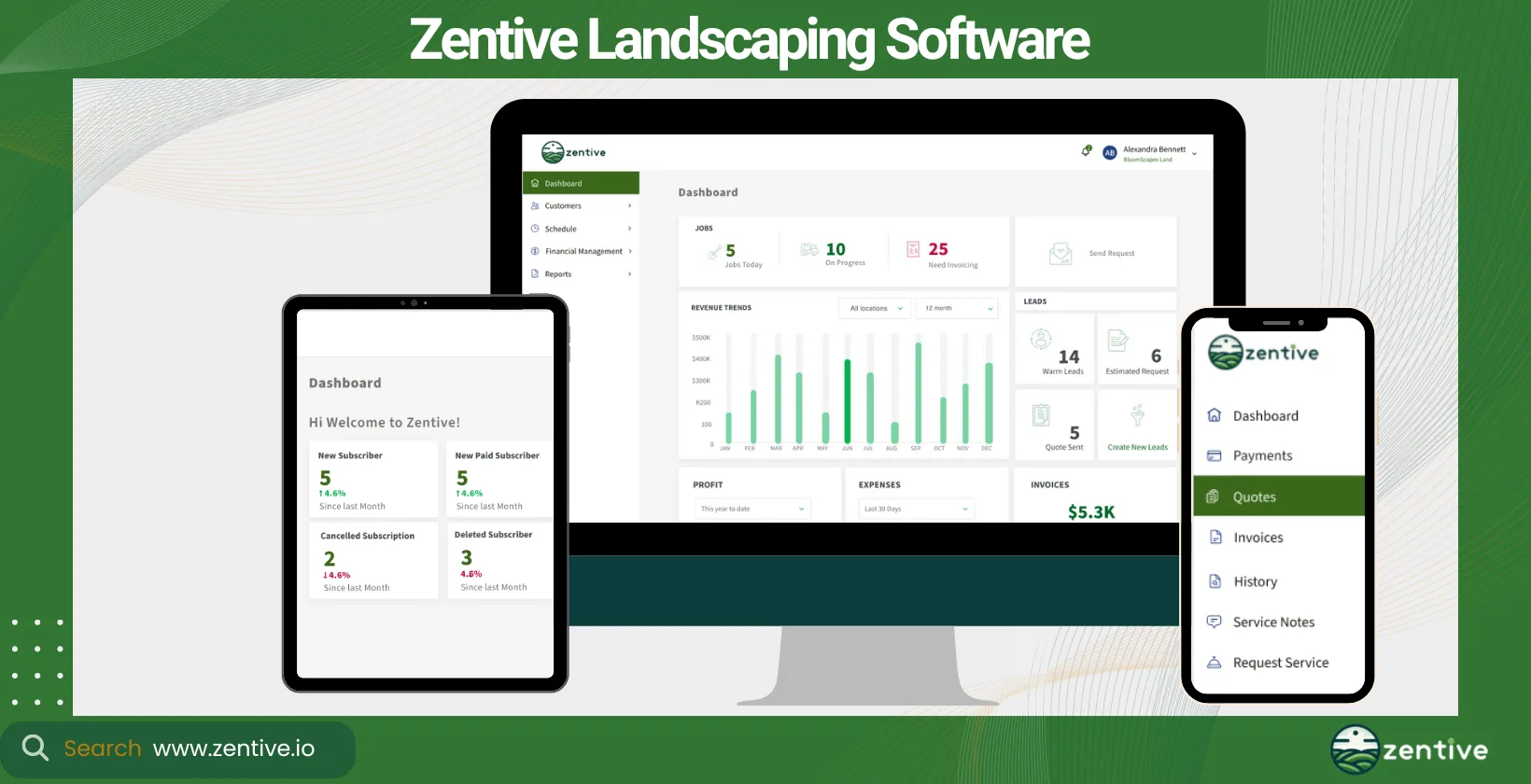
| Feature | Positive Feedback | Negative Feedback |
|---|---|---|
| Ease of Use | Easy to use, intuitive interface | None |
| Customer Support | Responsive and helpful support staff | None |
| Comprehensive Features | Includes all necessary business management tools, highly customizable | None |
| Invoice Management | Contains automated invoices | None |
| Data Reporting | Present business data needed to make informed decisions | None |
| Integrations | Contains basic integrations landscapers actually need to run their business | Other competitors contain more software integrations |
2. ServiceTitan (Aspire)
Aspire, now part of ServiceTitan, is designed to offer software for landscaping business. This landscaping company software serves the landscaping, lawn care, and landscape maintenance sectors.
It's better for larger businesses or those with complex operations that require detailed and very advanced project management and reporting. Like Zentive, Aspire offers job tracking software, scheduling, invoicing, CRM, and real-time reporting. Aspire excels in landscaping project management software features, catering to both landscaping maintenance and construction needs.
Users of this landscaping business software can expect improved operational efficiency, better project oversight, and increased profitability through optimized resource allocation. While offering extensive features, the platform has a steeper learning curve and a higher cost than Zentive, making it more suitable for larger companies. Mobile access and integration capabilities are strong points, along with solid customer support.
Pros:
- Enhanced Operational Efficiency: Users report significant improvements in estimating, scheduling, and invoicing compared to their old systems.
- Data Utilization: Aspire provides a platform to capture extensive data, aiding in managing scalable and profitable growth.
- Growth and Efficiency: The software includes built-in processes that support maintaining efficiency as sales and crew sizes increase.
- Comprehensive Feature Set: Aspire offers a range of features crucial for business management, covering various operational aspects.
Cons:
- Software Bugs: Like all software, Aspire is not immune to bugs, which can be frustrating for users.
- Scheduling Issues: Some users have difficulties finding work tickets in the scheduler, which may be due to user error or software limitations.
- Financial Accuracy: Errors in financial data can be particularly troublesome, causing significant dissatisfaction and potentially leading users to consider alternative solutions.
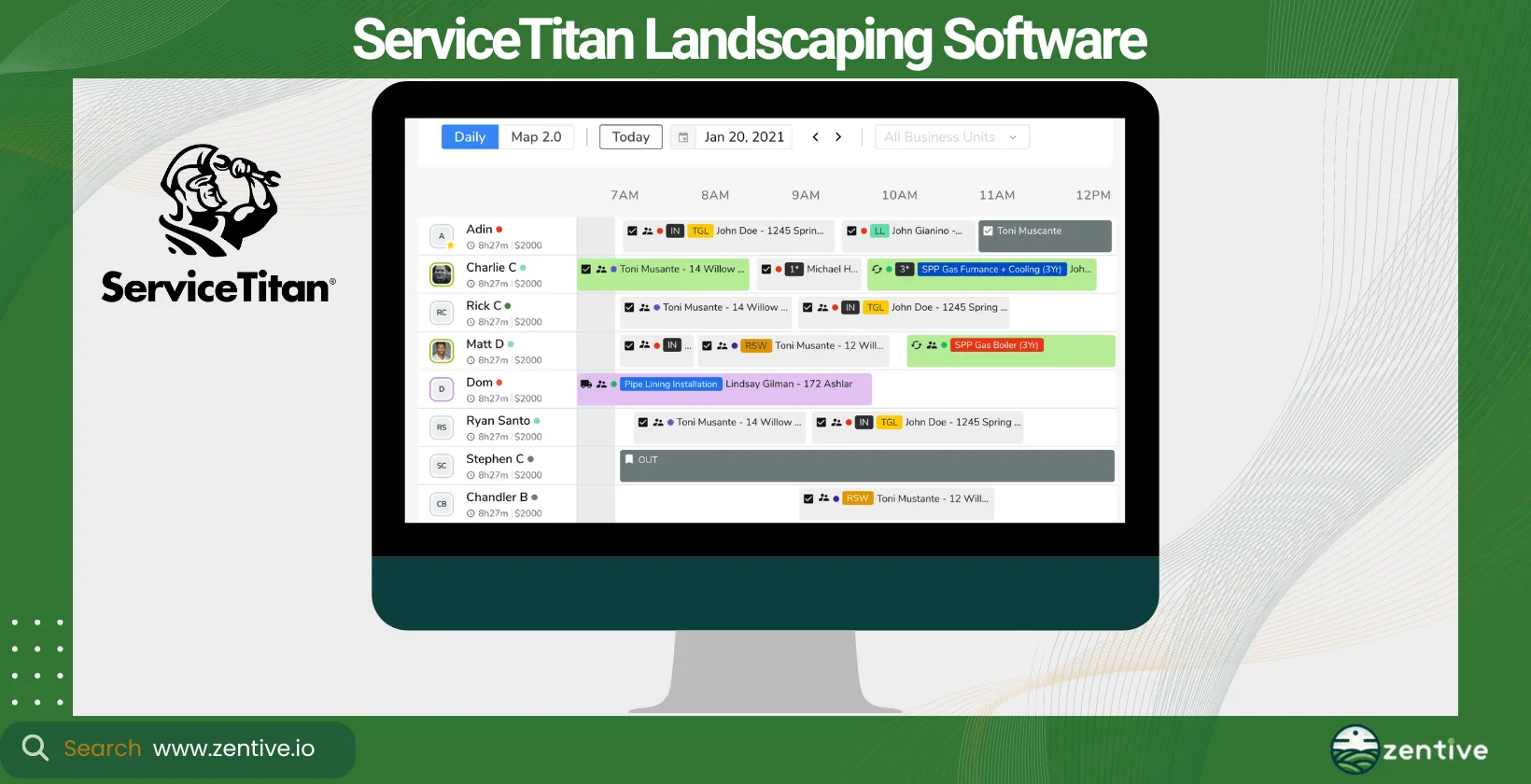
| Feature | Positive Feedback | Negative Feedback |
|---|---|---|
| Estimating, Scheduling, Invoicing | Much improved over old systems | Issues finding work tickets in the scheduler |
| Data Utilization | Helps manage scalable, profitable growth | None |
| Growth Support | Built-in processes support higher sales and more crews | None |
| Comprehensive Features | Wide range of features for business management | None |
| Software Stability | None | Occasional bugs |
| Financial Accuracy | None | Errors in financial data can be critical |
3. Jobber
Jobber is a user-friendly software designed to help small to medium-sized landscaping and lawn care businesses manage and grow their operations efficiently. Jobber is a broad field service management software offering tools to other service-related industries as well as the landscaping industry.
Jobber is ideal for businesses who want basic, easily accessible landscaping and lawn care business software. The tool's main features include scheduling, invoicing, quote management, customer management, and a mobile app for on-the-go operations.
From our experience with Jobber, the main benefit it provides is significant time savings through automation. It's effective at improving customer satisfaction with better communication tools and supporting business growth with its easy-to-use features.
Jobber is easier to use than tools like ServiceTitan (Aspire) but lacks the comprehensiveness and functionality of Zentive. The pricing is attractive for smaller businesses, and a free trial is available.
Jobber is extremely user-friendly, making it an excellent choice for businesses new to landscaping company software. It lacks some of the advanced features needed specifically for landscaping operations. Jobber stands out as a highly accessible option for those looking to dip their toes in the landscaping contractor software.
Pros:
- Ease of Use: Users find Jobber easy to set up and use, making it accessible for small businesses.
- Integration: Jobber integrates seamlessly with financial systems like QuickBooks, streamlining processes such as dispatching, time tracking, and invoicing.
- Customer Support: The customer service is highly praised, with users noting the helpfulness and responsiveness of the support team.
- Affordability: Jobber is considered affordable, especially for small businesses, providing good value for its range of features.
- Comprehensive Features: The software offers a robust set of tools that cover various aspects of business management, from scheduling to invoicing.
Cons:
- Technician Interface: Landscape technicians have reported issues with the calendar feature, which does not allow them to see where their next job is, causing inconvenience.
- Initial Learning Curve: Some users mention that there is an initial learning curve, once accustomed to the setup, the software works well.
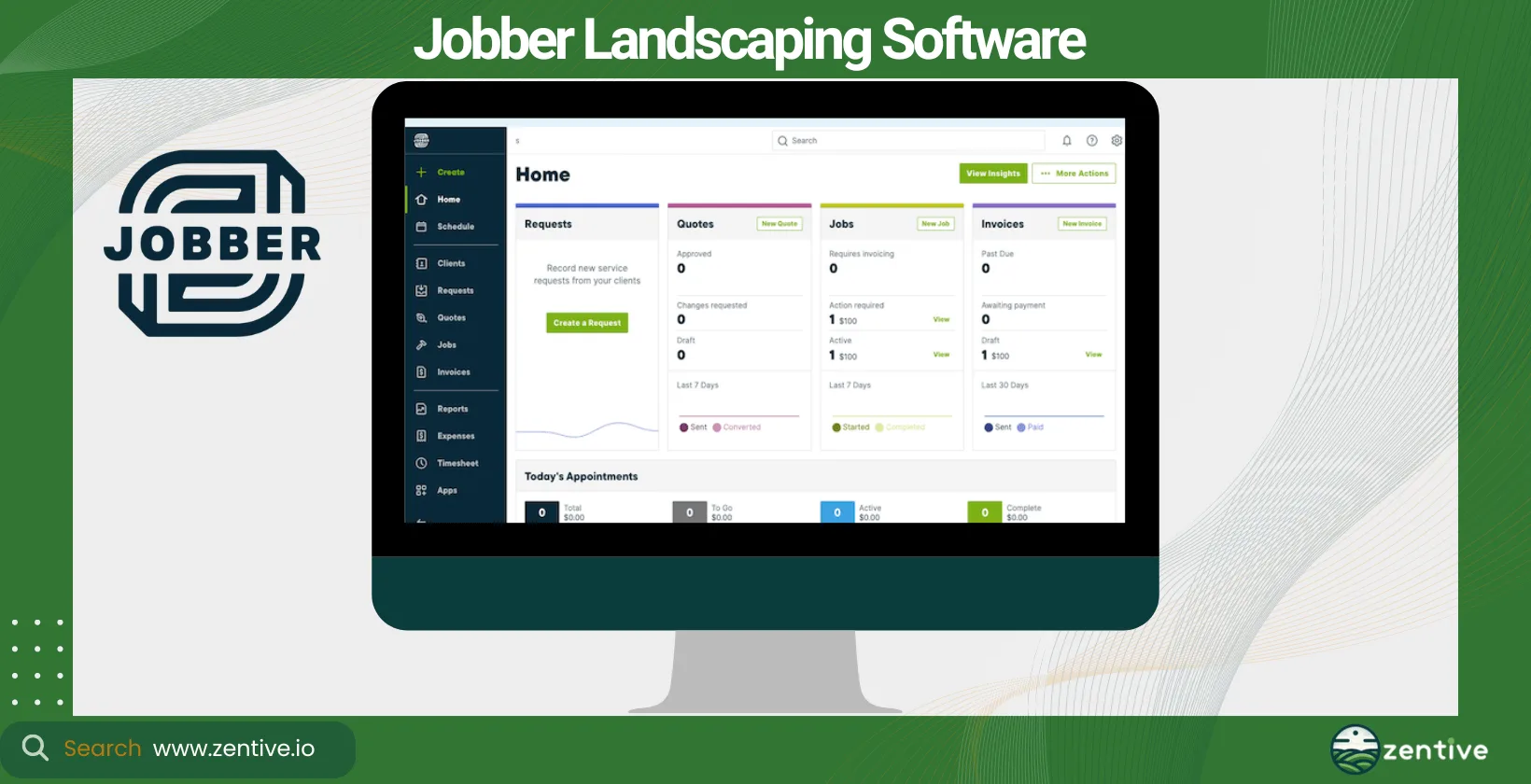
| Feature | Positive Feedback | Negative Feedback |
|---|---|---|
| Ease of Use | Easy to set up and use | Initial learning curve |
| Integration with QuickBooks | Integrates well with financial systems | None |
| Customer Support | Excellent and responsive customer service | None |
| Affordability | Affordable for small businesses | None |
| Comprehensive Features | Robust tools for scheduling, invoicing, etc. | None |
| Technician Interface | None | Technicians can't see calendar for next jobs |
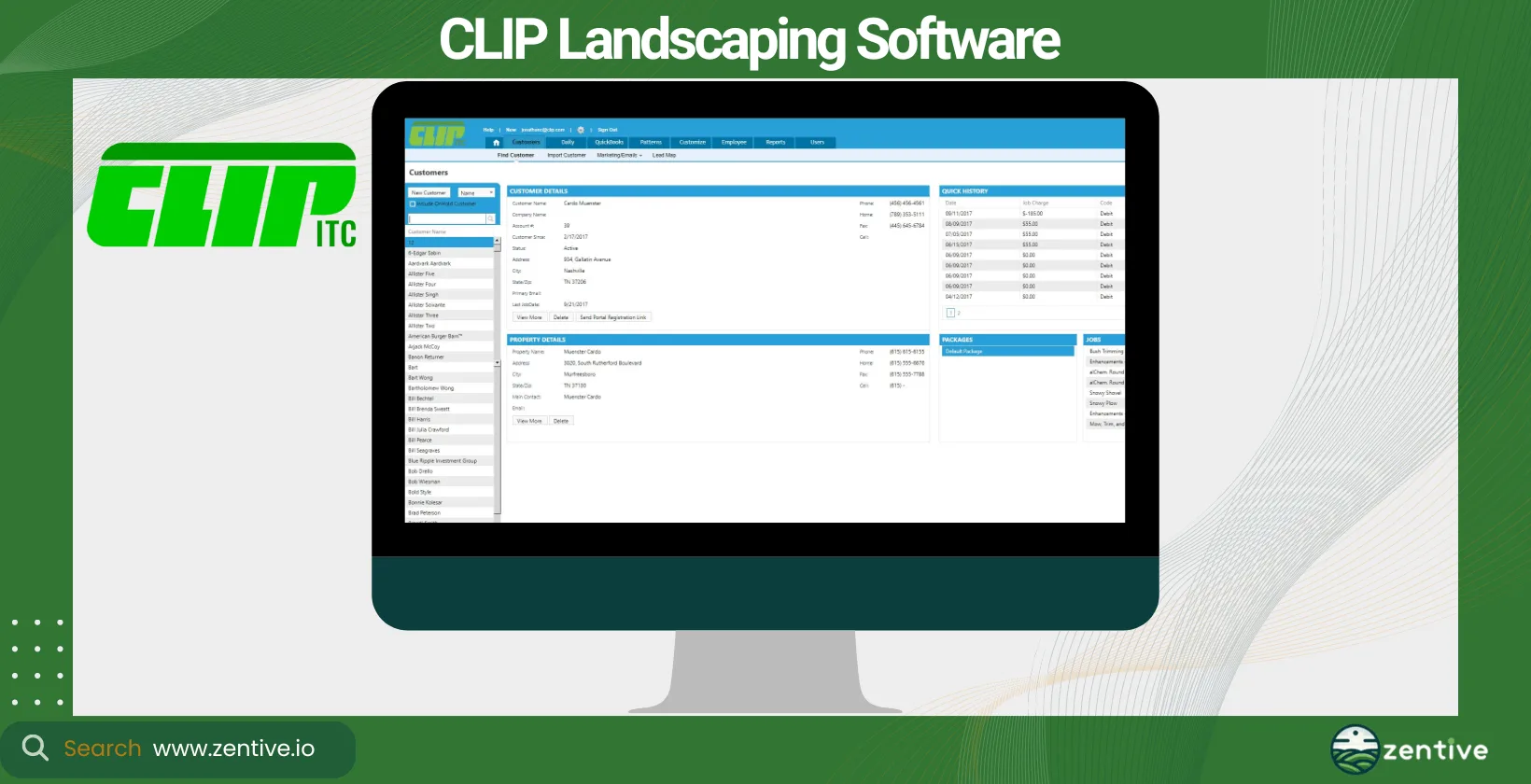
4. CLIP
CLIP is dedicated to offering landscaping and lawn care companies a software solution that emphasizes efficiency in routing and customer management. This tools caters primarily to the lawn care and landscaping industry, specifically those offering maintenance services.
CLIP is ideal for small to medium-sized businesses, especially those that want to optimize route efficiency and job scheduling. CLIP's main features include route optimization, customer management, invoicing, and detailed reporting tools. We were particularly impressed by its landscape maintenance software component, which made managing recurring clients a breeze.
Businesses utilizing CLIP can expect to see an increase in operational efficiency, a reduction in fuel and labor costs due to optimized routing, and enhanced customer satisfaction from improved service delivery.
CLIP offers a user-friendly interface with mobile access, although its depth of features may require some learning. Pricing is competitive, making it accessible for smaller businesses, and a free trial is offered.
CLIP is excellent for businesses focused on maintenance services, with strong routing and scheduling features. Does not fully support the needs of companies heavily involved in landscape design and construction without additional integrations. CLIP remains a solid choice for those emphasizing efficiency in lawn care and maintenance services.
Pros:
- Industry-Specific Functionality: Landscapers find CLIPitc to be particularly well-suited for lawn care companies, effectively maintaining user data and service histories.
- Integration: The software integrates well with QuickBooks, enhancing financial management.
- Ease of Navigation: CLIPitc is noted for its user-friendly interface and ease of navigation.
- Long-Term Reliability: Long-term users appreciate the continuous improvements and upgrades, maintaining satisfaction over many years.
Cons:
- Crew Positioning Issues: The crew positioning feature is reported to be delayed and unreliable, causing operational inefficiencies.
- Billing Problems: Billing issues have led to the loss of customers and credibility, a significant drawback for users.
- Difficulty in Calculating Charges: Users find it challenging to calculate charges based on time spent on jobs, and the absence of AM/PM shortcuts complicates scheduling.
| Feature | Positive Feedback | Negative Feedback |
|---|---|---|
| Industry-Specific Functionality | Best application for lawn care companies | None |
| Integration with QuickBooks | Smooth integration with financial systems | None |
| Ease of Navigation | Easy to navigate and use | None |
| Long-Term Reliability | Continuous improvements and reliable upgrades | None |
| Crew Positioning | None | Delayed and unreliable crew positioning |
| Billing Accuracy | None | Billing issues leading to loss of customers |
| Charge Calculation | None | Difficult to calculate time-based charges; no AM/PM shortcuts |
5. LMN
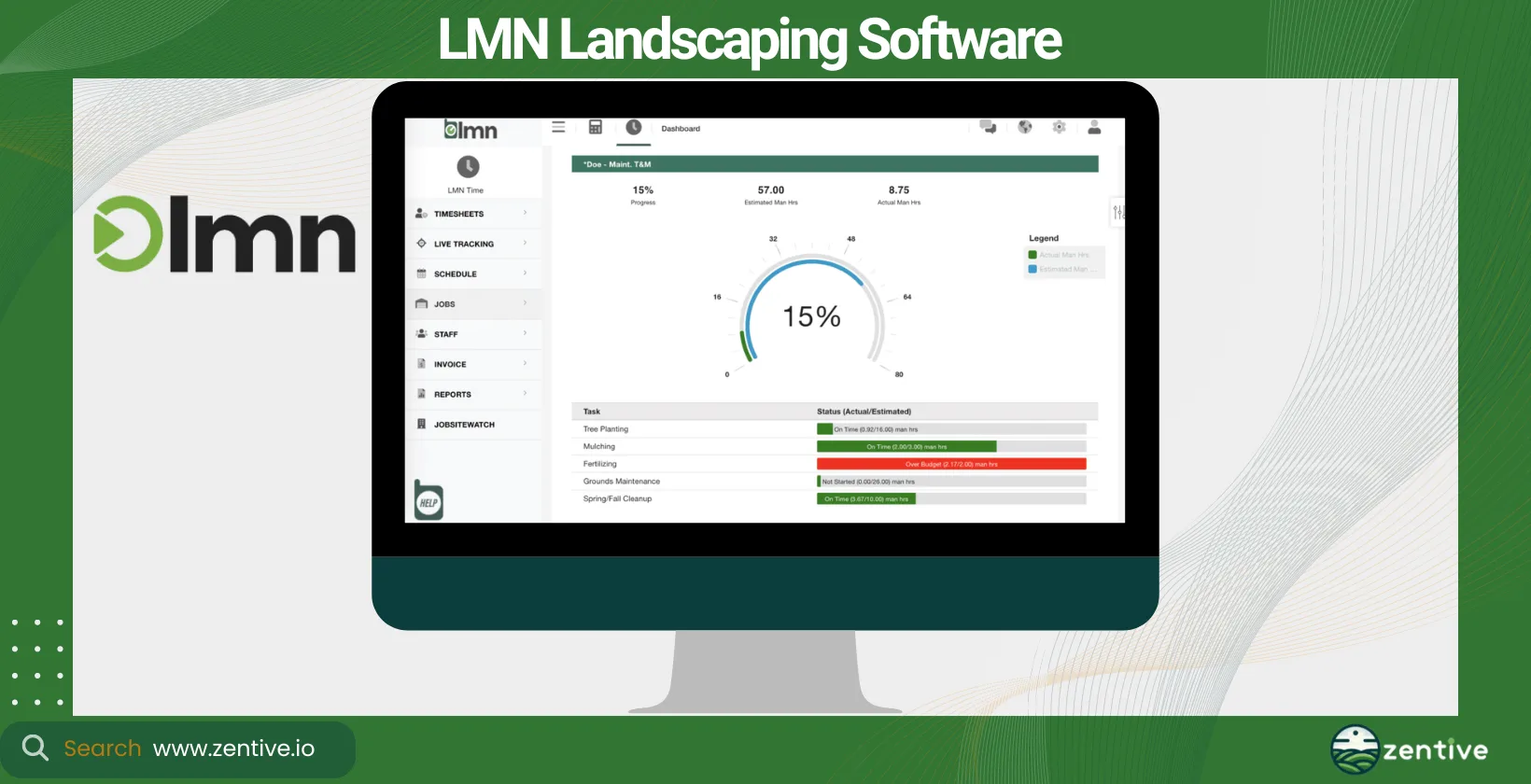
LMN provides a comprehensive suite of tools designed for landscape business management, focusing on budgeting, scheduling, and customer interactions. This tool is ideal for landscaping, lawn care, and snow removal industries.
Businesses of all sizes can use this landscaping business software if they want a detailed financial and operational management tool. LMN offers a range of features, the ones we found most useful and competitive with apps like Zentive are the budgeting tools, job costing, scheduling, CRM, and a mobile app for field staff. Its landscape contractor software includes features for time tracking and estimating.
If you choose to use LMN as your landscaping job management software, you can expect improved financial management, more accurate job costing, enhanced team communication, and increased overall efficiency.
One thing that stood out for us when using LMN is the dedicated customer service - the LMN employees are dedicated to helping you extract the best out of their product. The pricing model is designed to accommodate businesses at different stages of growth, with a free version available for basic needs.
LMN has a strong emphasis on financial management and budgeting, making it ideal for businesses focused on profitability. Their comprehensive feature set and focus on financials might be more than some smaller businesses need.
Pros:
- Time App Functionality: The Time App is highly valued for its ease of communication through pictures and notes, and for making invoicing almost seamless when integrated with QuickBooks Online (QBO).
- Budget Building: The budget-building feature is praised for helping users understand their numbers, recover overhead, and ensure jobs are bid correctly.
- Consistent Pricing Guidance: LMN guides users to develop consistent and profitable pricing, boosting confidence in the profitability of their quotes.
Cons:
- Disjointed Feel: Some users feel that the software, having been built on incrementally, feels disjointed and piecemeal.
- Operational Challenges: Running operations can be difficult with LMN, indicating that the software may not be as user-friendly as expected.
- Report Customization: Users find it hard to customize reports to meet their specific needs.
| Feature | Positive Feedback | Negative Feedback |
|---|---|---|
| Time App | Facilitates easy communication and seamless invoicing with QBO | None |
| Budget Building | Helps understand numbers and bid jobs correctly | None |
| Pricing Guidance | Assists in developing consistent, profitable pricing | None |
| Software Cohesion | None | Feels disjointed and piecemeal due to incremental feature additions |
| Operational Management | None | Running operations can be difficult |
| Report Customization | None | Reports are hard to customize to specific needs |
6. Yardbook
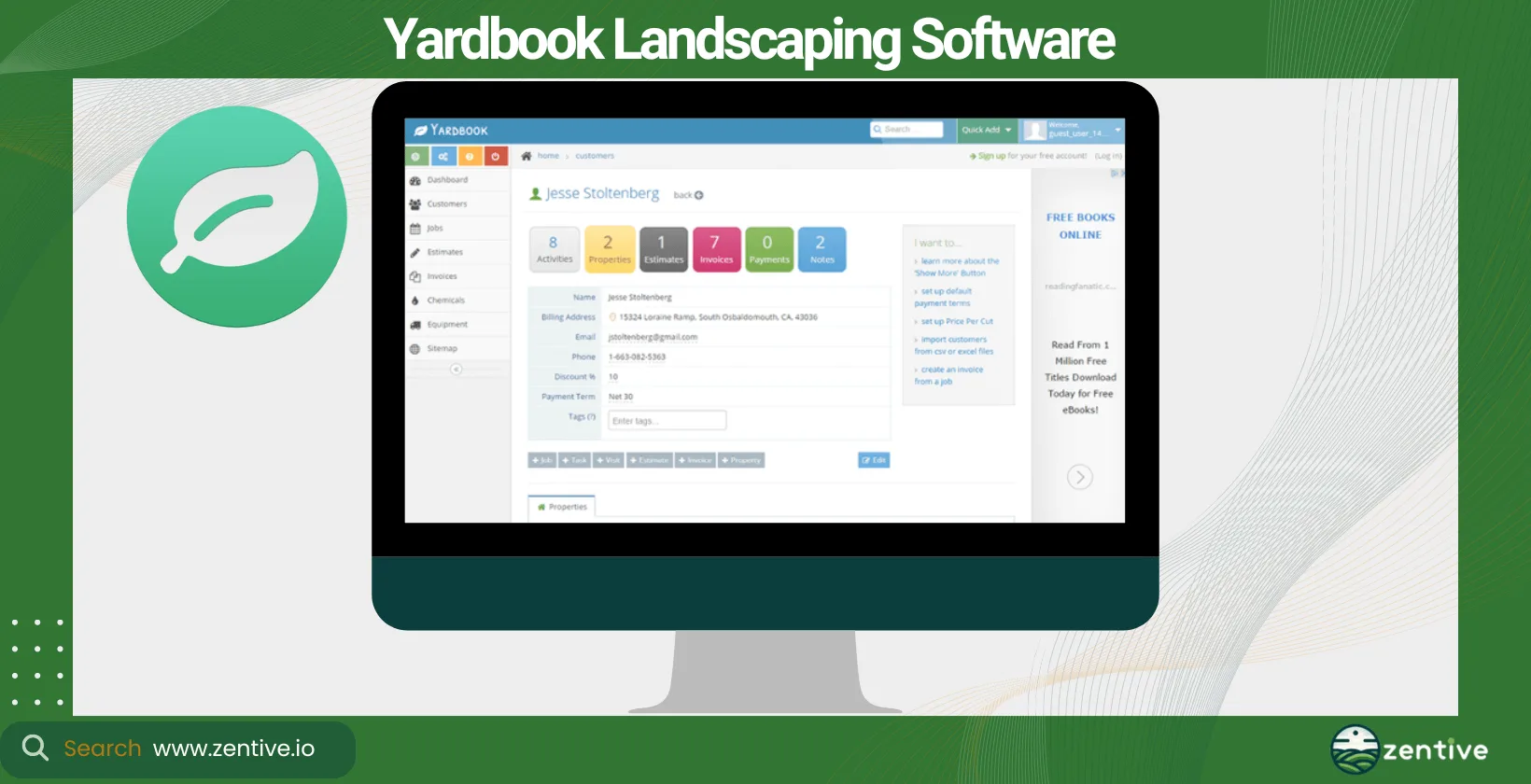
Yardbook aims to simplify landscaping and lawn care business management with an easy-to-use platform that covers job scheduling, billing, and customer management. This landscape construction management software is designed for lawn care and landscaping businesses of all sizes.
We found Yardbook particularly appealing to small businesses and startups looking for a cost-effective, straightforward solution. The platform boasts key features such as scheduling, invoicing, route planning, customer management, and a free tier for basic use.
The free tier is very simple and straightforward, it's nice to get a feel of the platform before investing in it.
Yardbook offers great value for small businesses with a free plan that includes basic features. Larger businesses or those with complex needs may find the feature set limited. Yardbook is an excellent entry-level option for small landscaping businesses seeking to digitize operations without a significant investment.
Pros:
- Feature-Rich: Yardbook is praised for its wide array of features that cater to more than just landscaping businesses.
- Adaptability: The software is noted for being highly adaptable, suitable for both new business owners and established businesses looking to grow.
- Cost-Effective: Yardbook offers a free version with substantial features, making it an excellent entry-level software for new businesses. Users find the free version incredible and are willing to upgrade to the paid version for additional features like QuickBooks integration.
Cons:
- Clocking In/Out Difficulties: Some users find it difficult to clock in and out of jobs, leading them to use the software in a less efficient manner.
- Expensive Payment Processing: The payment processing service used by Yardbook is considered very expensive by some users.
- Manual Recurring Invoices: Users would prefer the recurring invoice system to be automated rather than having to manually send invoices.
| Feature | Positive Feedback | Negative Feedback |
|---|---|---|
| Feature-Rich | Offers a wide array of features beyond landscaping | None |
| Adaptability | Suitable for new and established businesses | None |
| Cost-Effective | Excellent free version with substantial features | Expensive payment processing service |
| Clocking In/Out | None | Difficult to clock in/out of jobs |
| Recurring Invoices | None | Manual sending of recurring invoices |
| QuickBooks Integration | Available with paid version | None |
7. SingleOps
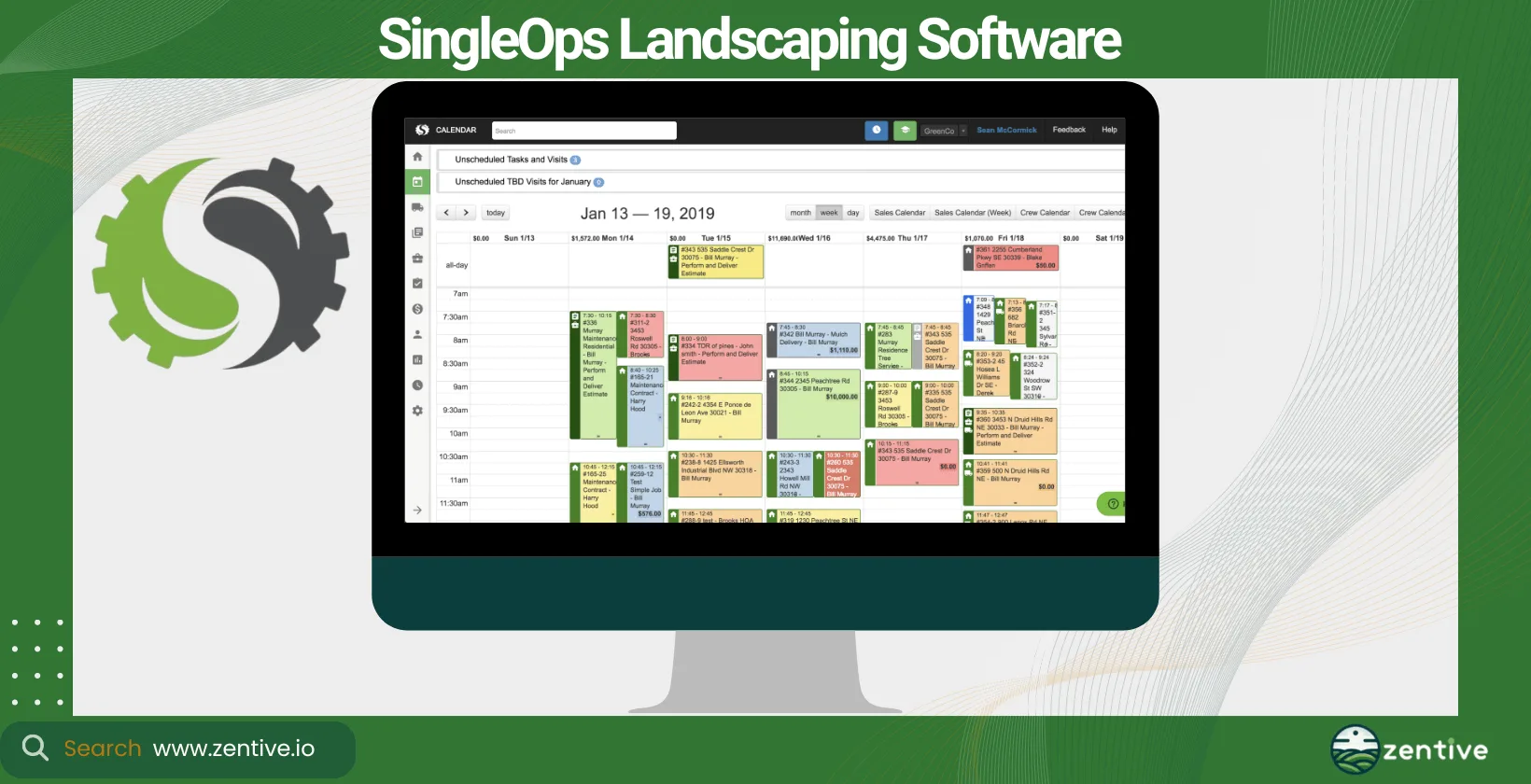
SingleOps offers an all-in-one solution for your landscaping business. This landscaping contractor software covers the entire workflow of your business, from the initial quote to final invoicing. It's versatile enough for landscaping, tree care, and lawn maintenance businesses. We've found it's features most suited for landscaping businesses.
SingleOps is specifically ideal for medium to large businesses that require comprehensive project management and CRM features. The platform boasts comprehensive tools for quoting, job management, scheduling, CRM, invoicing, and reporting.
All-in-all, SingleOps aims to enhance your business's customer relationship management by offering features to make communication as effortless and transparent as possible between your crews and clients.
Through testing the platform and its software, we can confidently say SingleOps offers a user-friendly interface and mobile app. The pricing is a bit to the higher side, which is why it's aimed at larger businesses.
SingleOps offers a comprehensive solution for managing the full lifecycle of landscaping projects. It is not as inclusive for small businesses. SingleOps is ideal for large businesses seeking a robust, all-encompassing landscaping management software.
Pros:
- Ease of Use: Users appreciate the software's ease of use, especially in creating estimates, invoicing, and managing client databases. The search functionality and the ability to email or text customers through the program are particularly valued.
- Consolidation of Tools: SingleOps has replaced multiple other software tools for some users, streamlining their operations into one platform.
- Technical Support: The technical support is highly praised, with users finding it exceptionally helpful.
Cons:
- Customer Service Issues: Some users have expressed frustration with the lack of customer service help, making it a significant drawback.
- High Upfront Cost: The software requires a substantial upfront investment of $3600, with only a 75% refund available if canceled within the first 30 days.
- General Dislike of Computers: While not a direct con of the software, some users who are generally averse to using computers may struggle with adopting this tool.
| Feature | Positive Feedback | Negative Feedback |
|---|---|---|
| Ease of Use | Easy to create estimates, invoicing, and client databases | Some users may struggle if they dislike computers |
| Search Functionality | Efficient search bar for finding customers | None |
| Communication | Ability to email/text customers via the program | None |
| Tool Consolidation | Replaces multiple other software tools | None |
| Technical Support | Exceptional help when needed | Lack of customer service help in some cases |
| Cost | None | High upfront cost with limited refund options |
8. The Service Program
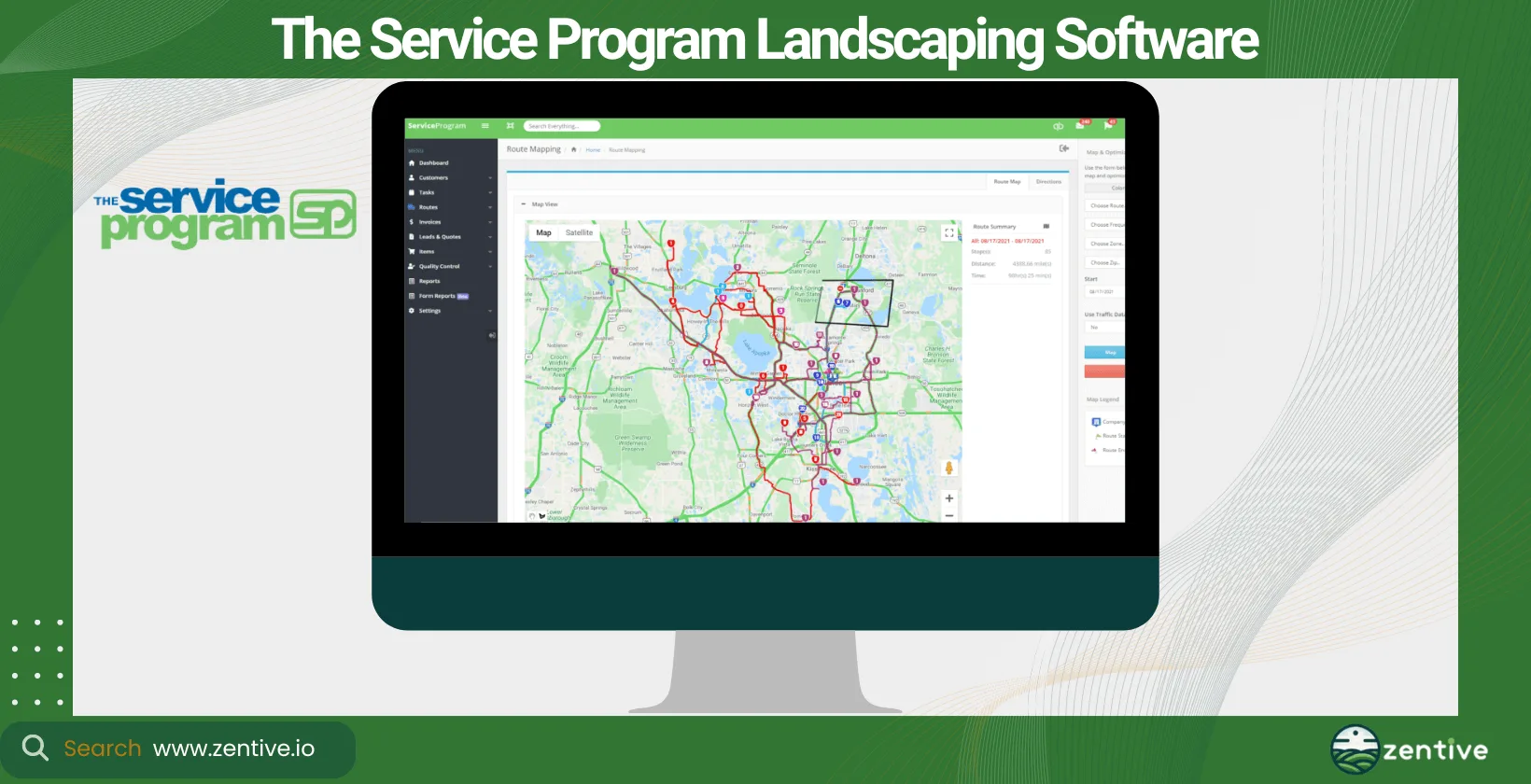
The Service Program is very similar to CLIP, in that it's a landscaping business software that it prioritizes work order and route management. It's designed to enhance the efficiency of field service businesses, including landscaping, lawn care, and pool maintenance.
The platform is suited for small to medium-sized businesses seeking an easy-to-implement solution for work order management and scheduling.
The Service Program can help your business with work order management, route optimization, customer management, and inventory management. When you use its tools, you can expect to see improvements in your route efficiency, better work order management, and enhanced customer satisfaction from more reliable service delivery - we all know how important customer satisfaction is!
We were very impressed by the software's user-friendly, with training and support provided to help you set up your landscaping company software. Pricing is very affordable, making it a good option for businesses mindful of budget constraints.
Service Program is affordable, has great customer service, and offers strong work order management and route optimization features. It is not an all-encompassing tool and lacks integrations.
The Service Program offers a focused solution for businesses that prioritize work order management and route optimization in your landscaping service delivery.
Pros:
- QuickBooks Integration: TSP integrates seamlessly with QuickBooks, facilitating smooth financial management.
- Network Support: The software works well over a network with multiple users, enhancing collaboration and efficiency.
- Customization: The Service Program team is responsive to customization requests, tailoring the software to meet specific user needs.
- Customer Support: Users appreciate the chat feature for assistance and commend the support team for their responsiveness and helpfulness.
- Industry-Specific Application: TSP is well-suited for various service industries, including portable toilet companies, which have found it more satisfactory compared to other software.
Cons:
- Learning Curve: Some users find the software cumbersome and difficult to learn, describing it as quirky.
- Inactive Job Management: Once a job is made inactive, it becomes difficult to find again, which poses challenges for reference or billing needs.
| Feature | Positive Feedback | Negative Feedback |
|---|---|---|
| QuickBooks Integration | Integrates well with QuickBooks | None |
| Network Support | Works well with multiple users | None |
| Customization | Customizable to meet specific needs | None |
| Customer Support | Excellent support with chat feature | None |
| Industry-Specific Application | Effective for service industries like portable toilet companies | None |
| Ease of Use | None | Cumbersome and difficult to learn |
| Inactive Job Management | None | Difficult to find inactive jobs for reference or billing |
9. Service Autopilot
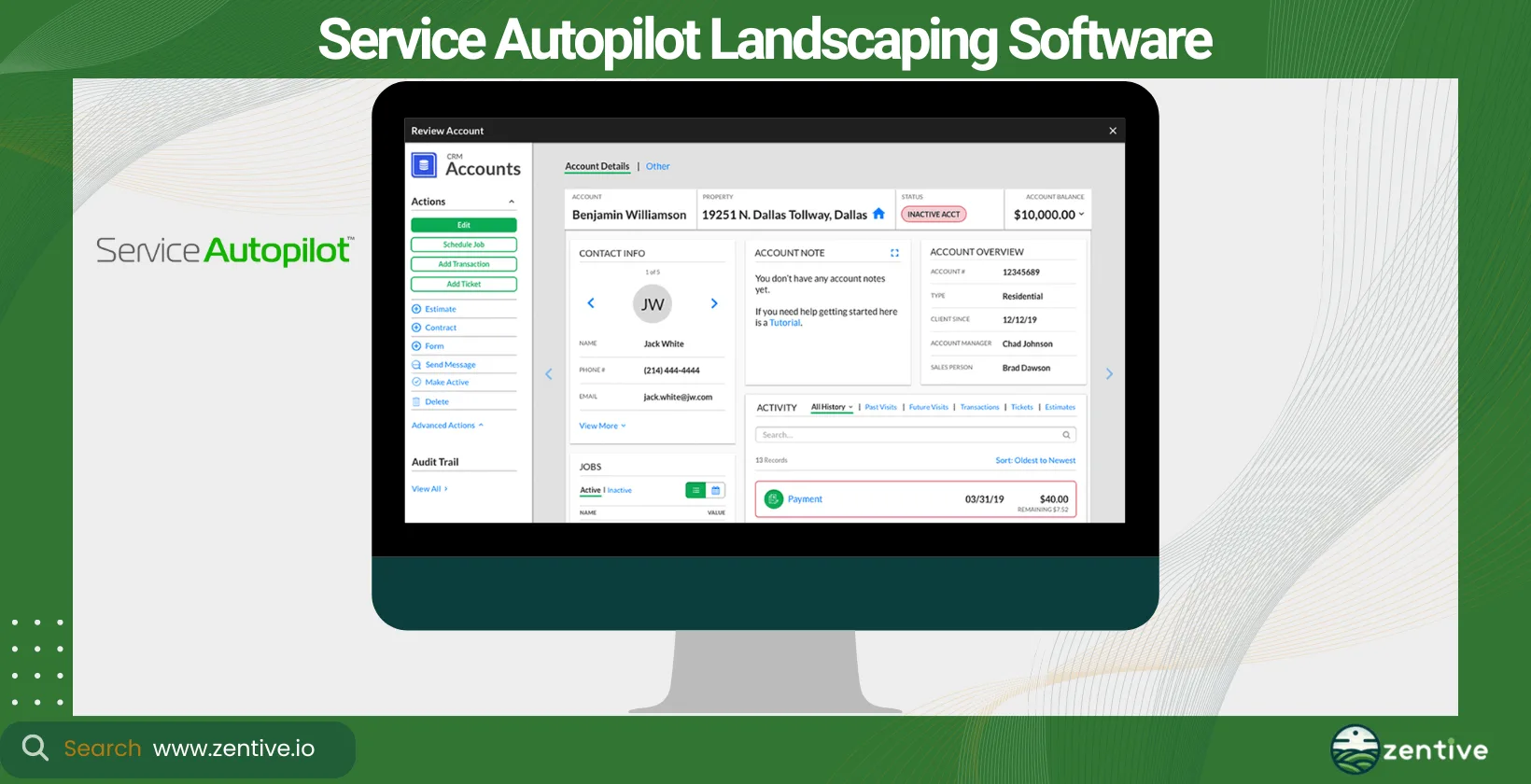
Service Autopilot is designed to automate and scale landscaping and lawn care businesses, offering tools for scheduling, CRM, job tracking, invoicing, and marketing automation. The tool is ideal for landscaping, lawn care, and cleaning services, supporting businesses of various sizes.
We believe Service Autopilot is best for businesses looking to automate their scheduling and marketing processes for better efficiency and scalability.
The main reason why you would want to use Service Autopilot is the time it can save you through their comprehensive automation tools. Service Autopilot's UI does need time to get use to, once you do you'll enjoy the full extent of the platform. Pricing is tiered to accommodate businesses as they grow.
Service Autopilot has strong automation features for businesses looking to save time on everyday operations. Their extensive feature set is overly complicated for most companies.
Pros:
- Feature-Rich Platform: Service Autopilot is praised for its ability to track job times, manage invoicing, send bulk email notifications, and provide job costing reports. It integrates estimating, scheduling, and invoicing.
- Innovative Technology: The software is recognized for its leading-edge technology and continuous platform improvements tailored specifically for the landscaping industry.
- Map Measurement Tool: Users appreciate the map feature for measuring properties, which aids in accurate job planning and estimation.
- Comprehensive Solution: The platform's comprehensive approach to client and lead management, scheduling, dispatching, and routing is highly valued.
Cons:
- Complexity and Usability: Users find the templates confusing and difficult to use, leading some to switch to alternative software like LawnPro. The software's complexity makes it challenging to set up and customize, such as adding a logo to an email.
- Training and Support: Despite having plenty of training videos, users feel the lack of personal guidance and support to effectively implement the training.
- Version Issues: The upcoming version 3 has been in beta for years and is perceived as less intuitive and worse laid out than version 2.
| Feature | Positive Feedback | Negative Feedback |
|---|---|---|
| Feature-Rich Platform | Tracks job times, invoicing, notifications, job costing, integrated platform | None |
| Innovative Technology | Leading-edge technology, continuously improving | None |
| Map Measurement Tool | Map feature for measuring properties | None |
| Comprehensive Solution | Client and lead management, scheduling, dispatching, routing | None |
| Complexity and Usability | None | Templates are confusing, difficult to set up and customize |
| Training and Support | None | Lack of personal guidance despite training videos |
| Version Issues | None | Version 3 is less intuitive, in beta for years |
How To Pick A Business Landscape Management Software?
To pick a business landscape management software owners must consider four factors: software features, alignment with your business, company growth goals, and software use case. All of these factors can significantly impact the efficiency, profitability, and growth of your business.
The software features offered by the software are important and need to match the specific needs of your landscaping business. The nature of your landscaping business - whether it focuses on design, maintenance, construction, or a combination - will influence the type of software you need.
Landscapers consider their company growth goals to ensure their choice in project management software aligns with their company's growth aspirations and is scalable enough to fulfill the needs of a growing business.
Consider the desired software use case such as managing field operations, enhancing customer service, or streamlining administrative tasks.
What Are The Features Of A Landscaping Management Software?
The core features of landscaping management software include scheduling, CRM, routing, invoicing, quoting, and reporting. Together, these are the tools you use to run your landscaping business more smoothly.
Scheduling enables efficient planning and management of jobs, ensuring that projects are completed on time. While CRM facilitates better customer relationships through organized communication, job history tracking, and customer feedback.
Routing is important for field-service business as it optimizes travel routes for crews, saving time and reducing fuel costs. Invoicing is time consuming, and management software reduces your administrative burden. They streamline the billing process, from job completion to payment collection, often with options for electronic invoicing.
Quoting is another headache, or at least the administrative aspect of it. Landscaping management software allows for quick and accurate creation of quotes for services, improving response time to customer inquiries and increasing conversion rates.
Advanced features like data and analytics and reporting are indispensable. Apps like Zentive provide insights into business operations, helping with decision-making and strategy planning for growth and improvement.
What Does A Landscape CRM Software Do?
A landscape CRM software organizes customer relationships, manages follow-ups, and stores detailed client information so nothing slips through the cracks. It tackles the challenge of tracking every lead, job history, and conversation in one place. Landscaping ERP software that includes CRM helps automate core aspects of your business to improve communication, increase customer retention rates, and streamline access to customer histories, saving time.
Zentive, a landscape CRM software, supports landscaping businesses by providing a comprehensive CRM system that enhances customer interaction, facilitates personalized service, and organizes customer data effectively, making it a valuable tool for fostering strong client relationships.
What Does A Landscape Scheduling Software Do?
A landscape scheduling software plans and organizes jobs, crew assignments, and appointments so your teams always know where to be and when. It addresses the common scheduling challenges landscaping business owners face, such as juggling multiple projects, coordinating crews, and adjusting to weather-related changes.
The main benefits of using a landscape scheduling software includes improved efficiency, better use of resources, and enhanced customer satisfaction through timely project completion. Zentive enhances these benefits by offering intuitive scheduling tools that simplify the process of planning and rescheduling jobs even further than what standard scheduling apps does, ensuring that businesses can adapt quickly to any changes or customer requests.
What Does A Landscape Routing Software Do?
A landscape routing software plans the most efficient routes to job sites and dispatches your crews, solving the daily logistics of getting teams from one property to the next. The main benefits when you use a landscape routing software are reduced travel time and costs, improved punctuality (which increases client satisfaction), and enhanced productivity.
Zentive offers advanced routing features that help businesses optimize their crew dispatching and ensure that teams arrive at their destinations using the most efficient paths, thereby improving overall operational efficiency and significantly reducing transport costs.
What Does A Landscape Invoicing Software Do?
A landscape invoicing software creates and sends invoices, tracks payments, and helps you collect from clients faster. A landscape invoicing software boasts features such as billing clients, tracking payments, and managing accounts receivable.
The benefits of using landscaping accounting software include faster payment processing, reduced errors, and improved cash flow. Zentive integrates seamlessly with QuickBooks, streamlining the invoicing process to your clients and ensuring that all the financial data of your business is accurate and up-to-date, making it easier for you to manage your finances effectively.
What Does A Landscape Quoting Software Do?
A landscape quoting software generates accurate, itemized quotes for services, helping businesses respond quickly to client inquiries. Landscape estimate software helps your business overcome common field service quoting challenges such as calculating costs and providing timely responses to potential clients.
When you use a landscape quoting software you can expect increased efficiency, improved quote accuracy, and higher conversion rates. We know how important professional and timely quotations are for landing a client, which is why our app, Zentive, facilitates quick and precise quote generation that looks professional. This enables you to respond to customer inquiries with competitive and detailed proposals, thereby enhancing your ability to secure new projects.
What Types Of Landscaping Businesses Should Use A Management Software?
All types of landscaping businesses should use management software. All types of landscape businesses want their business to grow, which is exactly why a management software is so important.
This includes landscaping companies focusing on residential and commercial landscaping, garden maintenance, landscape design, and construction. Management software is also invaluable for arborists, snow removal services, and lawn care companies.
Should Commercial Landscape Companies Use A Management Software?
Yes, commercial landscape companies should use management software. A commercial landscape company specializes in providing landscaping services to businesses, public spaces, and large properties, often involving complex projects and numerous clients.
Larger companies, doing commercial landscaping, have more clients, which means they have more crews, converting into more admin and a more hands-on approach to the business. Management software reduces this admin and makes it easier for your team to navigate the day-to-day processes involved with a commercial landscape company.
Should Hardscape Companies Use A Management Software?
Yes, hardscape companies should use management software. A hardscaping business is the business you call to install non-living features, such as patios, walls, and outdoor kitchens. Management software helps hardscape companies with project planning, scheduling, cost estimation, and client communication, ensuring that projects are completed on time and within budget.
How Does A Landscaping Business Software Help Achieve Growth Goals?
A Landscaping business software helps achieve growth goals by automating tasks, improving customer retention, and expanding service capabilities. Landscape business software supports these landscaping growth strategies by improving scheduling and routing efficiency, facilitating better customer relationships through CRM software solutions, enabling precise financial tracking and reporting, and providing insights into operational data. Businesses can make informed decisions, allocate resources more effectively, and ultimately drive growth and profitability by utilizing the software.
What Are The Different Ways To Use A Landscape Business Management Software?
You can utilize landscaping business management software in four different ways, depending on your business's needs. You can use it as desktop software which is installed on office computers. This method is ideal for in-depth planning and management with a comprehensive view of the business operations.
Mobile App In Field enables field staff and technicians to access schedules, client information, and job details on the go, improving communication and efficiency. Meanwhile, cloud-based solutions offers flexibility and accessibility, allowing business owners and employees to access the system from anywhere with an internet connection, ensuring that data is always up-to-date and secure.
Integrated management systems, like Zentive combines various aspects of a professional landscape business management, such as CRM, scheduling, invoicing, and reporting into a single, easy-to-use system, making it easier to manage and grow your business efficiently.
Get This Guide as a PDF
Save this article for offline reading. We'll send a formatted PDF straight to your inbox.
No spam. Unsubscribe anytime.
Ready To Streamline Your Field Service Business?
Zentive is the all-in-one field service management software built for landscaping, lawn care, tree care, and snow removal businesses. Start your free trial today.
No credit card required · Cancel anytime