
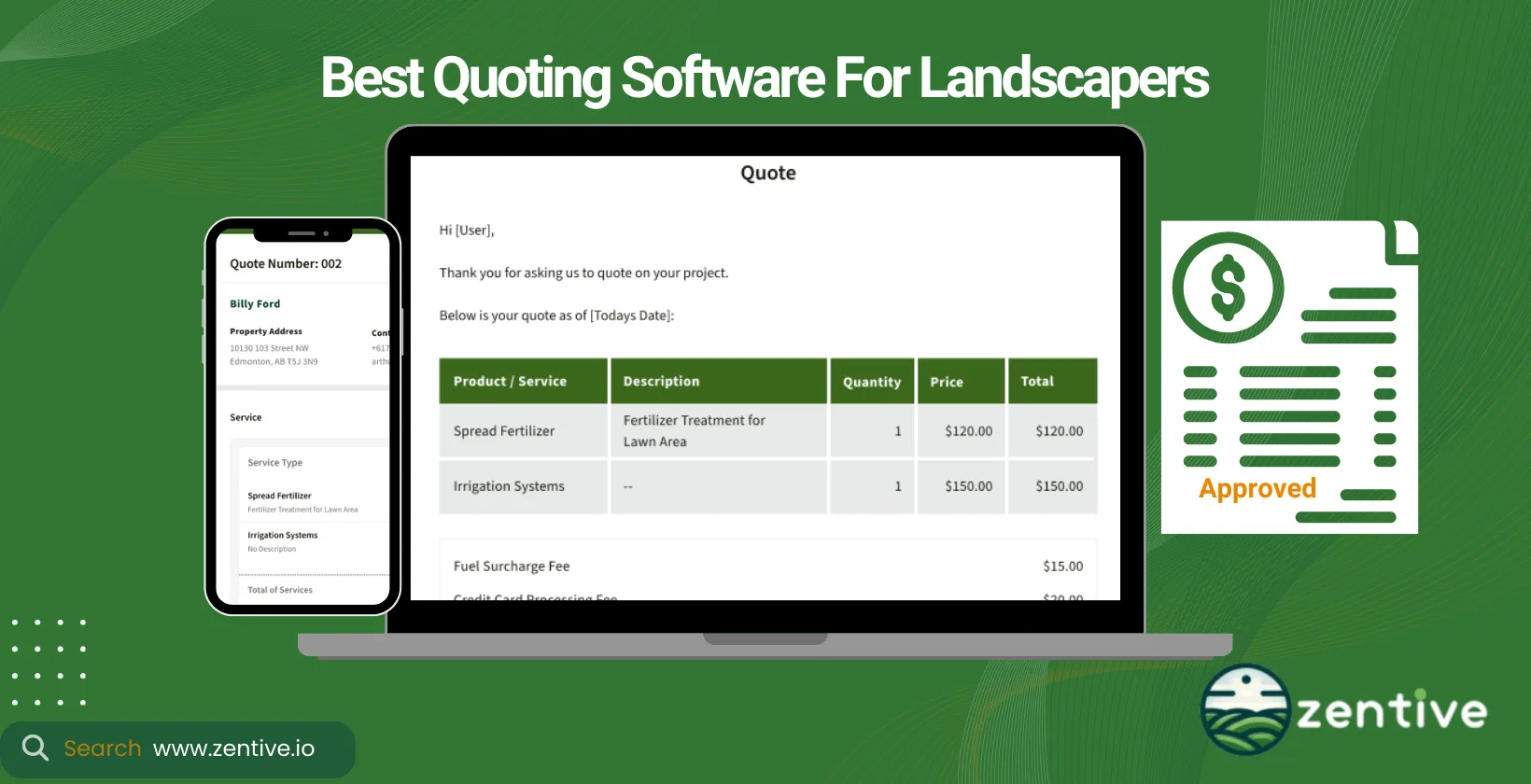
Landscape quoting and estimating software helps landscaping businesses build accurate service quotes and project estimates fast, automatically calculating costs for materials, labor, and overhead so clients receive clear, detailed, and professional proposals. This guide compares the top landscape quoting and estimating software available in 2026 and explains how the right tool helps you price jobs correctly, respond to leads quicker, and win more bids.
The main reasons landscape business owners invest in estimating and quoting apps are to increase the accuracy of estimates, improve operational efficiency (making quoting easier for the whole team), and present a professional image to customers. Whether you run a small residential crew or a growing commercial operation, choosing the right quoting software can directly impact how many bids you win and how quickly your business grows.
Our software tool, Zentive, is specifically designed Zentive with the unique challenges of the landscaping industry in mind. It offers easy navigation, comprehensive features (not just quoting solutions), and robust functionality that makes the job easier for landscape professionals.
When choosing the right quoting software for your landscape company, consider the specific business benefits the software provides, the services your business offers, and compatibility with the types of devices your team uses in the field (mobile, desktop, etc.).
Answer 3 quick questions—get a tailored pick (and a runner-up).
Top 9 Landscaping Estimating Software
Here are the 9 best estimating software for your landscaping and lawn care business.
- Zentive – Best for an all-in-one platform that simplifies estimating and business management for landscapers.
- Yardbook – Best for easy-to-use estimating, invoicing, and customer management in a free, cloud-based solution.
- Jobber – Best for straightforward scheduling, quoting, and invoicing to keep landscaping teams organized.
- Realgreen – Best for integrated marketing tools and CRM features that help landscapers grow their business.
- LMN – Best for detailed budgeting and job costing, offering advanced tools to track labor and expenses.
- Yardbook (repeated) – Best for a user-friendly, cost-effective approach to estimates, scheduling, and billing.
- ServiceTitan (Aspire) – Best for enterprise-level operations with robust scheduling, dispatching, and reporting tools.
- Clip – Best for simple route management and job tracking with a focus on ease of use.
- Horizon360 – Best for real-time data collection and analytics to optimize landscaping services and profitability.
1. Zentive
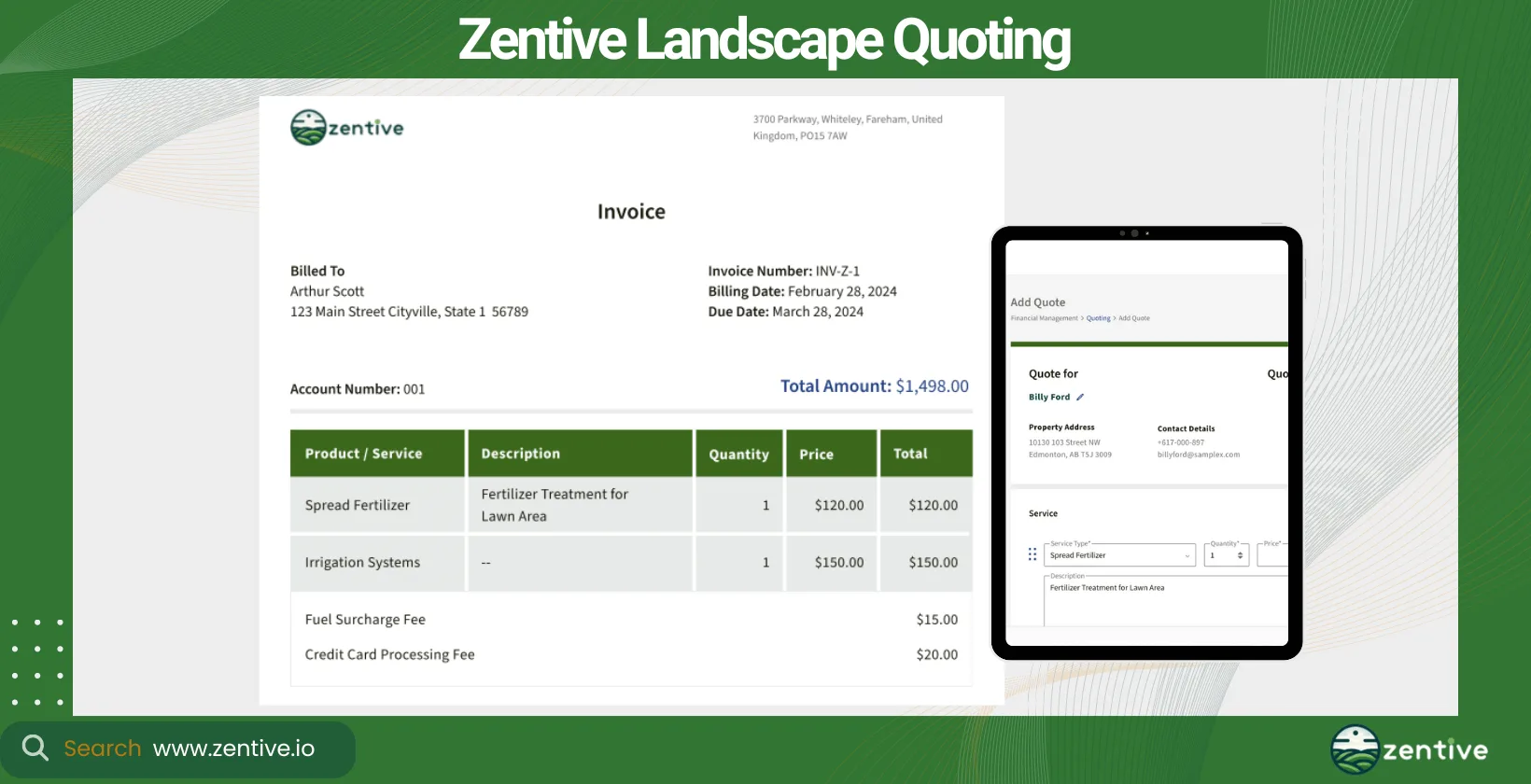
Zentive landscape quoting and estimating software is a type of business software that is designed specifically for landscaping, lawn care, and landscape construction industries. Our landscape estimating software is advanced yet very easy to use. It is a versatile tool for businesses of all sizes, from small startups to larger enterprises with numerous employees.
Zentive's pricing plan is very competitive with the rest of the market, offering flexible plans to fit different business needs. It integrates seamlessly with various CRM, project management, and financial accounting tools, like Quickbooks, improving its automation capabilities.
14-Day FREE Trial - No Credit Card Needed
The software's main advantages include streamlined estimating processes, improved quote accuracy, and efficient project management. Zentive's user-friendly interface, and the automation of routine tasks save time and reduce errors.
Pros:
- Ease of Use: Zentive becomes easy to use once users are familiar with it, making it an accessible tool for businesses.
- Payment Integrations: Our software has fantastic payment integrations, simplifying the billing and payment process.
- Workflow Efficiency: From quoting to job completion, Zentive supports a smooth and efficient workflow.
- Customer Service: Users commend Zentive for excellent customer service, noting that support is always available and responsive.
- Digital Document Access: The ability to access job documents digitally from anywhere is highly valued by users.
- Clock In/Out Feature: Our software includes features for clocking in and out, aiding in time management and tracking.
- Detailed Price Breakdowns: Zentive provides detailed price breakdowns, ensuring transparency and value for money.
Cons:
- Industry Specific: Only designed for technicians and businesses in the landscaping & field service industries.
- Learning Curve: While easy to use eventually, there may be an initial learning curve as users familiarize themselves with the software.
| Feature | Positive Feedback | Negative Feedback |
|---|---|---|
| Ease of Use | Becomes easy to use with familiarity | Initial learning curve |
| Payment Integrations | Fantastic integrations simplify billing | None |
| Workflow Efficiency | Smooth transition from quotes to job completion | None |
| Customer Service | Excellent, responsive support | None |
| Digital Document Access | Access job documents digitally anywhere | None |
| Clock In/Out Feature | Supports time management and tracking | None |
| Detailed Price Breakdowns | Transparent and detailed pricing | None |
2. Yardbook
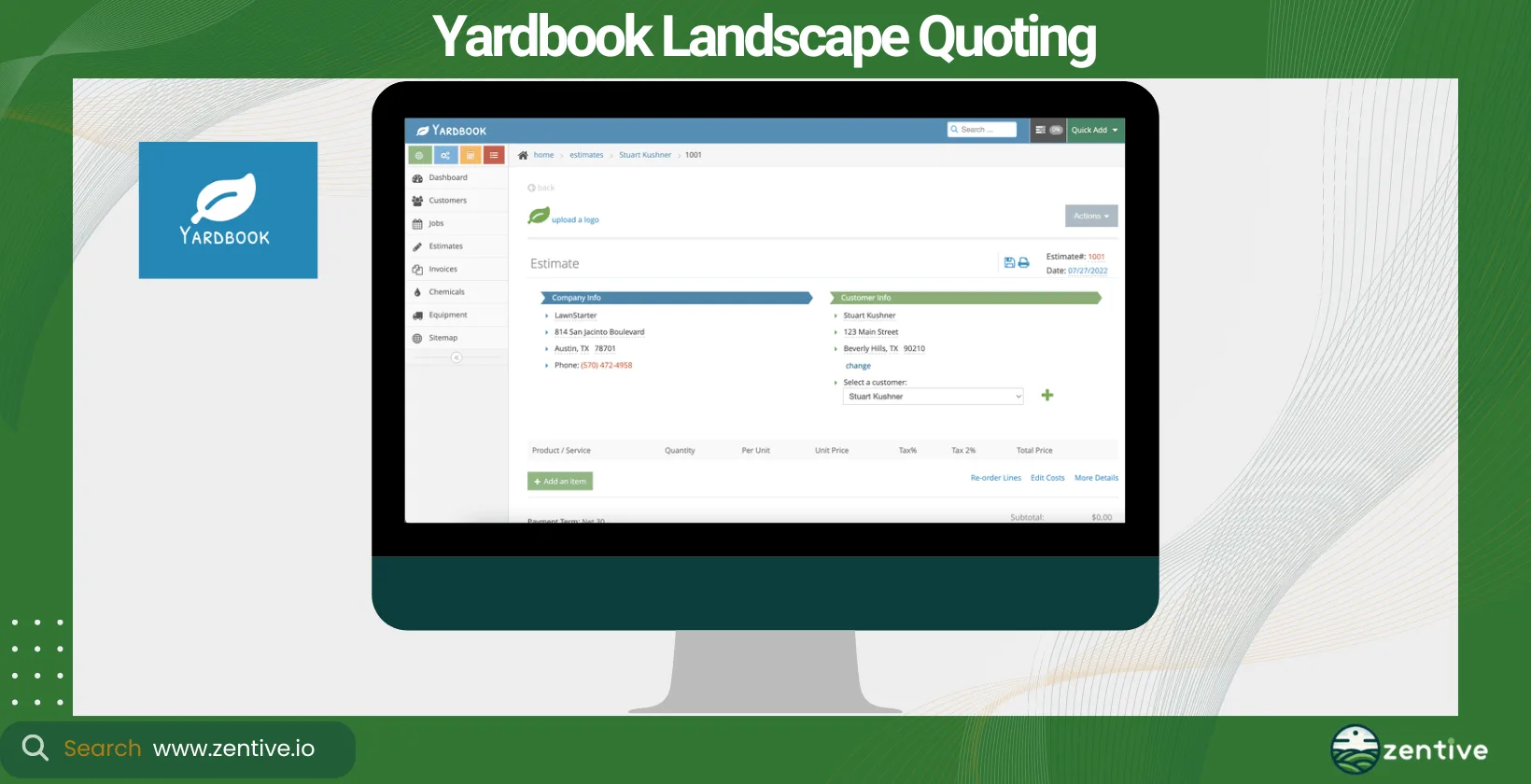
Yardbook is tailored for landscaping and lawn care businesses, focusing on small to medium-sized companies. It offers a simple yet effective landscape construction estimating software platform that includes basic features for quoting and billing.
Yardbook provides an affordable solution with a basic free version and paid upgrades for additional features. Integration options are limited for larger businesses but cover essential functionalities for smaller operations.
The software excels in simplicity and ease of use, making it accessible to businesses with limited technical expertise. It helps make the quoting process easier, although it might lack the depth of features found in more comprehensive platforms like Zentive, which is why Zentive is a great alternative to Yardbook.
Pros:
- Cost-Effective: It is a free software, offering full functionality without the cost associated with other business solutions.
- Ease of Use: The software is very easy to use, making it accessible for businesses of all sizes.
- Service Catalog Customization: Users appreciate the ability to create a custom catalog of services, which simplifies the process of creating estimates and invoices.
- Stripe Integration: Integration with Stripe allows for seamless payment collection.
Cons:
- Lack of Mobile App: Users have expressed the need for a mobile app to better accessibility and usability.
- Outdated Interface: The interface could be more modern and user-friendly.
- Limited Import Features: There is a need for more robust import features, such as importing lists of properties and local price lists.
- Slow Feature Updates: Despite user feedback and suggestions, there are few updates and new features added to the software.
- Complex Product Setup: Setting up company products could be simpler and more intuitive.
| Feature | Positive Feedback | Negative Feedback |
|---|---|---|
| Cost-Effective | Free and fully functional | None |
| Ease of Use | Very easy to use | None |
| Service Catalog Customization | Custom catalog makes estimates and invoices easy | None |
| Stripe Integration | Facilitates easy payment collection | None |
| Mobile Accessibility | None | Needs a mobile app |
| Interface Design | None | Could be more modern |
| Import Features | None | Needs more robust import capabilities |
| Feature Updates | None | Slow addition of new features |
| Product Setup | None | Could be simpler |
3. Jobber
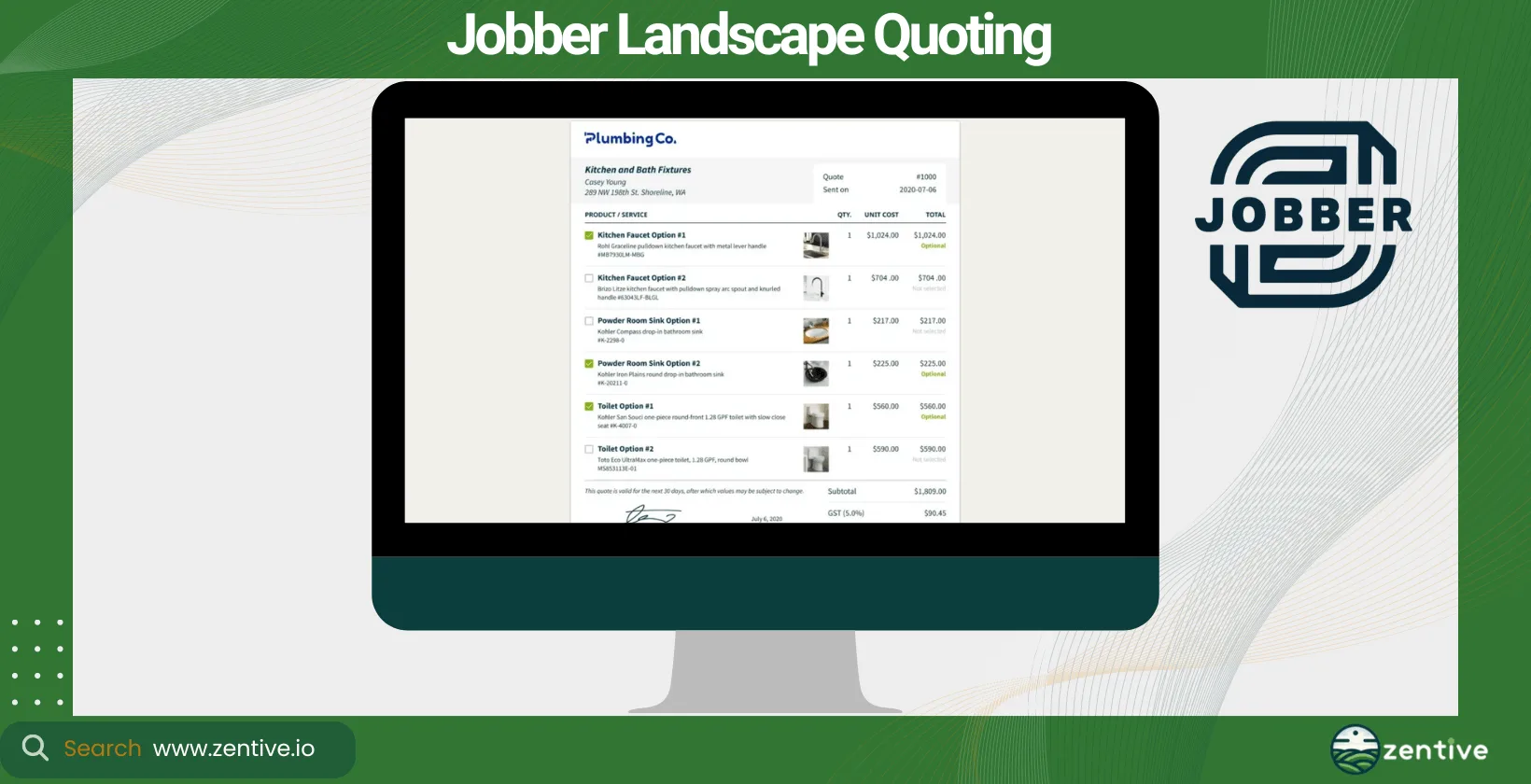
Jobber serves various field service businesses, including the landscaping sector. It's best suited for landscaping contractors and small to medium-sized businesses looking for a straightforward landscaping estimating app.
Jobber offers competitive pricing and a variety of plans (Core, Connect, and Grow plan) to suit different business sizes. It integrates well with other business management tools, providing a cohesive workflow for you and your crew members.
This landscaping billing software simplifies scheduling, quoting, job costing and invoicing processes, improving your business's overall efficiency. While it may not offer the specialized features of dedicated landscape estimating software, its user-friendly interface and comprehensive support make it a solid choice.
Pros:
- Continuous Improvements: Jobber consistently updates its features, amplifying functionality over time.
- Mapping and Routing: The mapping and routing system is highly praised for its efficiency. Users suggest further improvement by allowing start and finish address entries and using techs' addresses as starting points.
- Comprehensive Platform: The platform covers all necessary features, especially excelling in scheduling and payment processing.
- Customer Experience: The app facilitates a seamless customer experience from booking to payment.
- Pipeline Management: The software excels in pipeline management, helping users manage their workflow and get paid efficiently.
Cons:
- Prepay and Booking: The lack of a prepay option with instant booking is seen as a drawback, as it could significantly reduce office workload.
- Product and Service Selection: Users desire the ability to click directly on products and services in request forms for auto booking.
- QuickBooks Integration: Some users experience issues with QuickBooks integration, requiring double entry of data, which might be a user error but still indicates potential complexity.
- Pricing: The price may be a barrier for some users, though they find the features justify the cost.
| Feature | Positive Feedback | Negative Feedback |
|---|---|---|
| Continuous Improvements | Regular feature updates and enhancements | None |
| Mapping and Routing | Efficient system with potential for further improvement | None |
| Comprehensive Platform | Covers all necessary features, excelling in scheduling and payments | None |
| Customer Experience | Seamless experience from booking to payment | None |
| Pipeline Management | Effective in managing workflow and payments | None |
| Prepay and Booking | None | Lack of prepay option with instant booking |
| Product and Service Selection | None | Desire for clickable products/services in request forms |
| QuickBooks Integration | None | Issues with double entry of data |
| Pricing | Justifies the cost for many users | May be a barrier for some users |
4. RealGreen
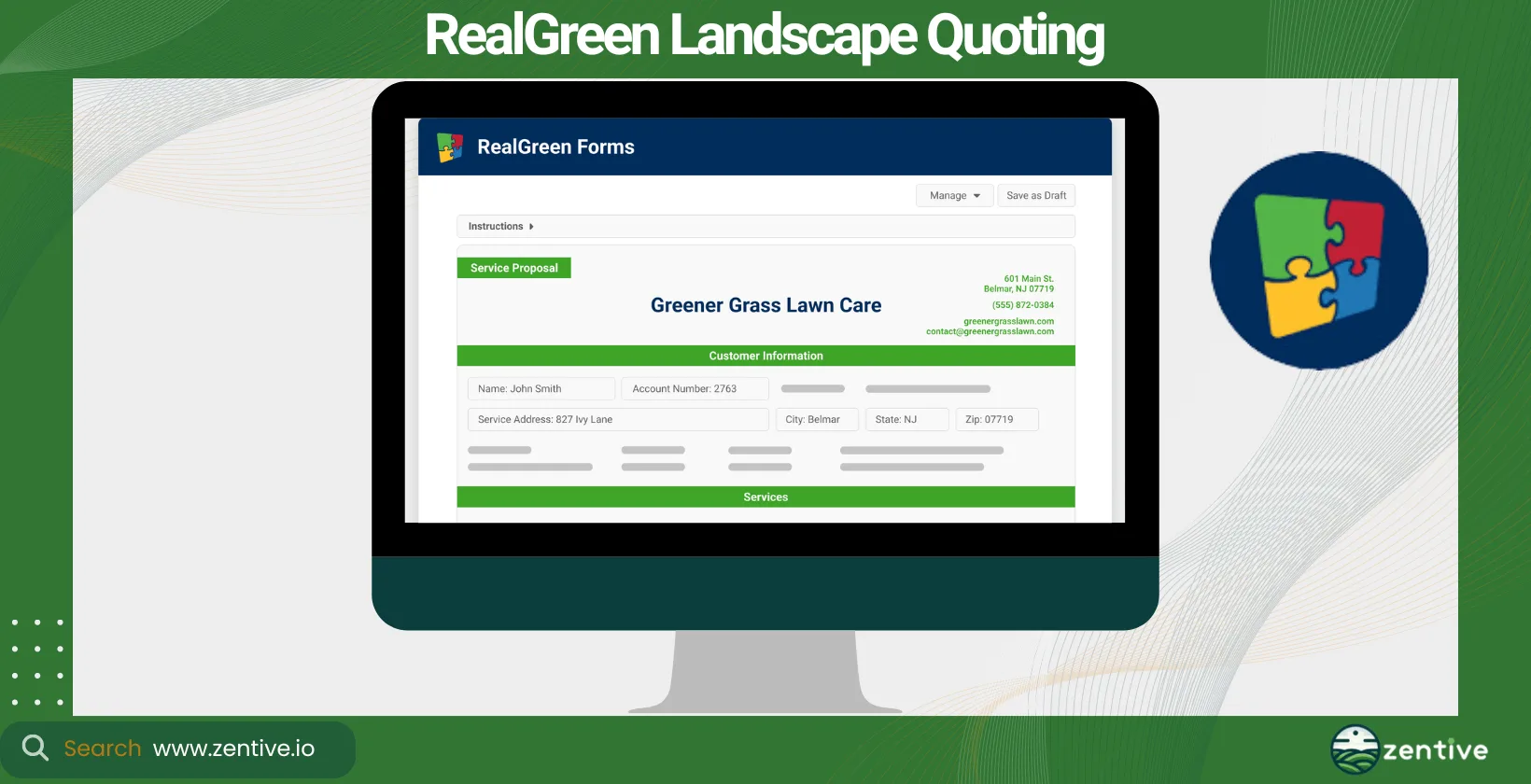
Realgreen is specifically designed for the landscaping and lawn care industry, offering detailed estimating and business management tools suitable for medium to large businesses.
Realgreen focuses on comprehensive solutions. Its expensive pricing reflects its advanced capabilities and extensive integration options for a fully automated workflow.
The platform excels at providing detailed estimating capabilities, including landscaping bidding software features for complex projects. Its robust database and automation tools streamline the entire sales process from quoting to billing.
Pros:
- Customer Support: Real Green is highly praised for its customer support, with a direct line to representatives who are tenacious in resolving issues.
- Comprehensive Solutions: The software offers a wide range of features, utilizing the latest technology to support various business operations, from routing and scheduling to invoicing and payments.
- Marketing Services: Real Green provides extensive marketing services, including automated marketing, referral marketing, and SEO, which help businesses upgrade their brand and reach.
Cons:
- MobileLive Functionality: Users find that MobileLive could offer more information and options for field use, such as adding services to a customer's account, to reduce office tasks.
- Help File Access: The new requirement to log in to access help files is inconvenient for some users, as they often face login issues and cannot find the necessary information.
- Training Depth: Some users feel that training sessions should go more in-depth on specific areas rather than covering basic information, which can be redundant for experienced users.
- Integration Challenges: Integrating new salesmen or absorbing customer data from acquisitions can be difficult, especially if the new users are not familiar with the software.
- Customer Support Response Time: While generally praised, there are instances where customer support is slow to respond or not always able to answer questions promptly.
| Feature | Positive Feedback | Negative Feedback |
|---|---|---|
| Customer Support | Tenacious and effective support with direct line | Slow response times in some cases |
| Comprehensive Solutions | Wide range of advanced features | None |
| Marketing Services | Extensive marketing services | None |
| MobileLive Functionality | None | Limited options and information for field use |
| Help File Access | None | Inconvenient login requirement |
| Training Depth | None | Needs more in-depth training for advanced users |
| Integration Challenges | None | Difficult to integrate new users or data |
5. LMN
LMN offers a full suite of tools for budgeting, estimating, and business management, targeting landscaping and snow removal businesses of all sizes. LMN is quite expensive, starting at $200 for its basic plan. However, the price is justified by the suite of tools and wide range of integrations the software offers, elevating its utility as a versatile business tool.
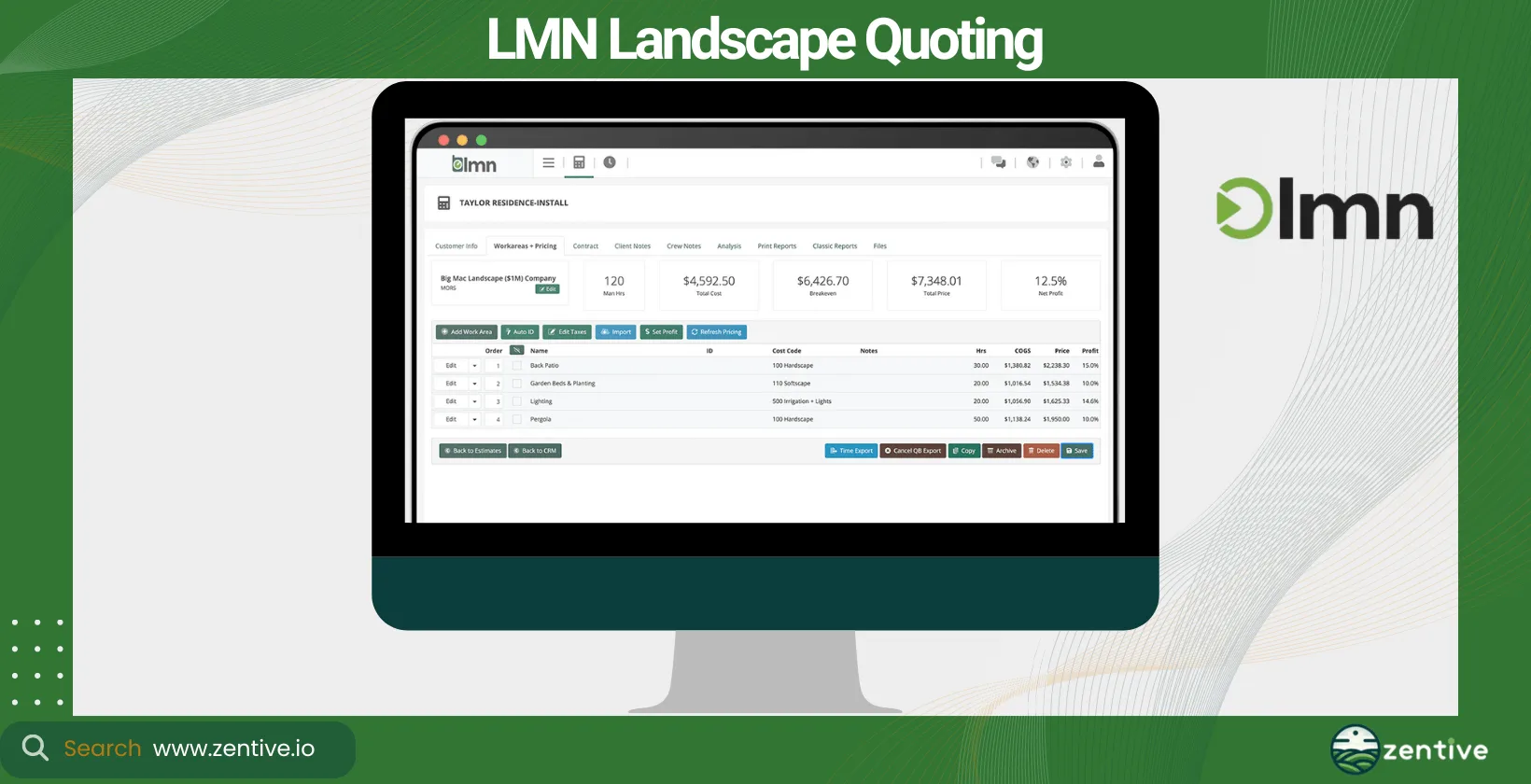
Businesses can benefit from the platform's detailed budgeting and estimating tools, making it ideal for businesses focusing on profitability and growth. This estimating software for landscapers helps users create accurate, competitive bids while managing costs effectively.
Pros:
- Quote Organization: LMN allows users to organize quotes based on service versus project and link them to the calendar, providing a clear view of crew hours and progress.
- Job Costing and Budget Management: The software offers extensive capabilities to manage residential landscaping businesses, capturing job costs down to every detail and tying in with the budget.
- Mobile Estimating and Planning: The web-based platform supports mobile estimating and job planning, improving mobile functionality for field staff.
Cons:
- Material List Display: Users cannot show the material list on service estimates as they can on standard ones, limiting flexibility in quote presentations.
- Lack of Basic Features: Some users feel that the software lacks basic features and capabilities, leading to frustration during customer service interactions.
- Customer Service Limitations: Users report frequent responses indicating that the system currently lacks certain capabilities, reflecting limitations in customer service and support.
| Feature | Positive Feedback | Negative Feedback |
|---|---|---|
| Quote Organization | Organize quotes by service vs. project; link to calendar | None |
| Job Costing and Budget Management | Detailed job costing and budget management | None |
| Mobile Estimating and Planning | Web-based for mobile functionality | None |
| Material List Display | None | Cannot show material list on service estimates |
| Feature Completeness | None | Lacks some basic features |
| Customer Service | None | Often responds with "system lacks capability" |
6. SingleOps
SingleOps presents a comprehensive solution for landscaping, tree care, and lawn maintenance businesses. This landscape estimating software offers scalable pricing options tailored to the size and needs of the business, ensuring that both small and large enterprises can find a suitable plan.
It integrates seamlessly with various platforms, including QuickBooks for accounting and CRM systems, improving its efficiency.
SingleOps excels at automating and optimizing the bidding process while prioritizing client communication. Like Zentive, SingleOps enables businesses to quickly create detailed, accurate estimates that help them win more job bids.
Pros:
- Industry-Specific Customization: SingleOps is highly customizable to meet the unique needs of various service industries, providing a user-friendly dashboard that syncs well with QuickBooks.
- Workflow Processes: The software offers great and easy-to-navigate workflow processes, helping users manage tasks efficiently.
- Straightforward Setup: The straightforward and simple setup process makes it easy for users to navigate and start using the software quickly.
Cons:
- Setup Communication: Changes to the setup after initial configuration can be challenging, requiring clear communication of business goals during the setup process.
- System Glitches: Users report occasional system freezes, restarts, or glitches, leading to loss of information.
- Scheduling Flexibility: Adjusting operations and implementing new customizations for growing crews can be difficult, especially for complex scheduling needs.
- Routing Options: The routing options provided by SingleOps are not considered the best by some users.
| Feature | Positive Feedback | Negative Feedback |
|---|---|---|
| Industry-Specific Customization | Highly customizable; user-friendly dashboard; syncs well with QuickBooks | Challenging to change setup after initial configuration |
| Workflow Processes | Great and easy to navigate | None |
| Straightforward Setup | Simple and easy setup process | None |
| System Stability | None | Occasional system freezes, restarts, or glitches, causing data loss |
| Scheduling Flexibility | None | Difficult to implement new customizations for growing crews; complex scheduling needs |
| Routing Options | None | Not the best routing options |
7. ServiceTitan (Aspire)
ServiceTitan's Aspire software is a high-end solution for landscaping businesses, offering extensive tools for estimating, scheduling, and project management, ideally suited for larger enterprises.
Aspire has a premium price point but offers extensive integration options for a seamless business management experience. This landscape bidding software provides detailed estimating tools, allowing businesses to construct more accurate and professional quotes. Its comprehensive project management features support complex landscaping projects from start to finish, ensuring efficiency and customer satisfaction.
Pros:
- Data-Driven Reporting: ServiceTitan provides robust reporting capabilities, delivering excellent reports as long as proper data is input.
- Continuous Upgrades: The platform is frequently upgraded, making it easier to use and introducing new features that are simple to set up.
- Customer Support: Users appreciate having a Customer Success Manager (CSM) just an email away for support.
- Integrations: Direct integrations with Zapier and Angi improve functionality and business operations.
- Revenue Driving: ServiceTitan is instrumental in driving revenue for businesses by streamlining daily operations and improving efficiency.
Cons:
- Tier One Support: Some tier one support staff lack comprehensive training, occasionally leading to longer resolution times as they direct users to the correct resources.
- Accounting Integration: The integration with QuickBooks is considered clunky, with issues transferring information smoothly from ServiceTitan to QuickBooks. Users find job costing and returns management not fully integrated.
- Data Access for Reports: While reports are excellent, some users need to run multiple reports and merge data to obtain the information they need, indicating limitations in cross-functional data access within the platform.
| Feature | Positive Feedback | Negative Feedback |
|---|---|---|
| Data-Driven Reporting | Excellent reporting with proper data input | Limited cross-functional data access, requiring multiple reports to merge data |
| Continuous Upgrades | Frequent updates and new features | None |
| Customer Support | CSM readily available via email | Some tier one support staff lack comprehensive training |
| Integrations | Direct integrations with Zapier and Angi | None |
| Revenue Driving | Helps drive business revenue | None |
| Accounting Integration | None | Clunky integration with QuickBooks, issues with job costing and returns management |
8. CLIP
CLIP specifically caters to lawn care and maintenance businesses, focusing on operational efficiency and simplicity. It's designed for small to medium-sized businesses that require straightforward, effective landscaping estimating software without all the bells and whistles of tools like Aspire.
CLIP's pricing options are very affordable, making it especially accessible for smaller businesses or those looking to test the functionalities of landscape billing software. While its integration capabilities are somewhat limited, it covers essential functionalities for lawn care and maintenance operations.
The strength of this software lies in its route optimization and customer management features, complementing its estimating tools. It simplifies daily operations, helping businesses manage their workload more efficiently and with greater accuracy in their quotes.
Pros:
- Affordability: The software is considered good value for the money, offering essential features at a reasonable price.
- Powerful Features: Users appreciate the ability to create powerful merge reports and quickly reformat and manually order route sheets.
- Efficiency: The software claims to significantly reduce the time spent routing customers, potentially saving hours each week.
Cons:
- Stability Issues: Users report frequent loss of information and error messages, leading to frustration.
- Buggy Updates: The software has had issues with bugs, particularly affecting invoicing, which complicates daily operations.
- Customer Support: The support team often redirects users to submit suggestions rather than addressing issues directly, leading to dissatisfaction.
| Feature | Positive Feedback | Negative Feedback |
|---|---|---|
| Affordability | Good value for the money | None |
| Powerful Features | Merge reports and route sheet reformatting | None |
| Efficiency | Reduces time spent routing customers | None |
| Stability Issues | None | Frequent loss of information and error reports |
| Buggy Updates | None | Issues with bugs, particularly in invoicing |
| Customer Support | None | Redirects users to submit suggestions rather than addressing issues directly |
9. Horizon360
Horizon360, developed by Toro, is designed to serve landscaping businesses of all sizes with tools for estimating, scheduling, and business management. Horizon360's pricing is very affordable, but its integrations are limited.
Still, Horizon360 stands out for its user-friendly interface and versatility, supporting a wide range of landscaping activities from quoting and estimating to invoicing and customer management. Its real-time tracking and reporting features help businesses monitor their operations closely, ensuring accuracy and efficiency.
Pros:
- Flexible Pricing: The Essential plan at $29 a month allows for unlimited crew operations without additional user-based costs, making it cost-effective compared to competitors like Jobber.
- Equipment Management: Horizon360 offers robust capabilities for managing equipment, an area where Jobber is lacking.
- Comprehensive Features: The Horizon plan at $99 a month is more robust and includes a wide range of features.
Cons:
- Basic Plan Limitations: The Essential plan does not include basic functionalities like invoicing and quotes, which are critical for many businesses.
- Payment Processing: Unlike Jobber, Horizon360 does not seem to support seamless payment processing.
- Invoicing Process: Horizon360 generates invoices but requires users to email or print them through QuickBooks..
- Customer Portal: There is no client portal for customers to log into, which limits self-service options for clients.
| Feature | Positive Feedback | Negative Feedback |
|---|---|---|
| Flexible Pricing | Cost-effective with no user-based fees | Essential plan lacks basic functionalities like invoicing and quotes |
| Equipment Management | Robust equipment management capabilities | None |
| Comprehensive Features | More robust features in higher-tier plan | None |
| Payment Processing | None | No support for seamless payment processing |
| Invoicing Process | None | Invoices need to be managed through QuickBooks Online |
| Customer Portal | None | No client portal for customer self-service |
What Is A Service Quote?
A service quote is a detailed document that outlines the cost of services, materials, and labor that a landscaper provides to a client before work begins. This document serves as a preliminary agreement between you, the service provider, and the client before any work begins, detailing what services you will provide, the materials needed, and the estimated cost.
To write a compelling and detailed service quote, you need to include essential components, such as location, services offered, property size, time requirements (hours, weeks, months), special instructions, materials required, and, of course, the total estimate of the project's cost.
Landscapers must create professional and modern job quotes. When they do, it showcases your business's professionalism and helps clarify the project's scope and cost for the client.
Why Are Quotes Important For A Landscape Business?
Quotes are important for a landscape business because they ensure clear communication, establish client trust, aid budget management, provide legal protection, and create a competitive advantage. First, a quote ensures clear communication between the landscaper and the client, so both understand the project's scope, requirements, and limitations, reducing the risk of misunderstandings.
It establishes trust. By providing a transparent and itemized quote, landscapers can build trust with their clients and show honesty and integrity in their business practices. Quotes help with budget management by allowing clients to understand the financial commitment involved, helping them manage their budget, and making informed decisions.
A well-prepared quote can set a landscaping business apart, giving it a competitive advantage by demonstrating professionalism and attention to detail. Writing accurate quotes helps with managing a landscaping business more efficiently. These quotes facilitate better project planning and resource allocation, ensuring projects are completed efficiently and within budget.
Legal Protection is important in field service businesses, especially landscaping. In case of disputes, a detailed quote serves as a legal document that outlines the agreed-upon services and prices, protecting both the landscaper and the client. Quotes ensure better customer satisfaction by setting realistic expectations through your quotes and delivering on those promises.
It's important to choose the best landscaping quoting software for your business. The right software heightens accuracy, efficiency, and professionalism, ultimately contributing to your landscaping business's growth and success.
Why Use A Landscape Software To Quote Services?
You should use landscape software to quote services because it delivers three main benefits: better estimate accuracy, faster quote creation, and greater professionalism. First, quoting software increases the accuracy of estimates. Landscaping business management software provides tools and databases that help accurately calculate costs, considering labor, materials, and equipment variables. This minimizes potential errors and ensures clients receive realistic estimates.
Quote services improve efficiency in quote creation. Automated job quotes streamline the process, allowing for quick generation of detailed quotes. This saves you time and resources, enabling you to respond to client inquiries quickly and efficiently.
These solutions ensure intensified professionalism and customer trust. Professionally designed quotes, complete with your business branding and detailed service breakdowns, and increase your company's image. This professionalism fosters trust and confidence among clients. It allows for better word-of-mouth marketing - the better the company image looks, the higher the chances that people will tell their friends and family about your services.
Not all software solutions are the same. Before making a purchase, several factors, such as your business's specific needs, the software's integration capabilities, and its scalability, should be considered.
How To Pick A Landscaping Quoting Software?
To pick a landscaping quoting software, consider four key factors: its integrations, its features and business benefits, its price versus ROI, and how well it fits your type of landscaping business. Each of these is explained below.
- Consider The Integrations: Look for software that integrates with other tools you use (Quickbooks, WhatsApp, etc.), such as invoicing, CRM (Customer Relationship Management), and project management platforms. This creates a more efficient workflow.
- Potential Software Benefits: Evaluate the software's features and how they align with your business goals. Look for benefits like automated job quotes, customer management, and detailed reporting. Your goal with using the software should be to make your quoting process as effortless as possible - look for software that best allows that.
- Compare Software Price: Assess the software's cost against its features and potential ROI. Consider both upfront costs and any ongoing fees for support or updates.
- Type Of Landscaping Business: Choose software that fits the specific needs of your business, whether it's focused on landscape design, maintenance, or construction. The right software should cater to your business model and project types.
What Integrations Do Landscape Bidding Apps Have?
Landscape bidding apps typically integrate with invoicing software, CRM systems, accounting tools like QuickBooks, project management platforms, and payment processors. Landscape maintenance estimating software helps with invoicing. A direct integration with invoicing software allows for seamless billing processes, converting quotes to invoices with minimal effort. The graphic below demonstrates how Zentive bidding app integrates with other features.
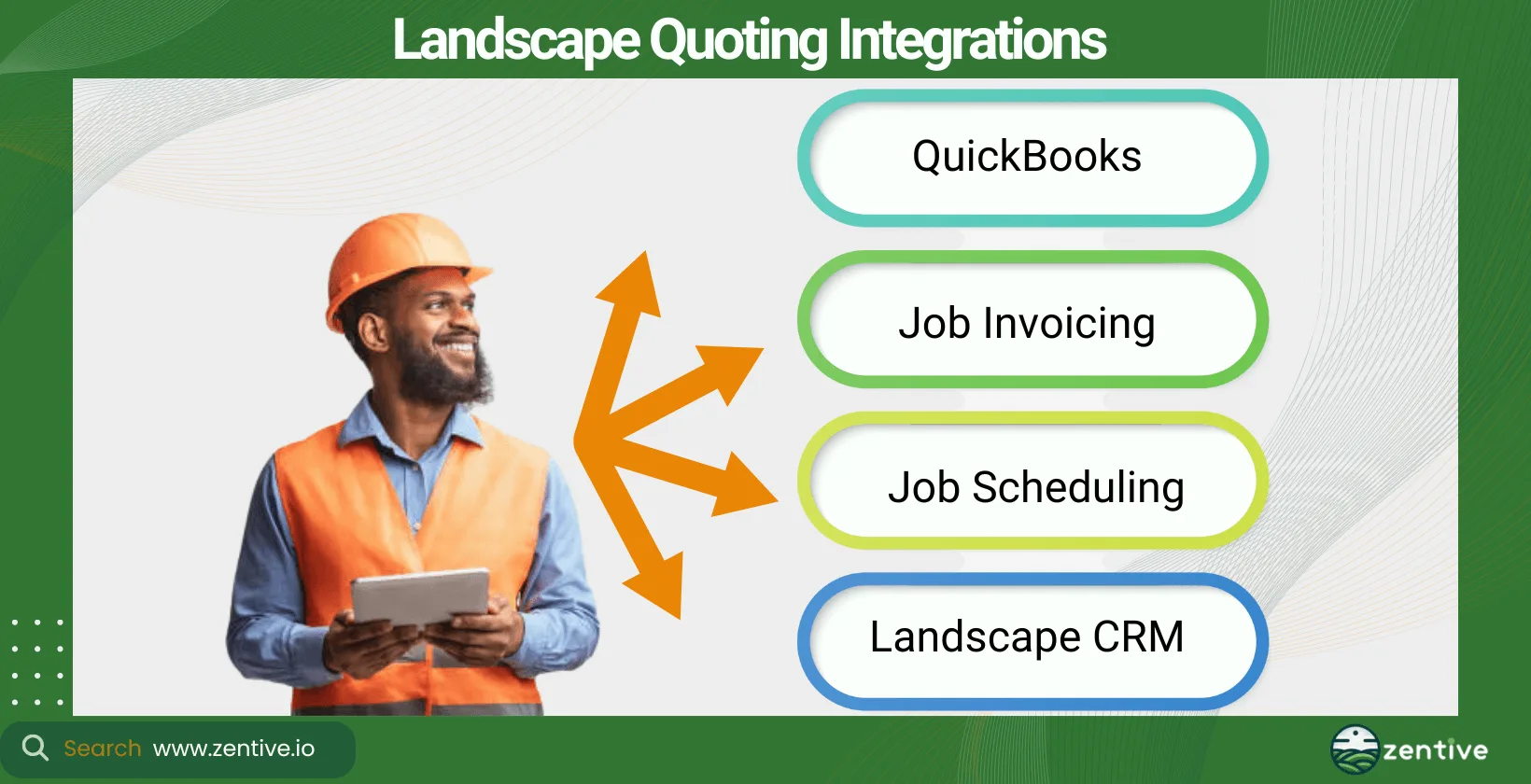
They integrate with Customer Relationship Management (CRM) systems to help manage client data, track interactions, and improve customer service. They offer landscape software for QuickBooks.Many apps, like Zentive, integrate with accounting software like QuickBooks, simplifying financial management.
Some of these tools offer other integrations, such as project management tools, processing of online payments, and scheduling software.
Can Landscape Bid Software Integrate With Invoicing Software?
Yes, landscape bid software can integrate with landscape invoicing software. For example, Zentive offers both quoting and invoicing capabilities within a mobile app. This allows landscapers to create, send, and manage invoices directly from the job site with just a few clicks, boosting efficiency and reducing the time from quote acceptance to payment.
Can Landscape Bid Software Integrate With A CRM?
Yes, landscape bid software can integrate with CRM systems, offering significant convenience. Integrating bid and landscape CRM software streamlines customer management by allowing landscapers to track client interactions (quotes, invoicing, payments), manage follow-ups, and store customer information all in one place.
The convenience of having customer data readily available makes the quoting process that much easier. It elevates customer service, strengthening client relationships and your business growth.
What Are The Benefits Of A Landscape Bidding Software?
The three benefits of landscape bidding software are automated estimating, accurate pricing, and higher bid win rates. Job estimating software makes it easier to price your services. By automating the estimating process and utilizing pre-built templates and cost databases, landscape bidding software makes it significantly easier to price services accurately. Tools like Zentive consider factors such as materials, labor, and overhead costs, ensuring that every quote is competitive yet profitable.
Winning more job bids is essential for business growth. Professional and accurate bids generated by landscape bidding software can help your business stand out. The software's precision and ability to quickly produce detailed proposals show potential clients that you mean business, increasing your chances of winning bids.
This type of landscape and lawn care software boosts marketing and sales performance. By integrating with CRM software and marketing tools, landscape bidding software can improve your marketing and sales efforts. It allows for targeted follow-ups, keeps track of client interactions, and helps identify upselling opportunities, driving your sales growth.
Does A Quoting Software Make It Easier To Price Landscaping Services?
Yes, quoting software makes it easier to price landscaping services by automating cost calculations for labor, materials, and overhead. Landscapers, especially those just starting a business, often wonder how to price landscape jobs. Several factors must be taken into account, such as material, labor costs, overheads, and profit margin.
There are a lot of factors to calculate before you can give a client an accurate quote. This means human error remains a constant danger. Utilizing quoting software reduces the chance of human error and the time needed to do the calculations, effectively making it easier to price your landscaping services.
Does An Estimating Software Make It Easier To Win Landscape Job Bids?
Yes, estimating software makes it easier to win landscape job bids by creating accurate, professional proposals that improve client trust. When you bid on landscaping jobs, it's better to use a well-designed proposal that clearly outlines the scope of work, costs, and timelines. This will demonstrate your business's credibility and attention to detail. This professionalism can set you apart from competitors and reassure clients that their project is in capable hands. Remember, if you look the part, people will be more likely to trust you.
Does A Quoting App Boost Landscaping Sales?
Yes, a quoting app boosts landscaping sales by automating quote generation, enabling faster client response, and increasing job opportunities. Automated estimating landscape business software increases the efficiency of producing quotes, allowing your business to respond to more potential clients in less time. This increased productivity can lead to more job opportunities and, consequently, increase landscaping sales.
Is There Free Landscaping Bidding Software?
Yes, there is free landscaping bidding software available called Yardbook. Yardbook's free plan comes with major functionality limitations. Free software typically offers basic functionality, lacking the integrations, customization options, and advanced features found in paid versions. This can restrict your digital capabilities and pose problems, especially if you seek a scalable landscaping software solution. Zentive, Jobber, LMN, and other landscape estimating software offer free trials to give users the ability to test their platforms free of charge. Zentive offers a free landscaping estimate template to help those on tight budgets.
Investing in a comprehensive yet affordable landscape management software solution may benefit your business more, especially if you want to leverage technology to improve efficiency and professionalism fully.
Which Type Of Landscape Business Should Use A Quoting Software?
Residential landscapers and commercial landscapers should both use quoting software. Residential landscapers, such as independent landscape contractors, can benefit from easier quote creation for various home projects, while commercial landscapers can create estimates and manage larger-scale bids with ease.
Quoting software like Zentive is very adaptable. It serves small businesses looking to grow, medium-sized companies aiming to optimize their operations, and large enterprises seeking efficiency and consistency in their bidding processes.
Does Landscaping Software Help Grow Small Businesses?
Yes, landscaping software helps small businesses grow by simplifying estimates, project management, and customer relationships. The key to growing a landscaping business fast and sustainably is to land new clients quickly while conveying a message of trust in those clients so they can, in turn, tell friends and families about your services. Utilizing landscaping software helps with just that.
These tools streamline operations, from creating accurate estimates to managing projects and client relationships. They improve efficiency, professionalism, and the ability to respond to client requests quickly.
Get This Guide as a PDF
Save this article for offline reading. We'll send a formatted PDF straight to your inbox.
No spam. Unsubscribe anytime.
Ready To Streamline Your Field Service Business?
Zentive is the all-in-one field service management software built for landscaping, lawn care, tree care, and snow removal businesses. Start your free trial today.
No credit card required · Cancel anytime