
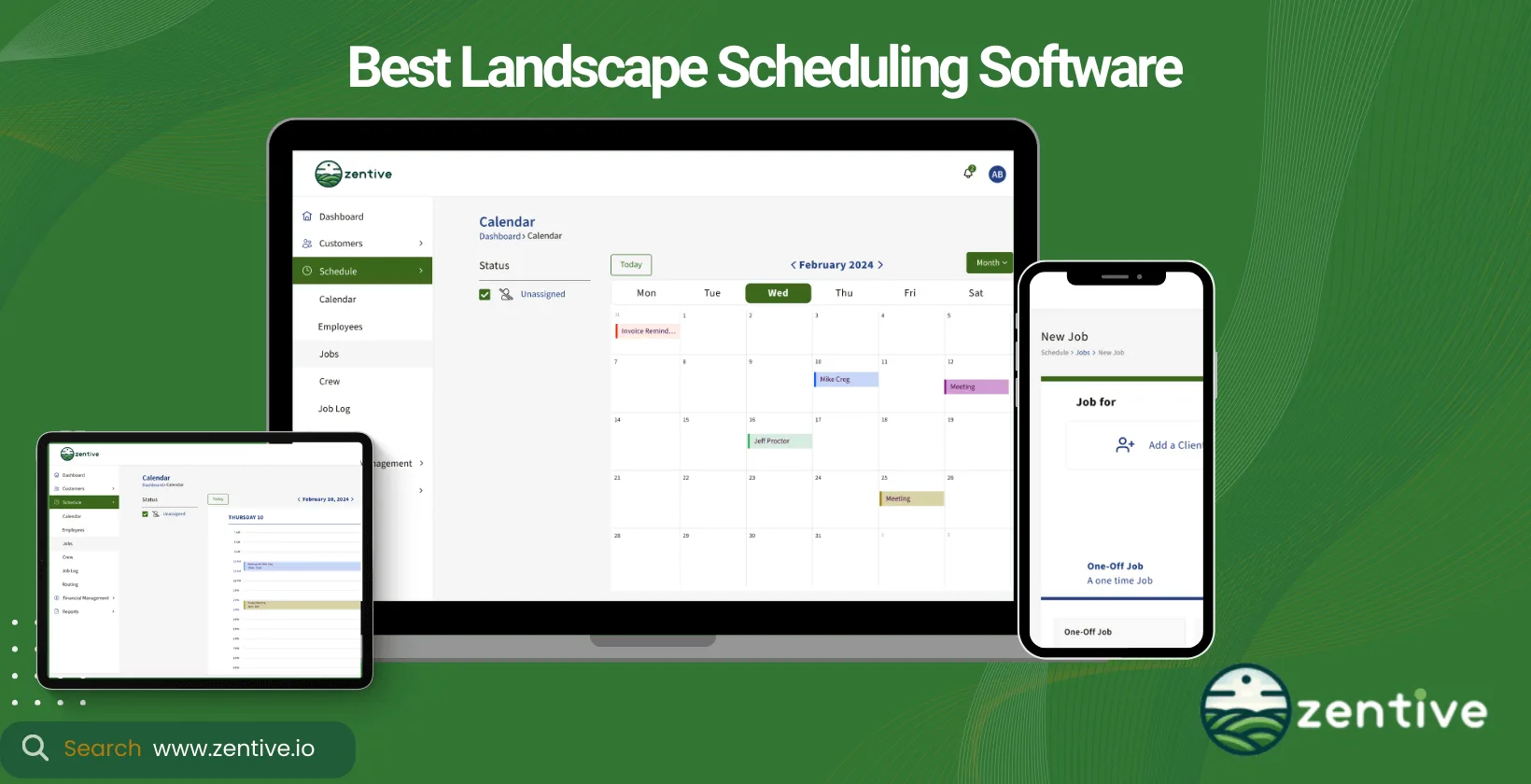
Landscape scheduling software is the business management software landscapers use to assign jobs, dispatch crews, and track live job progress from one place. This guide compares the 9 best landscape scheduling software tools of 2026, breaking down who each is built for, what it does well, and where it falls short, so you can choose the right fit for your business.
Business owners invest in landscaping scheduling apps to optimize crew scheduling, reduce idle time, and ensure timely project completion. Most tools go beyond the calendar, bundling features for invoicing, customer management, and project planning into one comprehensive solution to everyday landscape management challenges, saving you hours of manual admin each week.
Our tool, Zentive, is a high-performing landscape scheduling app. Its versatility makes Zentive ideal for a wide range of landscaping services, from routine maintenance to large-scale design and construction projects, and it supports the rest of your business operations too.
When choosing landscape company software, consider software that aligns with your business's needs and workflow. Key factors include improved efficiency, boosted customer satisfaction, and increased profitability. The services your business offers will dictate the required features, ensuring the software supports your operational objectives.
What Is A Landscaping Scheduling Software?
Landscaping scheduling software is a type of landscaping business management software that improves the planning, scheduling, and execution of landscaping projects. In practice, the tool makes scheduling appointments much easier with its recommendations on which crew is closer to the job site, which crew is better suited for the job (maintenance vs building), and which crew is available for a booking.
The software streamlines management processes; for example, all these features I mentioned in the previous paragraph would've taken valuable time from your busy day if you had to do it manually, not to mention human error (which happens more times than we care to admit). Utilizing landscaping and lawn care scheduling software reduces administrative overhead and enables more strategic deployment of resources.
The great thing about using landscaping and lawn care business software is that it's suited for all business sizes. Whether for a small family-owned operation or a large enterprise, scheduling software will help run your business better.
What Type Of Landscape Business Needs Scheduling Software?
Commercial & residential landscaping businesses need scheduling software for their employees. Commercial landscapers handle large-scale projects for businesses, municipalities, and other organizations. These businesses use scheduling software to help manage the complexity of these large projects, ensuring that crews and contractors are efficiently allocated across multiple sites.
A residential landscape business is the second type of landscaping business. They serve homeowners, which means they have to juggle a higher volume of smaller projects. Therefore, scheduling software is very important for residential landscape businesses as it helps them optimize appointment bookings, manage client communications, and ensure that small crews are effectively utilized.
9 Best Landscaping Scheduling Software
There are a lot of landscaping scheduling apps out there, but only a few truly improve your appointment and client management. Here are the nine best landscaping scheduling software.
| Software | Target Users | Top Features |
|---|---|---|
| 1. Zentive | Small to medium landscaping businesses | Recurring job scheduling, real-time updates, CRM, quoting, QuickBooks integration |
| 2. CLIP | Small to medium landscapers | Route optimization, customer management, daily scheduling |
| 3. Jobber | Small to medium field service businesses | Scheduling, invoicing, client communication |
| 4. ServiceTitan (Aspire) | Large landscaping and construction companies | Job tracking, reporting, customer management |
| 5. Blue Folder | Technologically hesitant landscaping teams | Job management, real-time scheduling, field communication |
| 6. LMN | All sizes of landscaping businesses | Budgeting, job costing, scheduling, CRM |
| 7. RealGreen | Medium to large landscaping firms | Route optimization, billing, mobile use |
| 8. SynkedUP | Small to medium green industry teams | Job tracking, dispatching, cost tracking |
| 9. Contractor Foreman | Medium to large construction landscapers | Project management, scheduling, customer relations |
1. Zentive
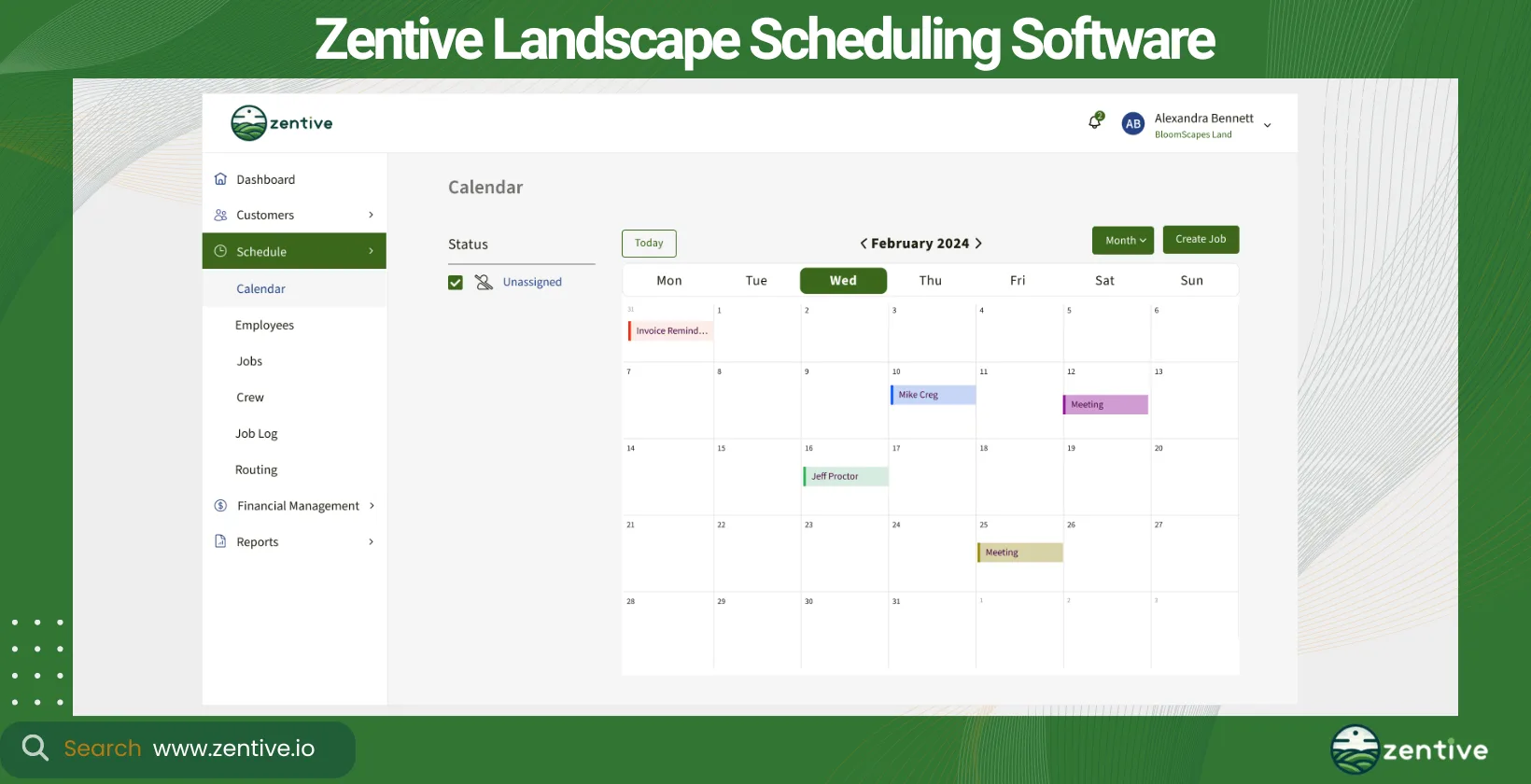
Zentive is the best scheduling app for landscaping and lawn care businesses. Zentive is particularly well-suited for small to medium-sized businesses, providing them with the flexibility to handle changes and adapt to various scheduling scenarios efficiently at a fraction of the cost of other management software for landscapers.
It allows you to easily schedule recurring jobs, which can, at times, be challenging, especially if you're managing several crews.
14-Day FREE Trial - No Credit Card Needed
The tool stands out for its real-time schedule updates and accessibility in the field, ensuring that both your management and crews are always in sync. Notifications and alerts keep everyone informed of any changes or updates, minimizing miscommunications and improving overall operational efficiency.
More efficient scheduling only scratches the surface of what Zentive can do for your business; it's an all-encompassing management tool that's designed to make your business more money and give time back to you and your admin team.
Pros:
- Continuous Improvement: Users appreciate the ongoing development and monthly updates that introduce new features, demonstrating Zentive's commitment to boosting the platform.
- Functionality: The software is lauded for its robust job costing, time keeping, and equipment management features.
- Ease of Use: Many find Zentive user-friendly and easy to navigate, even without extensive training.
- Customer Engagement: There is a notable appreciation for how Zentive listens to customer feedback and incorporates suggestions into updates.
Cons:
- Implementation Challenges: Some users find that implementing Zentive can be overwhelming, especially within a short timeframe.
| Feature | Positive Feedback | Negative Feedback |
|---|---|---|
| Continuous Improvement | Excited about regular updates and new features | None |
| Functional Features | Great job costing, time keeping, and equipment features | None |
| Ease of Use | Easy to navigate, user-friendly | Some features can be hard to use |
| Customer Engagement | Responsive to user feedback and suggestions | None |
| Implementation | None | Implementation can be challenging and overwhelming |
| Software Stability | None | Occasional glitches and bugs |
2. CLIP
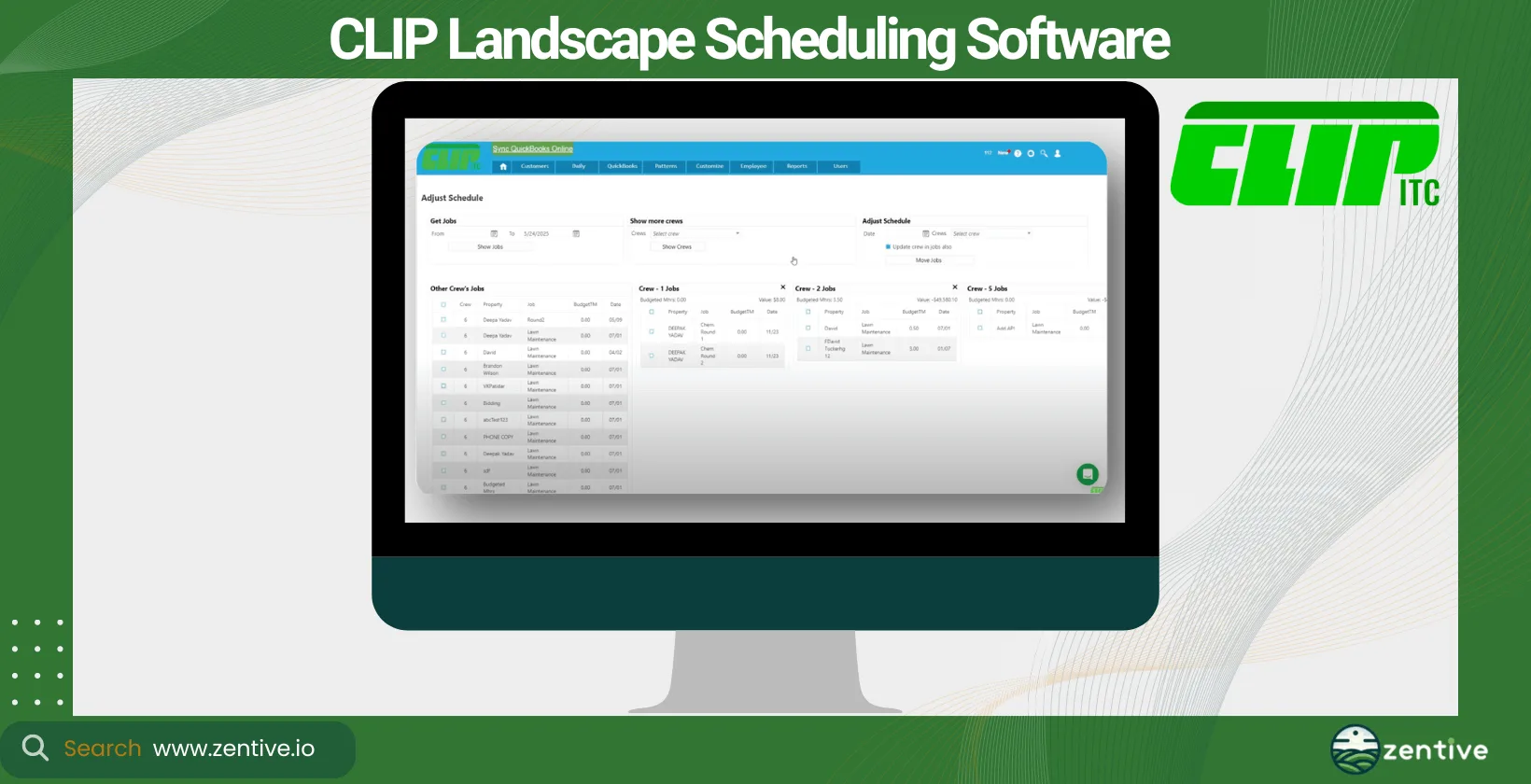
CLIP is a leading schedule software for landscapers that offers robust features for scheduling, route optimization, and customer management. Like Zentive, CLIP is suited for small to medium-sized businesses. CLIP excels in creating efficient daily schedules for landscaping and lawn care services, facilitating quick adjustments to accommodate last-minute changes.
Its strength lies in route optimization, which ensures crews can complete jobs in the least amount of time possible, reducing travel time and fuel costs. However, where CLIP shines in operational efficiency, it might lack the broader business management features found in software like Zentive. This is why Zentive is a great alternative for CLIP users.
Pros:
- Easy Setup: Many users appreciate the straightforward setup process.
- Customer Service: The mobile app functionality is highly valued for its convenience and integration with the main software features.
- Mobile App: Tailored specifically for the lawn care and demonstrates a deep understanding of its unique requirements.
Cons:
- Customer Support Issues: Some users report difficulties in reaching customer support.
- Technical Glitches: Issues such as integration with QuickBooks leading to customer balance problems and billing errors (like the "Overpayment" billing statement confusion) are common.
- Software Limitations: The routing feature tends to become less effective when handling lots of jobs per day.
| Feature | Positive Feedback | Negative Feedback |
|---|---|---|
| Setup and Tutorials | Easy to set up with helpful tutorials | None |
| Customer Service | Generally excellent customer service | Difficult to reach support; issues unresolved |
| Functionality | Efficient routing, profitability checks, comprehensive reporting | Routing ineffective above 22 jobs per day |
| Specificity to Lawn Care | Tailored with proven industry success | None |
| Mobile App | Useful and well-integrated | None |
| Integration with Tools | Seamless with QuickBooks and Google Maps | Integration issues causing customer balance problems |
| Billing and Payments | None | Confusing statements leading to customer dissatisfaction |
| Cloud-Based Transition | None | Challenges and technical issues |
3. Jobber
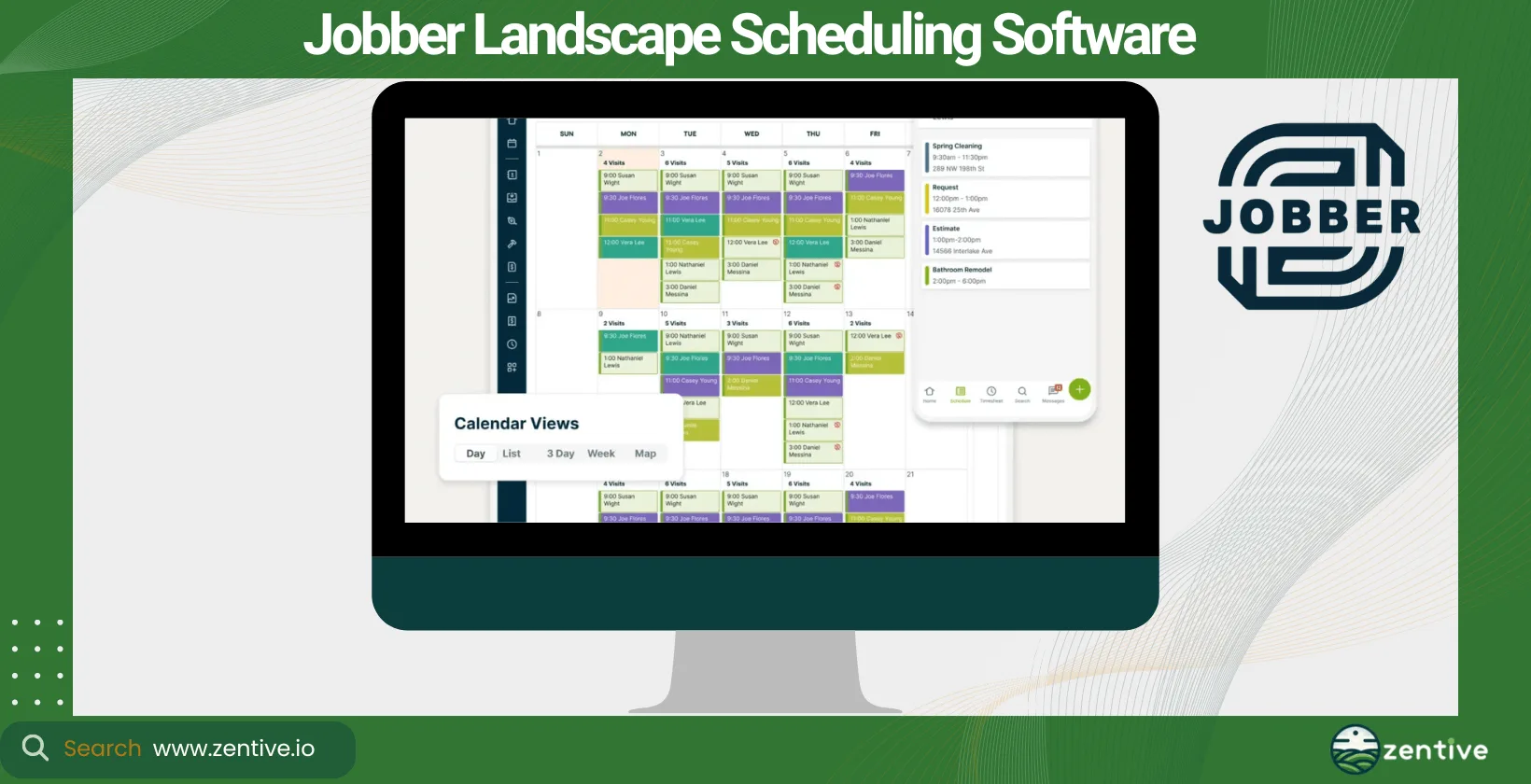
Jobber is versatile landscape job scheduling software, perfect for small —to medium-sized businesses that want a basic tool to manage scheduling. It offers an easy-to-use platform for scheduling, invoicing, and client communication, making it a solid choice for those looking to streamline their operations.
Jobber provides real-time updates and mobile accessibility, which are crucial for teams in the field. However, Jobber is a tool designed for the broader field service industry, meaning it doesn't have many tools specifically designed for landscaping. Zentive is a great alternative to Jobber, as its tools are designed specifically for landscaping solutions.
Pros:
- Customer Service: Users highlight the outstanding customer service, often described as helpful and responsive.
- Mobile App Efficiency: The mobile app is highly praised for its ease of use, allowing crews to be operational almost immediately.
- Ease of Use: Jobber is consistently noted for its user-friendly interface, making it simple for new users to adopt and integrate into their workflows.
- Integration: Effective integration with QuickBooks Online improves its utility for financial management.
- Cost-Effectiveness: Many find Jobber to be very reasonable in price given its comprehensive features.
Cons:
- Trial and Error: Some users experienced difficulties with previous software, making them cautious about switching without a trial.
- Cost Miscommunication: There are reports of unexpected costs, with some users finding the service more expensive than anticipated.
- Lack of Pricing Function: The software reportedly lacks a critical feature for estimating job costs in the description area, which can affect pricing transparency and accuracy.
| Feature | Positive Feedback | Negative Feedback |
|---|---|---|
| Customer Service | Outstanding customer service | None |
| Mobile App | Mobile program is efficient, up and running quickly | None |
| Ease of Use | User-friendly platform, simple for anyone to use | None |
| Integration | Excellent integration with QuickBooks Online | None |
| Price | Very reasonable in price | Unexpected costs, advertised as less expensive |
| Software Reliability | Overall wonderful software, highly recommended | Previous bad experience with other software |
| Pricing Functionality | None | Lacks a pricing function for estimating jobs |
4. ServiceTitan (Aspire)
ServiceTitan's Aspire is landscape construction scheduling software designed for larger businesses with complex scheduling needs. It offers comprehensive tools for job tracking, customer management, and real-time reporting, making it ideal for companies that require detailed project management and scheduling capabilities.
With its robust platform, Aspire allows seamless schedule adjustments and can efficiently handle multiple projects. The software's main business benefits include better visibility into crew schedules and better resource allocation.
Pros:
- Comprehensive Solution: Users appreciate the all-encompassing nature of ServiceTitan, which provides a robust set of tools tailored for the trades.
- Ease of Use: The platform is highly praised for its user-friendly interface, making it accessible for all levels of tech proficiency.
- Customer Support: The support team at ServiceTitan is frequently highlighted as helpful, kind, and efficient.
- Integration Capabilities: Strong integration features, including phone lines and marketing tracking, are particularly valued.
- Industry Specific Support: Tailored support and features for service-related construction and landscaping businesses increase its usability.
Cons:
- Software Bugs: Users report encountering numerous bugs and issues with the basic functions of the software.
- Rapid Expansion Concerns: Some feedback indicates that the company's quick growth has possibly led to challenges in maintaining software quality.
- Service Issues: Problems with call booking and notification systems have led to service failures, frustrating both service providers and customers.
- Outdated Experience: Some users note that their previous experiences with the software were frustrating, though it is unclear if these issues have been resolved in more recent updates.
| Feature | Positive Feedback | Negative Feedback |
|---|---|---|
| Comprehensive Solution | Comprehensive, industry-specific features | None |
| Ease of Use | User-friendly and easy to manage | None |
| Customer Support | Supportive and kind customer service | None |
| Integration Capabilities | Effective integration with phone lines and marketing tracking | None |
| Software Stability | None | Bugs and issues in basic software functions |
| Company Growth | None | Issues due to rapid expansion |
| Service Reliability | None | Missed customer appointments due to system errors |
5. Blue Folder
Blue Folder focuses on ease of use and flexibility, making it a solid choice for landscaping and lawn care professionals who struggle with new technology and the learning curve they carry. This landscape crew scheduling software emphasizes real-time communication and updates, ensuring that teams are always aware of their schedules and any changes.
While it offers comprehensive scheduling and dispatch features, Blue Folder might not have the same depth in other areas like customer relationship management or detailed analytics like Zentive. Still, Blue Folder remains a solid choice if you only want a tool for scheduling and job management.
Pros:
- Ease of Use: BlueFolder is consistently praised for its simplicity and user-friendly interface, making it accessible and easy to navigate.
- Customization: Users appreciate the extensive customization options available, allowing the software to adapt to a company's growth and evolving needs.
- Customer Support: The customer support is highly regarded, noted for being helpful and always accessible.
- Positive User Feedback: Customers have expressed satisfaction with the system's simplicity and ease of use.
- Growth and Updates: The software has grown and updated alongside user companies, meeting their changing requirements effectively.
Cons:
- Feature Limitations: Some users find the drag-and-drop functionality for tickets lacking, which is common in many calendar systems.
- Time Zone Issues: Users in Arizona have reported problems with appointment times being set incorrectly due to time zone differences.
- Integration Challenges: There are difficulties with certain integrations, such as converting attachments like receipts into PDFs before uploading.
- Security Concerns: There are concerns about the security of email passwords and the limited customization options for customer and worker profiles.
| Feature | Positive Feedback | Negative Feedback |
|---|---|---|
| Ease of Use | Simple and easy to navigate | None |
| Customization | High level of customization available | Limited customization of customers and workers |
| Customer Support | Extremely helpful and accessible | None |
| User Experience | Positive customer feedback on simplicity | None |
| Software Growth | Updates align well with company growth | None |
| Scheduling Features | None | Time zone issues causing scheduling errors |
| Integration with Other Apps | None | Difficulties in integration for printing PDFs |
| Security | None | Concerns over unsecured email passwords |
6. LMN
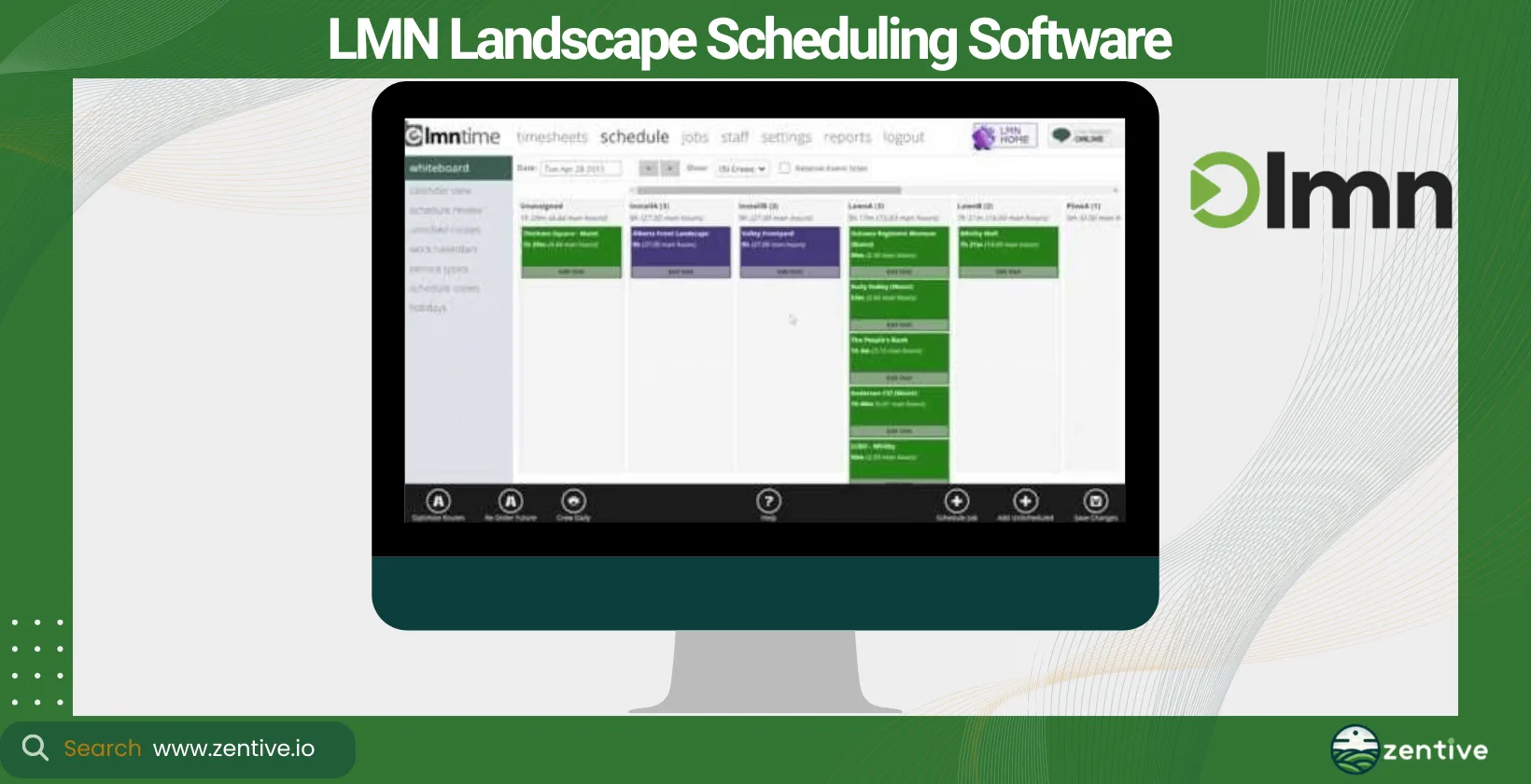
LMN is a complete scheduling software for landscaping businesses, providing tools for budgeting, scheduling, and customer interactions. Suitable for businesses of any size, LMN's strength lies in its budgeting tools and job costing, alongside its scheduling capabilities.
This software helps businesses manage their operations with real-time schedule updates and mobile access. However, it may offer more than some smaller companies need in terms of financial management tools.
Pros:
- Time Management Tools: The Time App is highly valued for its ability to facilitate communication among team leads via pictures and notes, and integrates well with invoicing systems like QBO.
- Financial Planning: LMN is praised for its budget-building tool, which aids users in understanding their financials, recovering overhead costs, and ensuring jobs are bid correctly.
- Pricing Guidance: The software provides guidance on developing consistent and profitable pricing strategies, boosting confidence in the profitability of produced quotes.
- Customer Management: Efficient tracking of leads, detailed contact management, and estimate generation are significant benefits.
Cons:
- Interface Issues: Some users find that the addition of new features over time has made the interface feel disjointed and less cohesive.
- Operational Difficulty: There are concerns about the software making operations management more challenging.
- Customization Limitations: Users have expressed difficulties in customizing reports to meet their specific needs.
| Feature | Positive Feedback | Negative Feedback |
|---|---|---|
| Time Management Tools | Time App heightens team communication | None |
| Financial Planning | Budget-building tool helps understand and recover costs | None |
| Pricing Guidance | Guides on developing profitable pricing | None |
| Customer Management | Efficient lead tracking and estimate generation | None |
| Software Interface | None | Interface feels disjointed due to updates |
| Operational Management | None | Software complicates operational processes |
| Report Customization | None | Reports are hard to customize to specific needs |
7. RealGreen
RealGreen is specifically designed as landscape scheduling software, offering detailed scheduling and route optimization for landscapers. The tool is suited to medium—to large businesses, providing them with a robust platform for managing extensive client lists and complex schedules.
Its main benefits include improving efficiency through optimized routing and improving customer satisfaction with timely service. However, you'll require a substantial investment if you're looking to unlock RealGreen's extensive features and integrate fully into your business's operations.
Pros:
- Customer and Billing Management: The software allows clients to log into their accounts and make billing changes independently, easing the workload for office staff.
- Mobile Usability: Utilizing tablets in the field provides significant advantages, upgrading on-site productivity.
- Data Management: Maintains historical data on maintenance customers, simplifying the process of providing estimates and renewing contracts.
- Ease of Use and Functionality: Users find the software easy to use after an initial learning period and praise its mapping and scheduling capabilities.
Cons:
- Customer Support: There are notable delays in tech support responses, with some users experiencing prolonged wait times.
- Reliability Issues: Users have reported recurring bugs and errors, particularly when migrating between different software versions (e.g., SA4 to SA5).
- Cost Concerns: Some users feel the software is overpriced and have had negative experiences with the sales team regarding contract terms and software capabilities.
- Accuracy of Reports: Errors in reports and the need for frequent verification of distributed information can undermine trust in the data's reliability.
| Feature | Positive Feedback | Negative Feedback |
|---|---|---|
| Customer and Billing Management | Clients can make billing changes online | None |
| Mobile Usability | Tablets in the field increase productivity | None |
| Data Management | Easy to provide estimates with historical data | None |
| Ease of Use | User-friendly interface after learning basics | None |
| Customer Support | None | Slow response, difficult to reach support |
| Software Reliability | None | Recurring bugs and issues with version updates |
| Cost and Sales Practices | None | Overpriced, misleading sales practices |
| Reporting Accuracy | None | Frequent errors and inaccuracies in reports |
8. SynkedUP
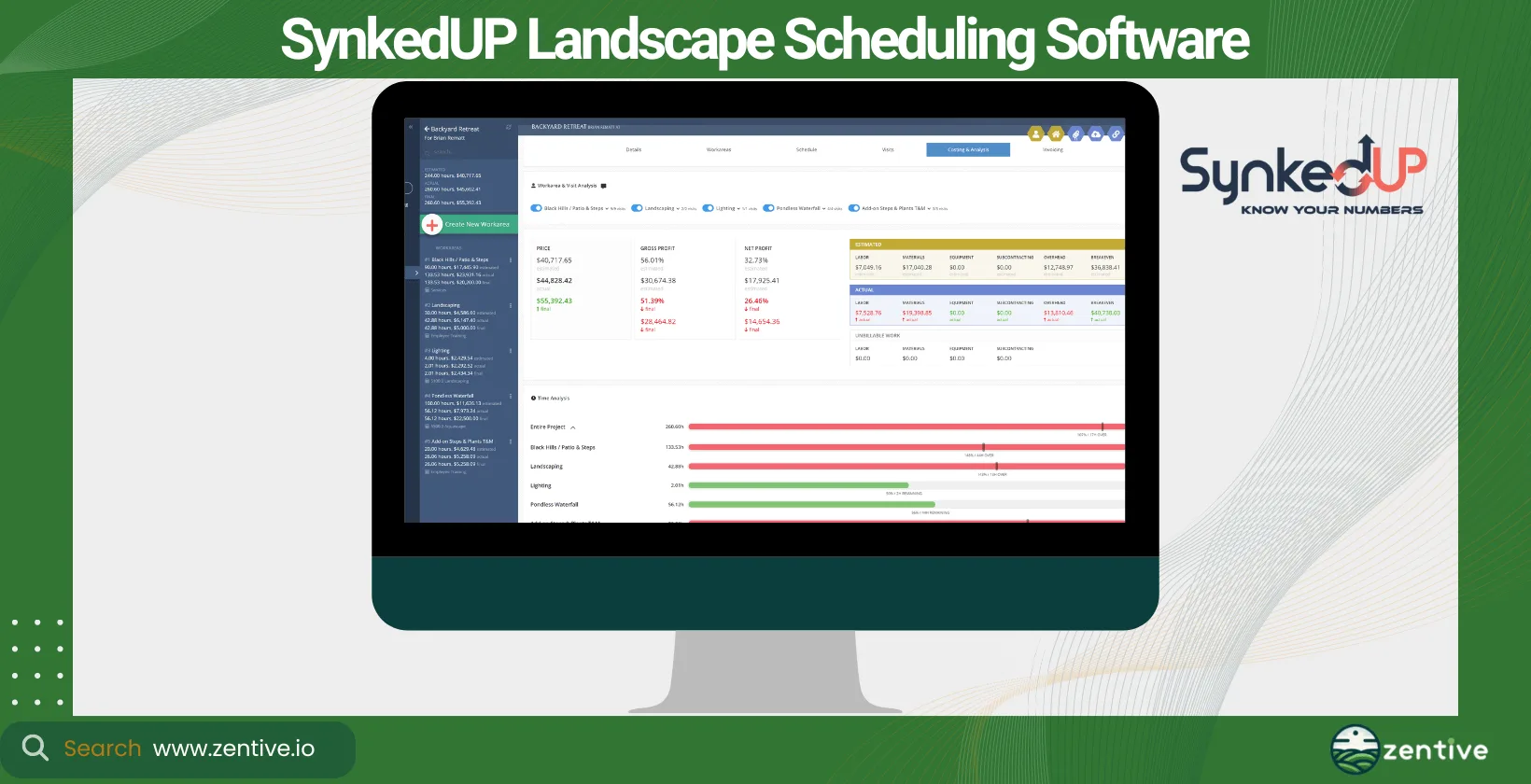
SynkedUP offers a streamlined approach to landscape crew scheduling software, which is ideal for small—to medium-sized businesses. It focuses on two key things—simplicity and efficiency—providing essential tools for scheduling, dispatch, and job tracking.
SynkedUP offers excellent user-friendliness and ease of implementation, much like Blue Folder. However, its capabilities are limited, and you'll be looking for other tools once your business starts to scale.
Pros:
- Impact on Business: Users have noted significant positive changes in how their businesses operate since adopting SynkedUP.
- Customer Service: The customer service is frequently highlighted as excellent, elevating user satisfaction.
- Ease of Use: The software is praised for its user-friendliness and flexibility, particularly well-suited for green industry companies.
- Mobile Functionality: SynkedUP allows for efficient daily tracking of job costs via mobile, which is highly convenient for on-the-go management.
Cons:
- Maintenance Management: Some users find it challenging to manage maintenance tasks within SynkedUP, especially in terms of scheduling and billing.
- Mobile App Performance: There are occasional issues with the mobile app becoming laggy and less responsive, which can hinder field operations.
- Estimation Challenges: Users report that performing estimations directly from the mobile app can be difficult.
| Feature | Positive Feedback | Negative Feedback |
|---|---|---|
| Business Impact | Greatly improves how businesses operate | None |
| Customer Service | Excellent customer support | None |
| Ease of Use | Highly user-friendly and flexible | None |
| Mobile Functionality | Efficient job cost tracking on mobile | Difficulties with app performance |
| Maintenance Management | None | Challenges in scheduling and billing maintenance tasks |
| Mobile App Performance | None | Mobile app occasionally lags and becomes unresponsive |
| Estimation Features | None | Mobile app is challenging to use for estimations |
9. Contractor Foreman
Contractor Foreman is a great option if you're in the landscape construction industry. It provides an all-in-one solution for scheduling, project management, and customer relations. This software is best for medium to large businesses that handle complex projects and require detailed scheduling tools.
Its main business benefits include increased project oversight and streamlined scheduling processes. However, its focus on construction may make it less suitable for companies who specifically want a landscaping and lawn care scheduling app.
Pros:
- Responsive Staff: The team behind Contractor Foreman is noted for being responsive and attentive to user feedback, constantly looking to improve the product.
- Comprehensive Features: The software boasts a feature-rich platform that is crucial for managing complex projects.
- Cost Management: Users appreciate the extensive cost item database and the depth of the management features, reducing the need for multiple spreadsheets and software.
- Affordability: It is highlighted as a very affordable solution in the construction industry, providing excellent value.
- Ease of Use: Once familiar with the menu, users find the software to be very user-friendly and effective.
Cons:
- Billing Issues: There are complaints about being unexpectedly charged for a full year of service, a concern that seems common among users.
- Customer Support Issues: While the customer service is generally praised, there are isolated reports of poor experiences and perceived scams, leading to disputes and cancellations.
- Scheduling Functionality: Some users experience difficulties with scheduling and making changes to schedules within the software.
| Feature | Positive Feedback | Negative Feedback |
|---|---|---|
| Customer Support | Staff responsive to suggestions and improvements | Some users report poor support experiences |
| Software Features | Feature-heavy, suitable for complex project management | None |
| Cost Management | Excellent cost item database and project management features | Unexpected annual charges lead to user frustration |
| Affordability | Very affordable compared to other systems | None |
| Ease of Use | User-friendly interface after initial learning | Difficulties with scheduling and schedule adjustments |
| Billing Practices | None | Complaints about billing scams and disputes |
How To Pick A Landscape Scheduling Software?
To pick a landscape scheduling software, weigh four factors against your business: the software type and features you actually need, the benefits it delivers, your company's growth objectives, and its pricing. Selecting the right tool will significantly impact your operational efficiency and customer satisfaction, so match the app to your workflow rather than chasing the longest feature list.
What Type Of Software Is A Landscaping Scheduling App?
A landscaping scheduling app is a type of landscaping management software. Landscape management software means a broad range of functions designed to help you run your business more efficiently. These include, but are not limited to, project management, customer relationship management (CRM), invoicing, and, importantly, crew scheduling.
This type of software helps your landscaping businesses plan and execute landscaping projects more effectively by streamlining your operations and ensuring your resources are optimally allocated.
What Are The Benefits Of A Landscape Software?
Landscape software offers benefits such as scheduling employees, improving customer relationships, and integrating with other software and tools.
Scheduling your employees allows you to manage your crew's workload efficiently, assign tasks based on availability and skill set, and adjust schedules in real-time to accommodate any unforeseen changes.
You can improve customer relationships by utilizing this tool. It boosts client communication through timely updates, appointment reminders, and the ability to respond quickly to requests or changes, thereby increasing client satisfaction.
One of my favorite features is the ability to integrate with other software and tools. Integrating allows you to connect with CRM, job routing and dispatch software, and financial tools like QuickBooks. This means you have a holistic approach to managing your business, effectively streamlining operations and reducing manual data entry. This leads to increased accuracy and efficiency in all aspects of your landscaping business.
How Does Landscaping Software Help Schedule Employees?
Landscaping software significantly improves employee scheduling by acting as a crew tracking software. This allows managers to allocate tasks more effectively, ensuring more jobs are completed within the desired timeframe.
They enable the monitoring of employee workloads to distribute tasks evenly and prevent overworking. Tools like the Zentive landscape scheduling app allow users to set up one-off and recurring jobs, ensuring regular maintenance tasks are never overlooked.
Which Types Of Work Schedules Do Landscapers Use?
Landscapers use a mix of work schedules: fixed Monday-to-Friday routines for recurring maintenance, variable project-based schedules for construction, and seasonal peak schedules that flex with demand. Which one fits depends on the services (construction, maintenance, etc.) you offer and the time of year. Some may operate on a regular Monday-to-Friday schedule for maintenance services. In contrast, others might have variable schedules based on project demands or seasonal peaks.
Most scheduling tools on this list accommodate these different schedule types, ensuring the tool fits right in with your business model.
Can Landscaping Scheduling Software Improve Customer Relationship Management?
Yes, landscaping scheduling software can significantly improve customer relationship management (CRM). Landscaping CRM software improves the on-time performance of your crew and improves communication with clients so businesses can build trust and satisfaction.
But what exactly is CRM? CRM involves managing your business's relationships and interactions with customers and potential customers; see it as the middleman between you and your clients.
Why do you need it? Software like Zentive includes CRM capabilities for landscaping, helping your business manage contacts, track interactions, and improve customer service. The tool is designed to save you time dealing with customers and improve customer satisfaction rates by making each client feel prioritized and that their needs are promptly met.
Do Landscaping Scheduling Apps Integrate With Accounting Software?
Yes, landscaping scheduling apps integrate with accounting software. Many are designed to integrate seamlessly with accounting and financial software for better financial reporting of your business. Some scheduling apps integrate with CRM software, job routing, and dispatch software.
Zentive, for instance, includes landscape quoting software that not only simplifies quote creation but integrates with QuickBooks. This allows for better invoice management and financial tracking, thereby elevating your overall business operations.
Which Types Of Landscaping Services Can You Schedule?
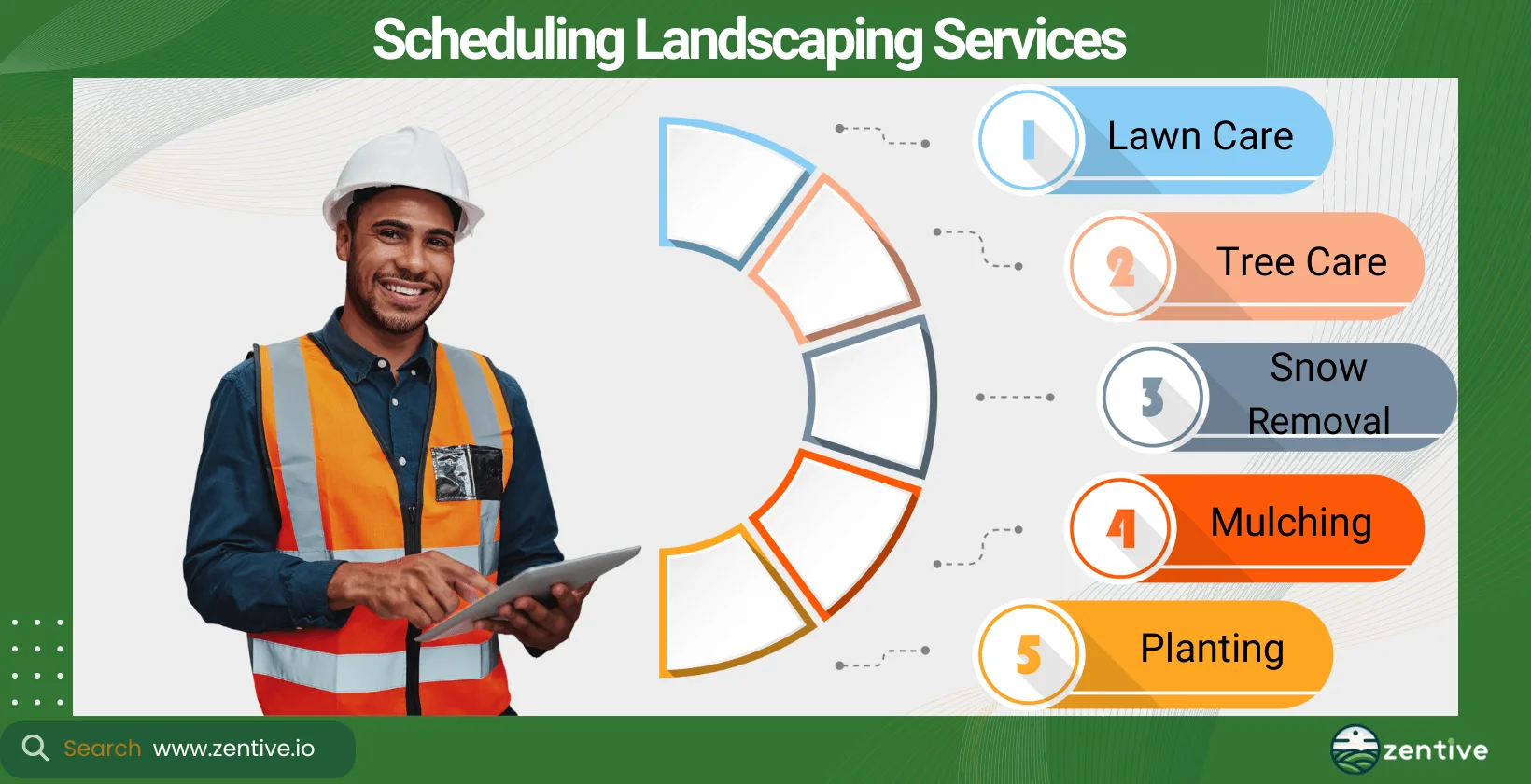
You can schedule virtually all types of landscape services efficiently with the right landscaping scheduling software.
- Lawn Care: Maintenance services that keep lawns healthy, green, and free of weeds and pests.
- Tree Care: Services that focus on the health and maintenance of trees, including pruning, trimming, and disease management.
- Snow Removal: Essential for maintaining accessibility and safety during the winter months, involving the removal of snow from paths, driveways, and public spaces.
- Mulching: The application of a layer of material over the soil to retain moisture, suppress weeds, and improve the soil's health.
- Planting: The process of planting trees, shrubs, flowers, and other plants to raise the aesthetic and environmental value of a client's property.
Can You Use Landscaping Scheduling App For Lawn Services?
Yes, you can use a landscaping scheduling app for lawn services. Software like Zentive is specifically designed to accommodate the management and scheduling needs of lawn care services, offering features that streamline appointment setting, crew dispatch and routing, and customer communication, making it easier to manage and grow a lawn care business.
Can You Use Landscaping Scheduling App For Tree Services?
Yes, a landscaping scheduling app can be effectively used for tree services. Zentive includes management software features that cater to the unique requirements of tree care businesses, such as scheduling complex tree maintenance and pruning or removal jobs and managing the necessary equipment and crew (routing and assigning based on skill level).
Can You Use Landscaping Scheduling App For Snow Services?
Yes, landscaping scheduling apps like Zentive are well-equipped to handle the scheduling needs of snow removal services. Snow removal services require a quick response to weather-related demands, which is why Zentive is so useful. It can efficiently allocate resources during peak times and ensure timely service to clients.
How Does A Landscaping Scheduling App Help Grow Your Business?
A landscaping scheduling app helps grow your business by improving operational efficiency, amplifying customer satisfaction (improves recurring customer rate), and enabling better resource management (more profit, less operational costs).
For small and medium-sized businesses, it simplifies the scheduling process, reduces the time you and your team spend on administrative tasks, and helps accurately track work hours and job costs. It offers scalable solutions for larger businesses that support complex project management and detailed reporting. Scheduling apps are necessary for growing a landscape business and improving employee management.
Is A Landscaping Schedule Management Software Worth It For Small Businesses?
Yes, landscaping schedule management software is highly beneficial for small businesses. It helps contractors and small businesses by automating scheduling tasks, improving communication with clients, and reducing manual errors.
This efficiency not only saves time but improves the overall customer experience, leading to more repeat business and referrals. Recurring jobs and word-of-mouth advertising are like gold to a small business, ensuring sustainable growth.
Are There Free Scheduling Apps For Landscapers?
Yes, there are free scheduling apps available for landscapers, such as Lawn Love. However, the tool takes a small percentage of your job revenue. Cheap buying is expensive in the long term, so a tool like Zentive, which is still very affordable, is the best way to go. Zentive grows with your business and offers more advanced features, better support, and integration options.
Get This Guide as a PDF
Save this article for offline reading. We'll send a formatted PDF straight to your inbox.
No spam. Unsubscribe anytime.
Ready To Streamline Your Field Service Business?
Zentive is the all-in-one field service management software built for landscaping, lawn care, tree care, and snow removal businesses. Start your free trial today.
No credit card required · Cancel anytime