
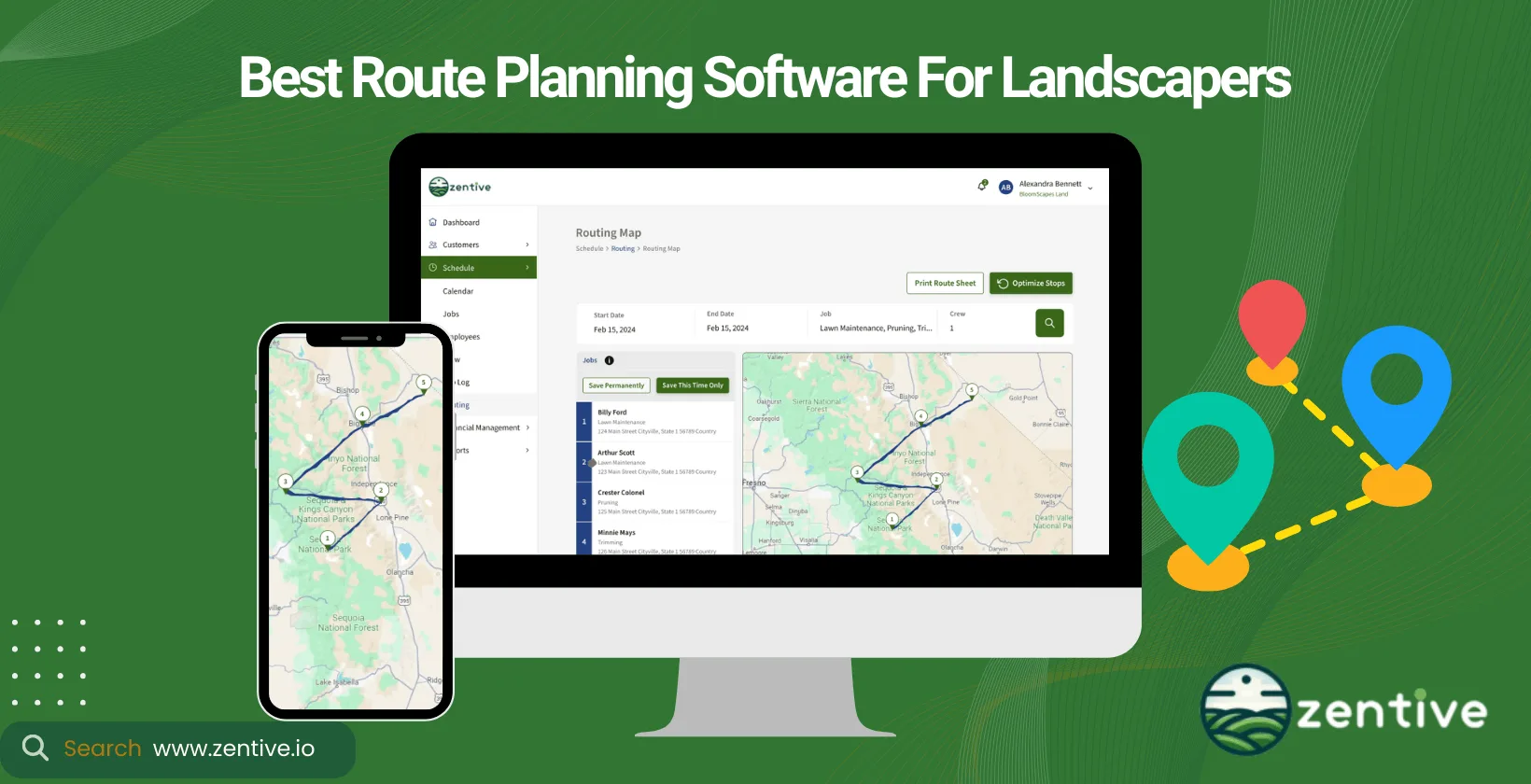
Landscape route planning software helps landscaping businesses map, optimize, and dispatch crew routes so they complete more jobs per day while spending less on fuel and drive time. This guide compares the nine top landscape routing apps of 2026, breaking down what each does best so you can pick the right dispatching tool for your crews and your budget.
Route optimization for landscaping businesses involves planning service routes strategically to use resources efficiently, including fuel and time. This technology considers factors such as distance, traffic, job type (skill set required), service time, and client preferences to determine the best order of job assignments and the most efficient routes for landscaping crews.
Business owners invest in routing software to maximize efficiency and profitability. The right field service software can increase the number of jobs completed daily, reduce travel costs, and improve customer satisfaction through timely, reliable service.
Our tool Zentive is the leading solution for route optimization in landscaping. Zentive combines advanced route optimization with a user-friendly design, making it ideal for landscaping businesses of any size. Zentive offers the flexibility, efficiency, and reliability needed for success.
When selecting routing software to real-time dispatch landscape crews for projects, consider factors such as business size, required features, and the services your business offers.
What Is Route Optimization?
Route optimization is the process of determining the most efficient routes for a set of jobs or deliveries, ordering stops to minimize total drive time, distance, and fuel. It's a critical component of field service management, especially in the landscaping industry, where efficiency directly impacts profitability - the more landscaping jobs you can fit into a day, the more you get paid.
Modern mobile software has significantly improved the way we conduct route planning. It offers real-time updates, GPS tracking, and routing adjustments based on traffic conditions, job cancellations, or emergency calls.
Why Is Route Optimization Important For Landscapers?
Route optimization is important for landscapers for three main reasons: efficiency, cost reduction, and improved scheduling accuracy. Using landscape routing software can improve efficiency. Optimized routes allow you to complete more jobs in less time, increasing your business's capacity without adding more resources and driving profitability upwards.
Travel costs can eat away at a business's profit, especially considering current fuel prices. This is why landscaping and lawn care software is necessary. By minimizing unnecessary travel, you save on fuel and vehicle maintenance, directly reducing operational costs.
Route optimization improves schedule accuracy. Reliable scheduling ensures that your crews arrive on time, enhancing customer satisfaction and trust in your services. Combine route optimization with scheduling software (many landscape routing software have this), and you have an optimal scheduling solution.
What Is A Landscaping Routing Software?
A landscaping routing software is landscaping business software that optimizes and dispatches crew routes, automatically sequencing each day's jobs into the most efficient driving order. It facilitates route optimization by planning workdays, maximizing work capacity, and ensuring that resources are used as efficiently as possible.
This software helps businesses become more accurate in their service delivery, tracks employees' time spent on each job, and adapts to the varying needs of different-sized businesses.
Zentive is a route optimizer with features like route optimization, GPS, and mapping services to help manage the logistical headache of scheduling and routing your employees. Route optimizing software allows businesses to respond dynamically to the day's needs (scheduled and emergency appointments), adjusting routes and schedules as new jobs come in or conditions change.
14-Day FREE Trial - No Credit Card Needed
Top 9 Landscaping Route Planning Software
The below table includes nine landscape route planning software platforms to evaluate.
| Software | Best For |
|---|---|
| Zentive | Small to medium landscaping businesses needing adaptable, all-in-one route optimization |
| Upper Route Planner | Large teams needing complex route management and customer additions |
| Jobber | Small to medium businesses seeking simple crew dispatching and customer notifications |
| ServiceTitan (Aspire) | Large businesses needing advanced route planning and customer management |
| Route4Me | Businesses of all sizes requiring multi-stop route optimization |
| Badger Maps | Businesses focused on visual route planning and territory management |
| Service Autopilot | Businesses seeking comprehensive scheduling and dispatching with customization options |
| Workwave Service | Medium to large businesses needing a cloud-based route planning and field management solution |
| Yardbook | Small landscaping businesses seeking a free, user-friendly platform for basic routing and invoicing |
1. Zentive
Zentive is an all-in-one solution for your landscaping business that has the best landscape routing software in the industry. It is a dispatch routing software that tailor-made for the landscaping and lawn care industries, but you can use it for snow removal and tree maintenance services.
This landscaping business software features an incredibly user-friendly design with an industry-leading feature set. Zentive excels at adapting to changes and different routing scenarios, ensuring that businesses can react swiftly to any scheduling changes or customer requests.
Zentive enhances scheduling accuracy, drastically reduces fuel costs and truck depreciation, and minimizes labor costs through efficient route planning. The platform's notification system keeps teams and customers informed, improving communication and satisfaction.
What makes Zentive great is that the feature set and affordable prices allow small and medium businesses using the app to compete on the same level as large businesses.
Pros:
- Cost-Effectiveness: Zentive is noted for being the best-priced software in its category, especially given the features it offers.
- Customer Service: Zentive is highly praised for its excellent customer service accessible via both phone and email.
- Functionality: Can handle multi-stop routes & adjust to everchanging landscaping schedules.
- Ease of Use: Users appreciate Zentive's user-friendly interface and its ability to integrate seamlessly into business operations.
Cons:
- Address Recognition Issues: As an American product, it struggles with recognizing international addresses.
- Amount of GPS Data: Some apps that only provide route optimization give more detailed GPS data to landscape contractors.
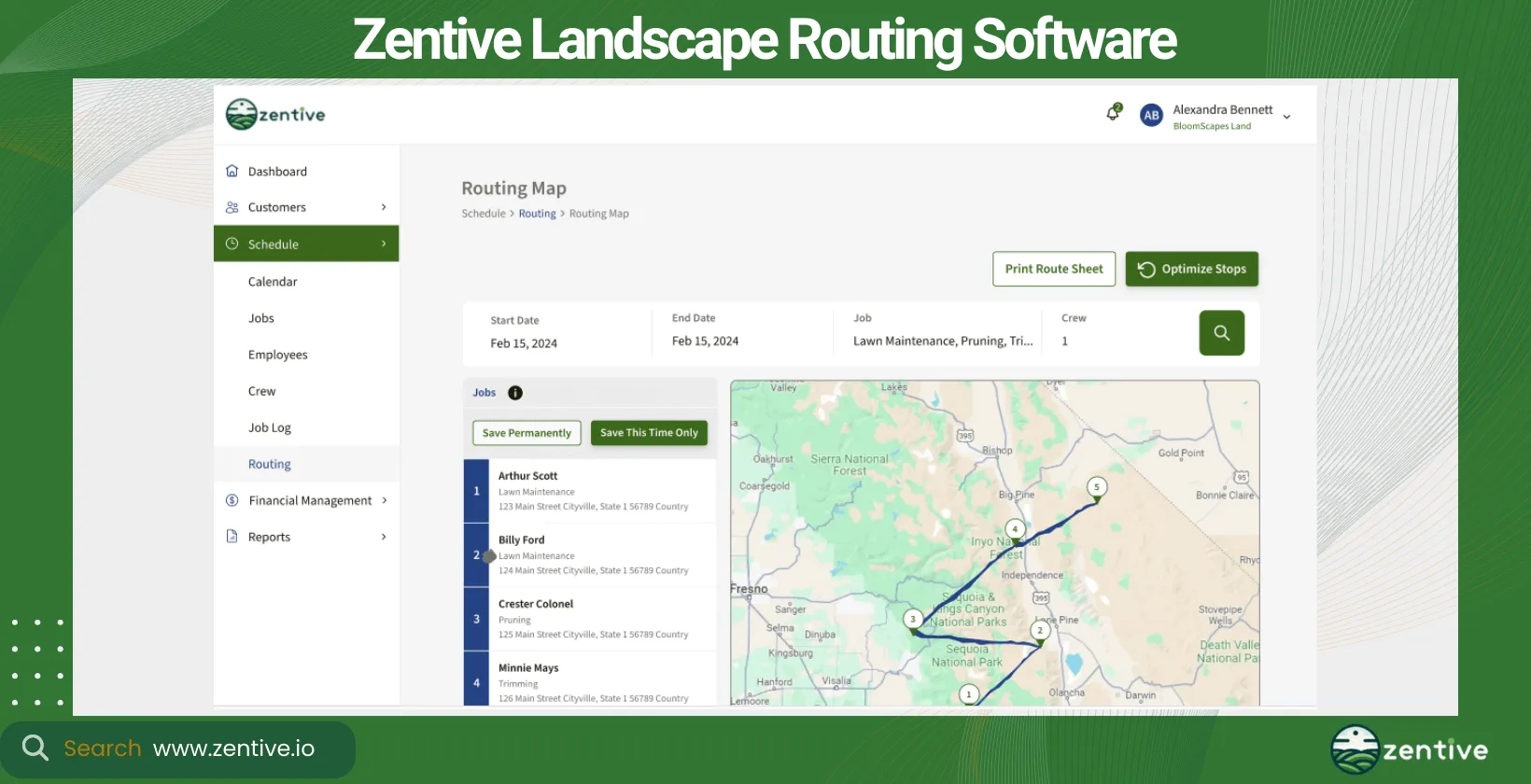
| Feature | Positive Feedback | Negative Feedback |
|---|---|---|
| Pricing and Features | Best priced for the features offered | None |
| Customer Service | Excellent support via phone and email | None |
| Core Functionality | Effective at planning optimal routes | None |
| User Interface | Simple and user-friendly | None |
| Address Recognition | None | Struggles with recognizing international addresses |
| Operational Flexibility | Handles multiple driversEasy to make quick changes or edits | None |
| GPS Accuracy | None | Sometimes live arrival time does not recalculate |
| Automation and Documentation | None | Automated routes often not ideal |
2. Upper Route Planner
Upper Route Planner is a powerful route optimization software designed to serve various field service industries, including landscaping and lawn care. It's particularly suited for larger businesses or those with a substantial number of employees, thanks to its ability to manage complex routing needs across multiple teams.
This software promises more accurate scheduling and a significant reduction in travel time, directly translating to savings on fuel and labor costs. Its adaptability to route changes and customer additions makes it highly versatile.
Upper Route Planner is an excellent tool for the broader field service industry. Still, some landscaping-orientated features might seem basic, Zentive is a great alternative to Upper Route Planner, as it prioritizes providing a feature-rich app for the landscaping industry.
Pros:
- Ease of Use: Upper is praised for its user-friendly interface, making it easy for both managers and drivers to understand and utilize effectively.
- Efficient Routing: The application significantly enhances routing efficiency, which has been especially beneficial for technicians and delivery personnel.
- Features: Users appreciate the ability to capture signatures and photos for deliveries, adding an essential layer of verification and documentation to the delivery process.
- Customer Experience: Overall, users report a good experience with the software, noting its daily usefulness in their delivery businesses.
Cons:
- Customer Service: There are significant complaints regarding customer service, which have impacted some users' overall satisfaction and potential long-term use.
- Interface Limitations: Some users find the user interface too basic and lacking in visual appeal, and they report difficulties in editing routes.
- Functionality Restrictions: There are specific functional limitations such as the inability to drag and drop locations between routes and to add stops while a route is in transit.
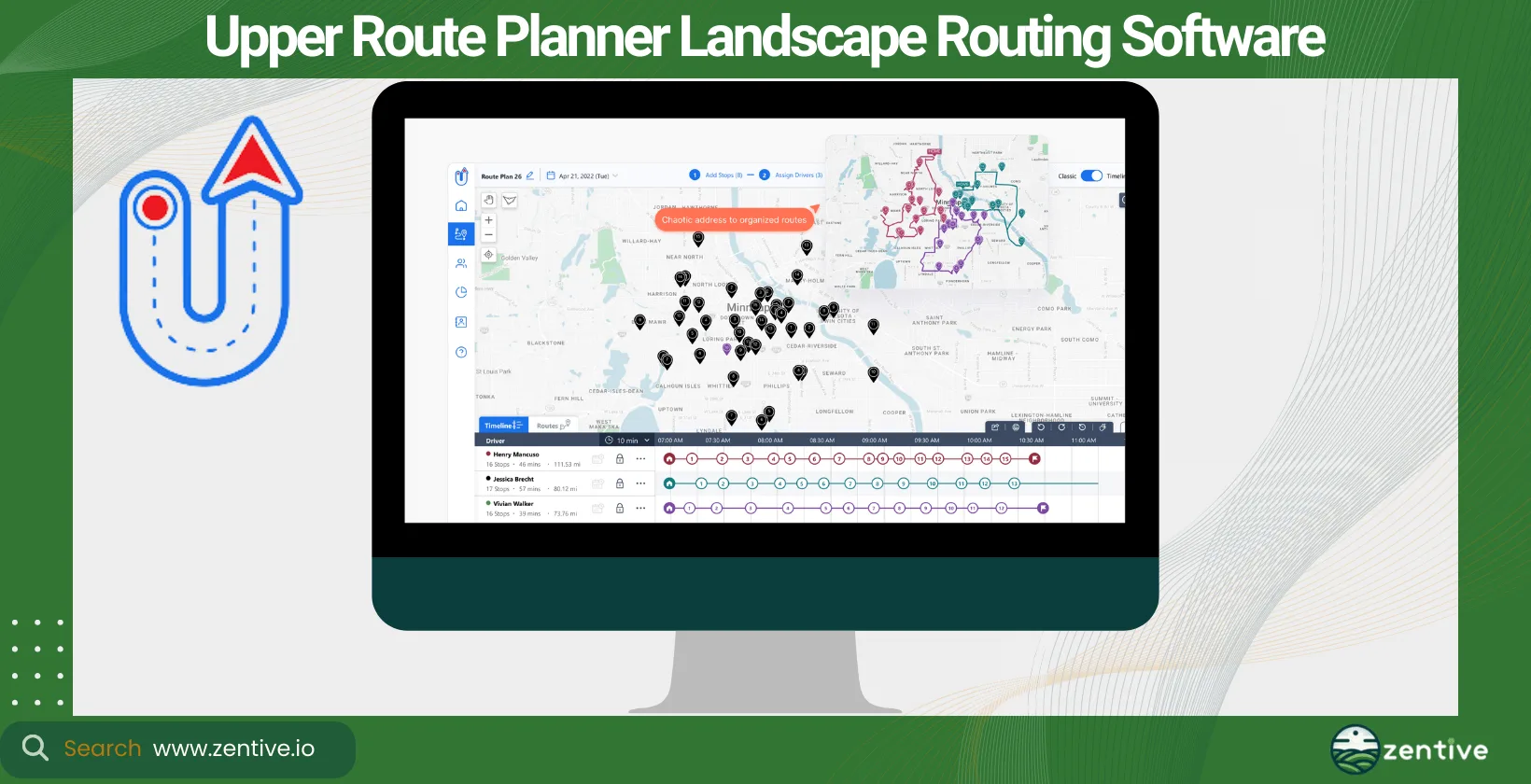
| Feature | Positive Feedback | Negative Feedback |
|---|---|---|
| Ease of Use | Very user-friendly, easy to teach | None |
| Routing Efficiency | Improves efficiency, optimizes technician routes | None |
| Functional Features | Ability to capture signatures and photos | Cannot drag and drop locations between routes |
| User Interface | None | Basic and not visually appealing |
| Customer Service | None | Customer service issues harm business relations |
| Route Editing | None | Difficult to edit routes, can't add stops in transit |
3. Jobber
Jobber is a crew dispatching software that supports a broad spectrum of service industries, including landscaping. Best suited for small to medium-sized businesses, Jobber simplifies the routing process, making it easy to schedule and dispatch crews efficiently.
Jobber helps businesses reduce travel time and operational costs while improving customer service through timely notifications and updates. Its ability to quickly adapt to scheduling changes ensures that businesses can meet their customers' needs without delay.
Like Upper Route Planner, Jobber is more geared toward the general field service industry, making Zentive a great alternative to Jobber.
Pros:
- Customer Service: Jobber is frequently praised for its excellent customer service, with users noting the responsiveness and helpfulness of the support team.
- Mobile App Functionality: The mobile program is highlighted as exceptional, enabling crews to become operational quickly and effectively, enhancing on-the-ground efficiency.
- Ease of Use: Many users find the platform easy to navigate and use, attributing this to its user-friendly design and intuitive interface.
- Comprehensive Features: Jobber is recognized for its robust feature set that includes everything needed to run a service business efficiently, such as job scheduling, detailed job tracking, and integration with financial systems.
- Cost-Effectiveness: The software is deemed reasonable in price, especially given its extensive functionalities and the value it adds to business operations.
Cons:
- Initial Setup and Transition: Some users have experienced challenges when transitioning from another service or during the initial setup phase, sometimes related to previous bad experiences with other software.
- Pricing Transparency: There are concerns about pricing transparency, as some users have reported higher than expected costs after commencing use of the service.
- Lack of Pricing Feature: A notable drawback is the absence of a pricing function within the job description area, which complicates the process of job costing and estimating.
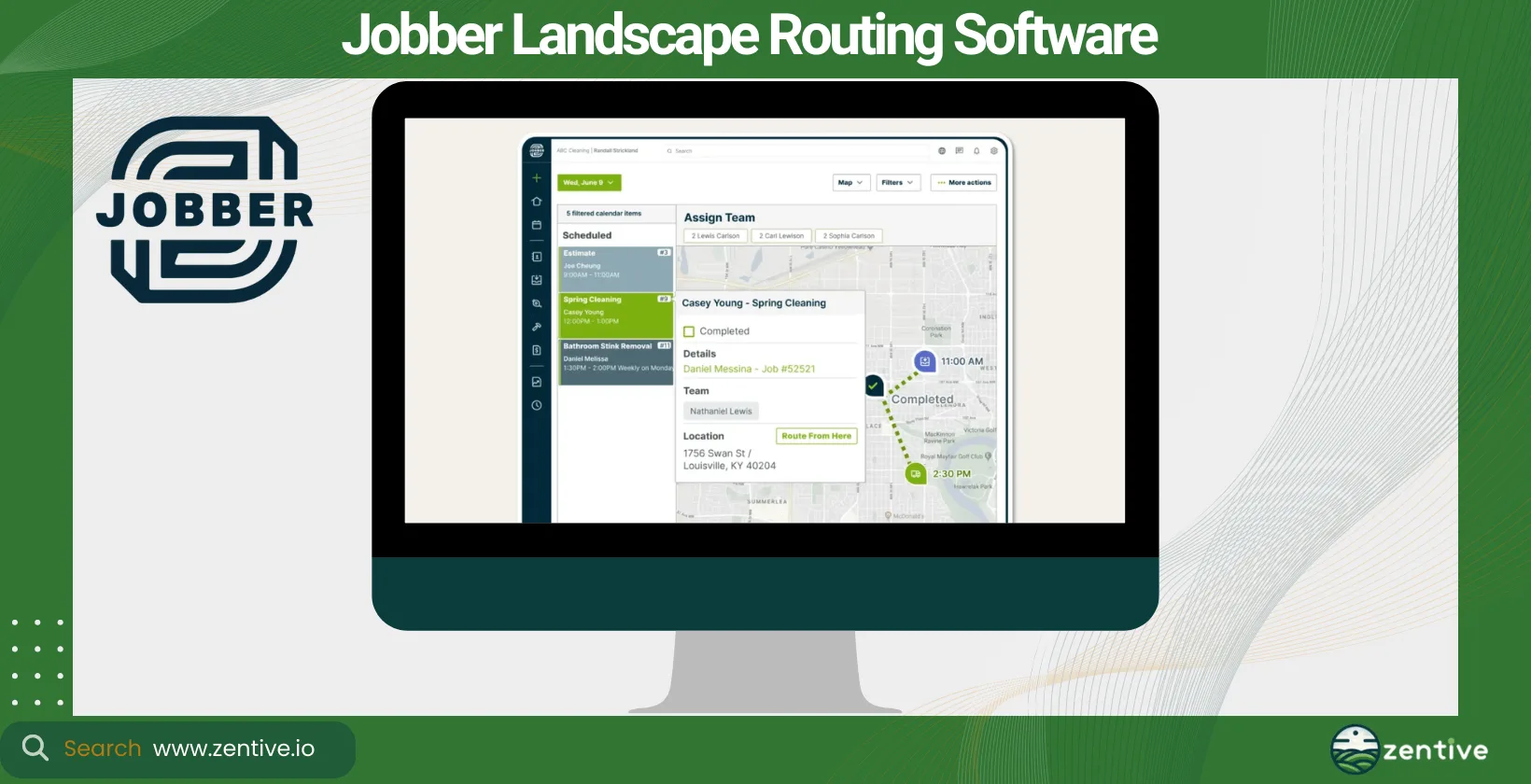
| Feature | Positive Feedback | Negative Feedback |
|---|---|---|
| Customer Service | Outstanding support and responsiveness | None |
| Mobile App | Highly effective and quick to deploy | None |
| Ease of Use | Simple and intuitive platform | None |
| Software Features | Comprehensive tools for business management | None |
| Cost Effectiveness | Reasonable pricing for the features offered | Costs higher than expected post-trial |
| Setup and Transition | None | Difficulties during initial setup and transition |
| Pricing Functionality | None | No function for estimating job costs in descriptions |
4. ServiceTitan (Aspire)
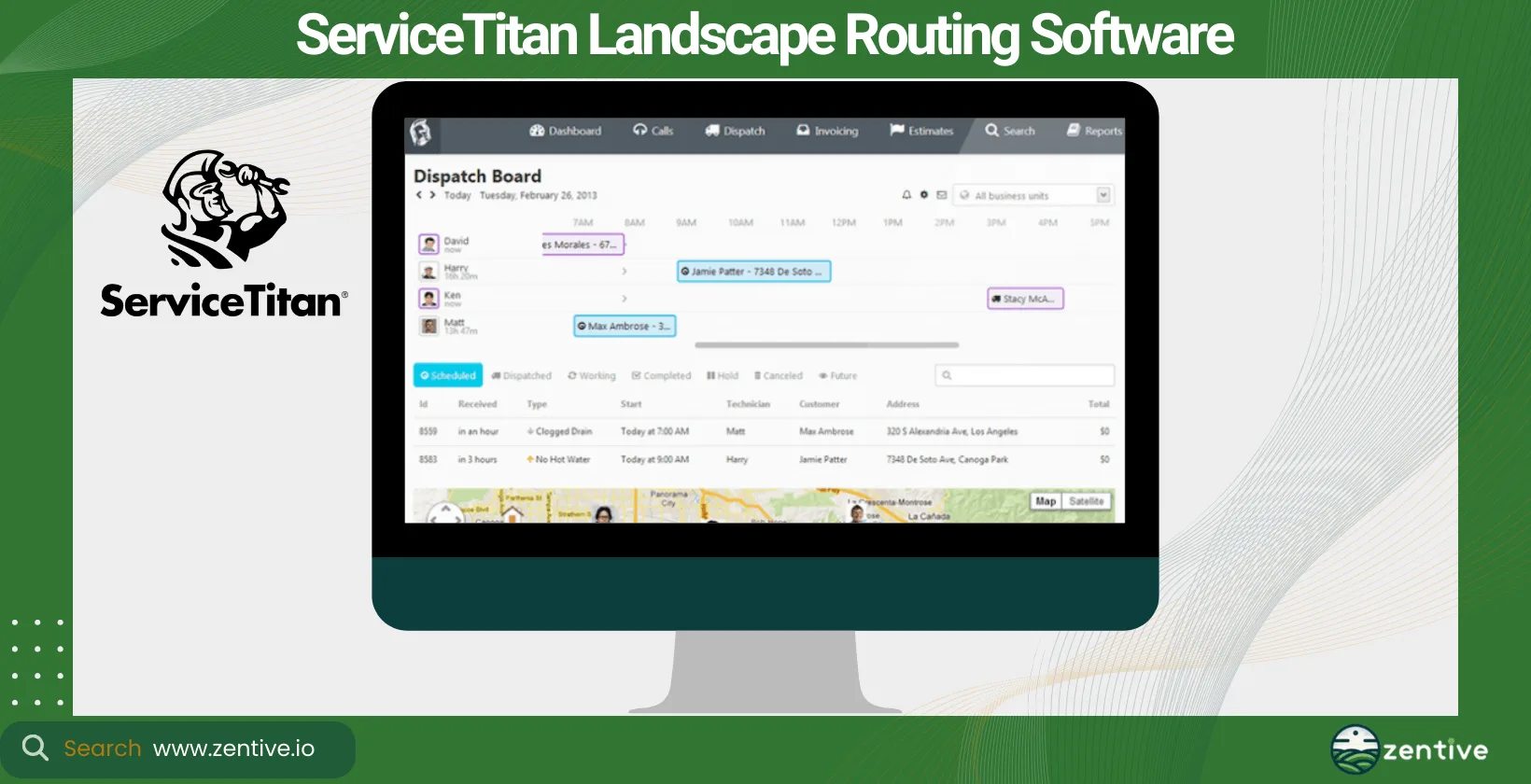
ServiceTitan's Aspire is robust landscaping routing software designed to meet the complex needs of larger landscaping businesses. With comprehensive route planning, scheduling, and customer management features, Aspire is an excellent choice for large or medium-sized landscaping businesses looking to scale their operations efficiently.
Through Aspire, you gain access to advanced route optimization capabilities that ensure maximum efficiency in crew deployment and reduce unnecessary operational costs. Like Zentive, the platform's flexibility in handling changes and its comprehensive reporting tools provide valuable insights into performance and areas where your business can improve.
Pros:
- Comprehensive Solution: Users appreciate ServiceTitan for its extensive suite of features that covers every aspect needed for their business operations.
- Ease of Use: The software is noted for its user-friendliness, making it accessible and straightforward for users across various job roles.
- Supportive Customer Service: The customer service team at ServiceTitan is consistently described as helpful, kind, and efficient.
- Integration Capabilities: Strong integration with phone lines, messaging boards for technicians, and marketing tracking are highly valued.
Cons:
- Software Bugs and Issues: Some users report encountering numerous bugs and issues, which they feel are exacerbated by the company's rapid growth.
- Onboarding Experience: There are negative reports about the onboarding process with another provider, indicating possible issues when transitioning to or from ServiceTitan.
- Notification and Communication Issues: Problems with booking and notification systems have led to missed appointments, frustrating both service providers and customers.
| Feature | Positive Feedback | Negative Feedback |
|---|---|---|
| Comprehensive Solution | Extensive suite of features suitable for trades businesses | None |
| Ease of Use | User-friendly interface | None |
| Customer Service | Supportive and helpful customer service | None |
| Integration Capabilities | Strong integration with phone lines, messaging for technicians, marketing tracking | None |
| Software Bugs | None | Frequent bugs and issues from rapid expansion |
| Onboarding Process | None | Negative experiences with onboarding |
| Communication Systems | None | Issues with missed appointments and notifications |
5. Route4Me
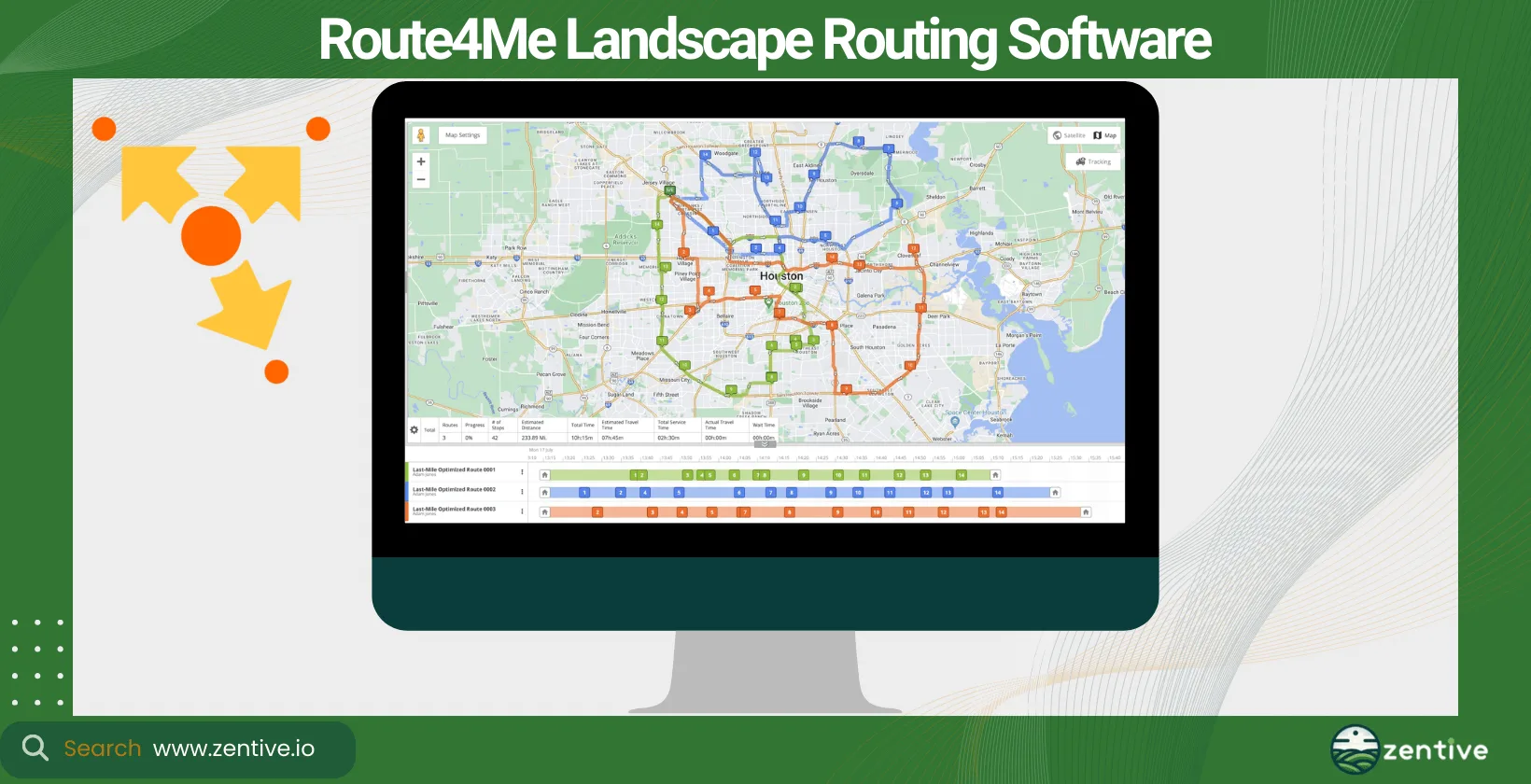
Route4Me is renowned for its advanced route planning software capabilities. It serves a variety of industries, including landscaping and lawn care. This platform is suitable for businesses of all sizes, offering scalable solutions that grow with your business.
It dramatically reduces fuel consumption and labor costs by optimizing each route to the fullest with just a few clicks. Route4Me's ability to quickly adjust to last-minute changes or customer requests makes it highly adaptable.
Pros:
- Reliability and Optimization: Users initially praise the software for reliably optimizing routes involving multiple destinations.
- Seamless Integration: The software offers seamless integration and ease of inputting multiple locations.
- Driver Monitoring: There is an app feature that allows for real-time monitoring of several drivers, which is highly valued for managing field operations.
- User Recommendations: Despite some issues, users are fond of the app and often recommend it to others in their field.
Cons:
- Functionality Issues: Users report that they cannot delete stops, correct addresses, or program the last or first stop effectively.
- Navigation Accuracy: There has been a notable decline in navigation accuracy, with the GPS leading to incorrect addresses and inefficient routing.
- Routing Efficiency: The accuracy of routing is questioned, especially when organizing stops on the same street.
| Feature | Positive Feedback | Negative Feedback |
|---|---|---|
| Route Optimization | Effective in optimizing many destinations | Accuracy in routing stops is questionable |
| User Interface and Integration | Seamless integration; easy to input multiple locations | Can't delete stops or correct addresses |
| Monitoring Features | Ability to monitor several drivers simultaneously | None |
| Recommendations | Frequently recommended by users | None |
| Navigation Accuracy | None | Leads to incorrect addresses; has worsened over time |
| Functionality | None | Lacks flexibility in modifying route details |
| Route Correction Suggestions | None | Inefficient suggestions for correcting wrong turns |
6. Badger Maps
Badger Maps is a route planning and territory management tool ideal for field sales teams and service businesses, including those in the landscaping sector. It is best for small to medium-sized enterprises that benefit from visual route planning and customer management.
By utilizing Badger Maps, you can optimize daily routes, reduce drive time, and increase the number of visits crews can make. Its focus on territory management helps businesses better understand and manage their service areas.
Pros:
- Information Display: Users appreciate how quickly and clearly Badger Maps displays information, enhancing usability.
- Training and Usability: The platform includes helpful training links and is regarded as user-friendly, making the transition from other applications like MS Streets and Trips smooth and straightforward.
- Visualization: Badger Maps is praised for providing a visual representation of all customers and prospects, which greatly assists in mapping out routes quickly and easily.
- Ease of Use: The application's ease of use is frequently highlighted, making daily operations more manageable for users who previously relied on multiple applications.
Cons:
- Receipt Issuance: There is some dissatisfaction with the process of receiving payment receipts, as they are not automatically issued after each charge, requiring customers to remember to contact the service monthly.
- Initial Learning Curve: Not explicitly mentioned as a major issue, one user noted initial confusion and annoyance, possibly due to having to adapt to a new system after relying on different applications.
| Feature | Positive Feedback | Negative Feedback |
|---|---|---|
| Information Display | Displays information quickly and clearly | None |
| User Training and Usability | Helpful training links; user-friendly interface | None |
| Visualization Tools | Visualizes customers and routes effectively | None |
| Ease of Transition | Easy transition from other applications | Initial confusion and reliance on multiple apps |
| Receipt Management | None | Receipts not automatically issued after charges |
7. Service Autopilot
Service Autopilot is a comprehensive business management software with basic route planning services for landscaping and lawn care professionals. Designed to cater to small to large businesses, it offers a wide range of features from scheduling to invoicing.
The tool streamlines operations, reducing administrative overhead and enhancing efficiency in scheduling and dispatching. Its robust customer management system improves communication and satisfaction.
Pros:
- Versatility and Customization: Service Autopilot is praised for its many customizable options, making it adaptable for companies of all sizes.
- Effective Once Mastered: Although there is a learning curve, once users become proficient, they find the program to be extremely beneficial.
- Supportive Customer Service: The customer service team is noted for being responsive and attentive to user needs.
- Company Commitment: Users have had positive interactions with the staff and creators, who are committed to continually improving the software.
Cons:
- Integration Issues: There are persistent problems with integration, particularly with QuickBooks Online, leading to inaccuracies in financial data.
- Complexity and Usability: The software is detailed and complex, resulting in a steep learning curve that can frustrate new users.
- Software Bugs: Users report frequent bugs that not only cause frustration but affect client relationships.
- Investment Lock-in: Due to the significant time and money invested in setup and integration, some businesses feel compelled to continue using the software despite ongoing issues.
| Feature | Positive Feedback | Negative Feedback |
|---|---|---|
| Customization and Versatility | Suitable for large and small companies; highly customizable | None |
| Learning and Usability | Highly effective once mastered | Complex and detailed, hard learning curve |
| Customer Service | Great customer service; responsive to needs | None |
| Company Commitment | Dedicated staff and creators focused on improvement | None |
| Software Integration | None | Issues with QuickBooks Online integration |
| Software Stability | None | Frequent bugs, causing client frustration |
| Investment Lock-in | None | Significant time and money invested make switching difficult |
8. Workwave Service
Workwave Service offers a cloud-based route planning and field service management solution for medium—to large-sized landscaping businesses. Its strength lies in its comprehensive features, which support every aspect of service delivery, from routing to customer interactions.
The software enhances efficiency and productivity through optimized route planning and scheduling. Like the other tools on our list, it reduces operational costs by minimizing travel time and fuel consumption.
Pros:
- Training and Support: WorkWave provides excellent customer service, with users noting the professionalism and availability of support during training. The introduction of video training sessions is seen as a beneficial resource.
- User-Friendly Interface: The software is generally user-friendly, with features that can streamline business processes if they can be easily located and utilized.
- Responsiveness to Feature Requests: The company is responsive to user feature requests, striving to accommodate them when possible.
Cons:
- Billing Issues: Some users have experienced significant discrepancies in billing, including being charged much higher rates than initially quoted.
- Customer Service Concerns: Despite the availability of support, there are reports of unsatisfactory customer interactions and difficulties in obtaining helpful contact, especially over the phone.
- Sales and Customization Miscommunications: Users complain about misinformation during the sales process regarding customization options and pricing. Additionally, there are frustrations with the engineering department’s responsiveness to fixing reported issues.
| Feature | Positive Feedback | Negative Feedback |
|---|---|---|
| Training and Support | Excellent customer service and training availability | Repeated requests for phone contact not met |
| User-Friendly Interface | Generally user-friendly and useful features | Features difficult to find when needed |
| Responsiveness to Features | Willingness to accommodate feature requests | None |
| Billing Practices | None | Significant discrepancies and errors in billing |
| Customer Interaction | None | Disappointments in customer service interactions |
| Sales and Customization | None | Misinformation during sales; lack of problem resolution by engineering |
9. Yardbook
As the name suggests, Yardbook is designed for the specific needs of landscaping and lawn care businesses. It offers a user-friendly platform for route planning, scheduling, and basic customer management, making it a great choice for smaller businesses seeking simplicity and effectiveness.
Yardbook simplifies the routing process, enabling your landscaping and lawn care business to maximize daily job schedules and reduce travel time. Its focus on the landscaping industry ensures that the features are directly relevant to the needs of a landscaping and lawn care company.
Pros:
- Cost-Effectiveness: Yardbook is particularly appreciated for its free tier, which is beneficial for startups and small businesses where budgeting is crucial.
- Mobile Accessibility: The software includes a highly praised Android app that allows field crews to access necessary tools on the go.
- Customer Service: Yardbook’s customer service is noted for being responsive and best-in-class.
- Continuous Improvement: The company is receptive to user feedback and continuously improves the software based on user suggestions.
- Organizational Tools: Users appreciate the ability to organize customer lists, invoices, payments, staffing, equipment, and routes effectively.
Cons:
- Payment Processing Fees: The payment processing service used by Yardbook for online payments is very expensive compared to the competition.
- Recurring Invoices: The system for managing recurring invoices requires manual intervention to send invoices, which some users find inconvenient.
- User Interface Challenges: Some users find it difficult to use features like clocking in and out on the app, leading them to use alternatives like a web browser.
- Security Features: There is a concern about the lack of two-factor authentication (2FA), which some users deem too risky for their business needs.
Here's a detailed table summarizing the user feedback for Yardbook software, based on the comments provided:
| Feature | Positive Feedback | Negative Feedback |
|---|---|---|
| Cost-Effectiveness | Free tier ideal for startups and small businesses | None |
| Mobile Accessibility | Excellent Android app for field access | None |
| Customer Service | Responsive and best-in-class service | None |
| Software Improvement | Company actively improves based on feedback | None |
| Organizational Tools | Great for managing customer lists, invoices, etc. | None |
| Payment Processing | None | High fees for online payments |
| Recurring Invoice System | None | Requires manual action to send invoices |
| User Interface | None | Difficulties with clocking in and out on the app |
| Security Features | None | Lack of two-factor authentication (2FA) |
How To Pick A Landscape Route Planning App?
To pick a landscape route planning app, match your business size, the services you offer, your growth goals, and your budget to the software's feature set. Choosing the right app for your business involves understanding your specific needs and how different software can meet them. Using a route-planning app built for large businesses underutilizes features and wastes money for small business owners. There are a couple of things you should consider when picking an app.
What's your business size? The scale of your operations will determine the complexity and features you need from the software. Consider the type of software you need. Decide whether you need a standalone route planning tool or a comprehensive business management system with route optimization.
Look into potential software benefits. The best software offers tangible benefits like reduced fuel costs, improved scheduling efficiency, and enhanced customer satisfaction. Consider the landscaping services you offer. Ensure the software supports the specific types of landscaping services you provide, whether it's maintenance, design, installation, or a mix.
It's important to know your company's growth goals. This will allow you to choose software that scales with your business as it grows and evolves. Finally, consider the software pricing. Ensure the software's cost aligns with your budget and provides a good return on investment (ROI).
How Does Landscape Business Size Affect Your Route Planner Software?
The size of your landscape business significantly influences the type of route planner software you should choose. Keep in mind that landscape businesses fall into one of these categories: small, medium, and large businesses, contractors, and landscape design firms. Choose a software solution that's tailored to your business size.
How To Pick Landscape Route Planner For Small Business?
To pick a landscape route planner for a small business, choose one that is straightforward, affordable, and easy to use without an overload of complex features. The unique challenge for small businesses is finding a solution that fits a tight budget while still offering the efficiency benefits of route optimization to handle a growing number of service calls as the business expands. Several routing software platforms, like Zentive, meet the budget and efficiency needs of small businesses..
How To Pick Landscape Route Planner For Contractors?
To pick a landscape route planner for contractors, prioritize flexibility, because contractors often deal with variable schedules and locations. The ideal tool for contractors should offer easy adjustment to schedules and routes, the ability to handle multiple job sites efficiently, and the capability to communicate changes with crews and clients in real time.
How To Pick Landscape Route Planner For Designers?
To pick a landscape route planner for designers, look for one that optimizes travel between site visits and integrates with project management tools, since design companies must balance consultations, design presentations, and ongoing projects. A route planner for designers can optimize travel times. It can integrate with project management tools to track progress on design projects, facilitate effective client communication, and manage materials and resources across different design sites.
What Type Of Software Is A Landscaping Routing App?
A landscaping routing app is a type of landscaping management software. Landscape business management software helps landscaping businesses manage and optimize their operations. These tools can do scheduling, route optimization, customer management, and more, with the end goal of helping businesses operate more efficiently and effectively.
What Type Of Landscape Business Needs Crew Routing Software?
Commercial and residential landscape businesses need crew routing software. Commercial landscape businesses manage large-scale projects for businesses, municipalities, and other organizations. This type of landscaping company benefits from routing software by efficiently managing multiple teams and projects, ensuring resources are optimally allocated across large service areas.
Residential landscape businesses' services are orientated around homeowners. They need to deal with higher volume but smaller projects. For these types of landscaping and lawn care companies, landscape maintenance routing software is essential for optimizing appointment schedules, managing client communications, ensuring that crews are effectively utilized, and maximizing the number of daily service calls.
Both types of businesses find immense value in using software to route and dispatch their crews and contractors. Crew routing software improves operational efficiency and allows businesses to provide superior service to their clients.
What Are The Benefits Of A Landscape Crew Planning Software?
The benefits of a landscape crew planning software are that it helps landscape managers manage and route their crews effectively, delivering three main advantages: improved customer service, effective tracking of your crews, and helpful integrations.
How Does Landscaping Software Help Improve Customer Service?
Landscaping software improves customer service in three main ways. First, it improves scheduling accuracy, which ensures appointments are kept, and services are delivered on time—clients despise tardiness.
One of the main drivers of profitability in a landscaping business is getting more jobs done. Advanced landscaping software like Zentive has efficient route planning solutions, which increases the number of daily service calls.
Landscaping software offers CRM integration. A Customer Relationship Management (CRM) system stores customer information and service history, allowing for personalized service and better communication. Utilizing landscaping CRM apps is a great way to improve your customer satisfaction and ensure a higher recurring customer rate.
Can Landscaping Routing Software Track Live Crew Locations?
Yes, landscaping routing software can track live crew locations through a crew tracking software feature, typically delivered through a field crew mobile app. Why would you want to track your crew's live location? Well, it helps you manage employees better by providing real-time location data.
It allows owners to dispatch the nearest employee to urgent jobs, improving response times and efficiency, which in turn improves customer satisfaction.
Do Landscaping Routing Apps Integrate With Scheduling Software?
Yes, most landscaping routing apps integrate with scheduling software, CRM, and other business management tools, such as landscape quoting software. An integrated system means you have a unified approach to running the digital aspect of your business, including managing schedules, customer information, and route planning.
Which Types Of Landscaping Services Can You Route?
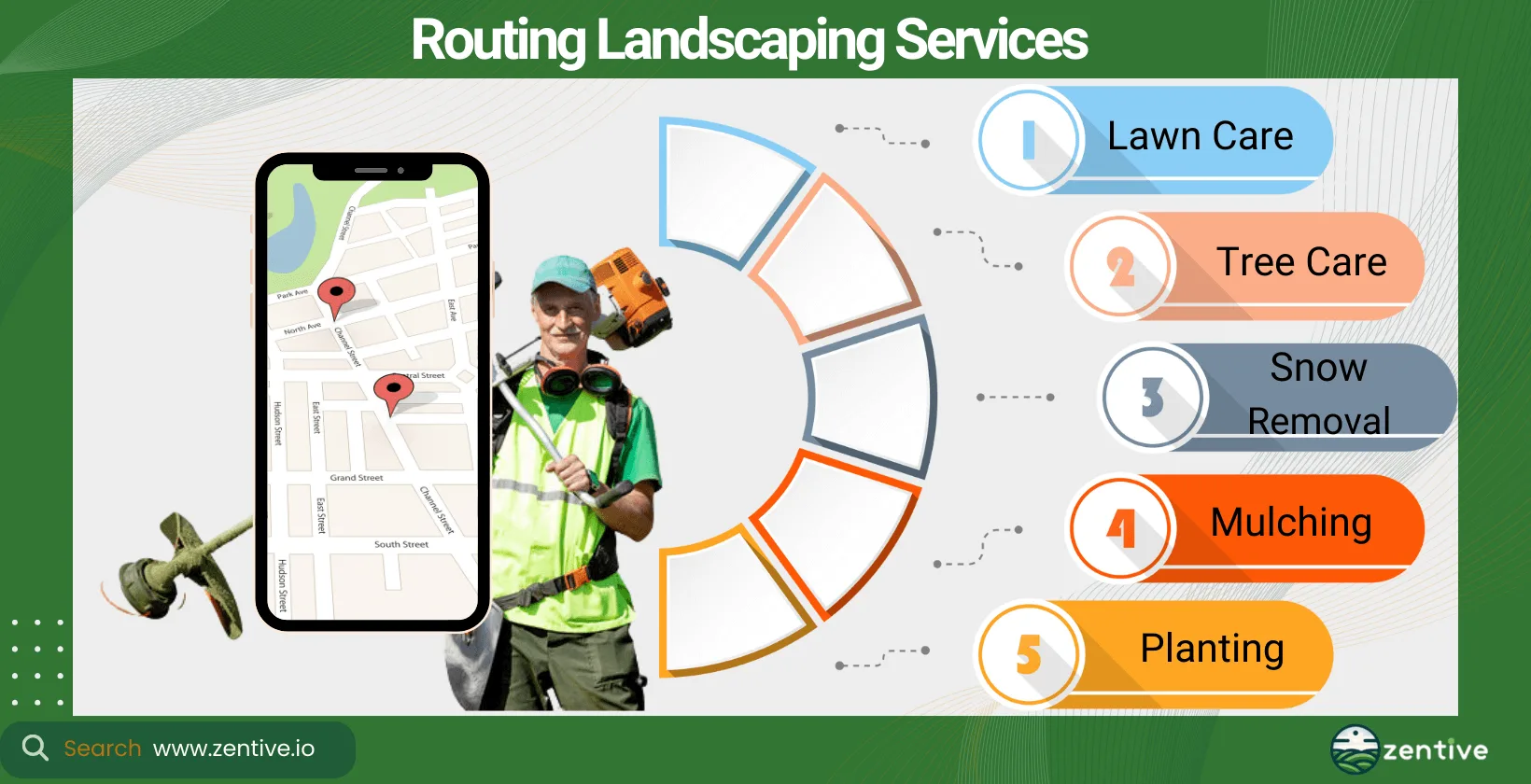
You can route virtually any recurring landscaping service, but businesses most commonly route these five types of landscape business services.
- Lawn Care: This is arguably one of the most popular types of landscape business services, offering regular maintenance tasks like mowing and fertilizing.
- Tree Care: Services such as pruning, trimming, and tree removal.
- Snow Removal: Clearing snow from properties to ensure safety and access.
- Mulching: Applying mulch to garden beds to enhance soil health and aesthetics.
- Planting: The installation of plants, trees, and shrubs to beautify landscapes.
Can You Use Landscaping Routing & Dispatching App For Lawn Services?
Yes, you can use landscaping routing and dispatching apps like Zentive for lawn services. Zentive includes lawn care software specifically designed to optimize operations for lawn care businesses.
Can You Use Landscaping Routing & Dispatching App For Tree Services?
Yes, landscaping routing and dispatching apps are ideal for tree services. Apps like Zentive provide tree care software tailored specifically for tree service businesses, ensuring your business gets the most out of the app.
Can You Use Landscaping Routing & Dispatching App For Snow Services?
Yes, landscaping route and dispatching apps are perfect for snow services. You can use apps like Zentive, which offers snow removal software for snow services. Zentive helps businesses efficiently plan and dispatch crews for snow removal tasks, adapting to the seasonal nature of the work.
How Does A Landscaping Route Planning App Help Grow Your Business?
A landscaping route planning app helps grow your business by boosting operational efficiency, improving customer satisfaction, and enabling scalable expansion. It enhances operational efficiency through optimized scheduling and route planning. These apps improve customer satisfaction, which should be one of your main landscape business growth strategies, with more reliable service delivery.
Finally, a route planning app enables more efficient scalability, allowing businesses to handle more clients and expand service offerings.
Are There Free Routing Apps For Landscapers?
There are free routing apps available for landscapers, though they offer limited features compared to paid solutions.
- Google Maps: For basic route planning.
- Waze: Offers real-time traffic updates, though not specifically designed for landscaping businesses.
- LawnStarter: Takes a small portion of your job revenue.
Get This Guide as a PDF
Save this article for offline reading. We'll send a formatted PDF straight to your inbox.
No spam. Unsubscribe anytime.
Ready To Streamline Your Field Service Business?
Zentive is the all-in-one field service management software built for landscaping, lawn care, tree care, and snow removal businesses. Start your free trial today.
No credit card required · Cancel anytime