
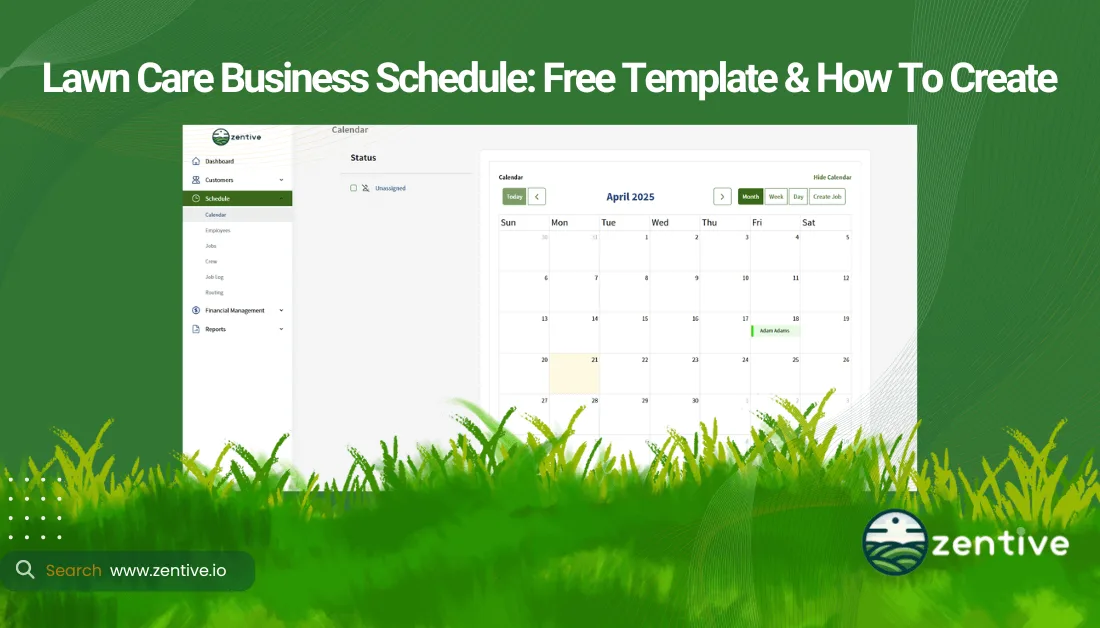
A lawn care schedule is a structured plan that outlines employee work assignments, client appointments, and service routes to ensure efficient operations. Lawn care schedules are used to organize and communicate the exact dates & times lawn care jobs are supposed to be performed. Creating quality employee schedules is essential for a lawn care company to maximize productivity, reduce conflicts, and improve customer satisfaction. Telling a customer when your team will arrive & following through is the easiest way to improve customer retention long term.
The biggest challenge when scheduling your lawn care crews & employees is managing overlapping jobs, route inefficiencies, and last-minute cancellations. Tricks such as scheduling your employees to mow customers in nearby neighborhoods helps them get more done in a single day.
The general process for creating an employee schedule includes collecting job details, assigning your crews based on availability, optimizing routes, and setting service times for your customer. Using an excel lawn mowing schedule template or a lawn care planner helps structure work shifts, but manual scheduling is time-consuming & outdated. Zentive introduced automation & streamlines the scheduling and routing process for your team so you can spend less time manually creating schedules.
Free Lawn Care Schedule Template
Our free lawn care schedule template is a simple tool to help organize your employees shifts, client appointments, and service routes efficiently. This printable lawn mowing schedule template allows your business to assign jobs and reduce scheduling conflicts. Lawn scheduling apps like Zentive automate this process, but if your running on a tight budget use the free schedule template below. Fill in job details, crew assignments, and time slots to create a clear, easy-to-follow plan for daily or weekly operations.
Lawn Care Work Schedule Template
How To Create A Lawn Care Schedule For Your Business?
Follow these below 7 steps to create a lawn care schedule for your business.
| Step | Description |
|---|---|
| 1. Review list of jobs | Examine all pending tasks, deadlines, and client requirements. |
| 2. Organize staff by location | Group employees based on job proximity and geographic zones. |
| 3. Check staff availability | Confirm each worker’s open time slots and constraints. |
| 4. Assign jobs with scheduling software | Allocates tasks using tools like Jobber or When I Work. |
| 5. Use route planning software | Optimize travel paths with tools like Route4Me or Google Maps. |
| 6. Communicate with your team | Share schedules and updates via email, text, or apps. |
| 7. Prepare for schedule changes | Adjust assignments for cancellations, weather, or emergencies. |
1. Review List Of Jobs
Review your list of booked jobs that have yet to be assigned to your crews. Understanding project scope is crucial because certain employees are trained for specific tasks. Group your crews by skill and type of service to improve worker efficency and get the most out of them in a given workday.
Give each job a priority level rating ranging from 1-10. Establishing priority levels helps determine which jobs are most urgent or require special handling. Proper job organization reduces delays and improves overall crew productivity.
2. Organize Staff by Location
Organizing staff by geographic location improves efficiency, reduces travel time, and lowers fuel costs. The more time your crews spend in a truck driving between mowing clients the less money you're making. Avoid paying your employees to drive around town all day by scheduling them for a day of jobs located as close together as possible. Assigning crews to jobs within the same service area minimizes downtime and allows for more jobs to be completed in a single shift. Considering customer job locations helps ensure your teams stay within designated work zones, improve customer satisfaction and job turnaround times.
3. Check Staff Availability
Check that your staff is available and not scheduled for another job before putting anything on your calendar. Staff availability refers to the working hours and schedules of your employees, including preplanned vacations, PTO days, and part-time shift workers. Knowing when employees are available prevents scheduling conflicts and ensures jobs are assigned to the right guy.
It is very important that you create accurate labor estimates when quoting lawn care jobs to your customers. Knowing how long it will actually take your employees to complete a given job will go a long way to avoid scheduling mishaps.
4. Assign Jobs with Scheduling Software
Assigning jobs with a scheduling software automates your job assignments, efficiently dispatches your crews based on workload, availability, and job priority. Lawn care scheduling software like Zentive allow businesses to schedule jobs by inputting client details, assigning staff, and setting timelines, all in a centralized system. Simply input your jobs and Zentive will automatically notify on your on their mobile app so they know exactly where to be and what service to provide on any given workday. Lawn scheduling apps save your business time, enhances organization, and helps monitor employee workloads.
5. Use Route Planning Software
Use a route planning software to optimize your daily travel paths and ensure your crews reach client's properties efficiently with minimal delays. Lawn care routing software like Zentive allow you to enter a list of jobs assigned to a specific crew on a specific day & automatically creates the most efficient order of jobs to perform to get the most done in a workday. By mapping out the most effective routes, businesses reduce fuel costs, shorten travel time, and increase the number of daily jobs completed.
6. Communicate Staff Schedules in Advance
Communicating staff schedules ahead of time ensures your lawn employees are always prepared and minimizes last-minute confusion. There will always be some level of last minute adjustments for client or weather related cancellations, communicating effectively helps reduce the impact. Scheduling software for lawn management companies like Zentive sends automated notifications to assigned employees & keeps them informed of their assignments with our crew mobile app. Zentive and other scheduling software updates staff on last-second changes, such as rescheduled jobs or emergency calls.
7. Prepare for Schedule Changes
Prepare for schedule changes in the lawn care business because they are inevitable. You will never be able to avoid 100% of all delays. Schedule changes occur when unforeseen factors, such as weather delays, customer rescheduling, or employee sicknesses disrupt your planned jobs. Having a flexible scheduling system allows your business to quickly adjust jobs and reassign employees as needed. Apps like Zentive let business owners live track their crews so they know who the closest employee is if an unforeseen jobs arises.
Creating backup plans for known delays ensures smooth operations despite disruptions. Adaptability in scheduling your lawn mowing crews improves job completion rates and overall customer satisfaction. Customers will understand if you communicate schedule changes as soon as possible.
Why Use A Lawn Care Routing & Scheduling App?
Use a lawn care routing and scheduling app to optimize crew assignments, automate scheduling, and improve route efficiency. Lawn care business make more money when their employees spend more time on their mowers than riding in the company truck between jobs. Lawn care routing & scheduling apps automate your work schedule to get the most of your team resources so you can invest in growth instead of coasting in survival mode.
Lawn businesses save time, reduce manual errors, and complete more jobs per day when implementing basic automation. Efficient routing is easy to implement & minimizes fuel costs, reduces travel time, and ensures crews arrive on time to customers homes & properties. A lawn care scheduling app is a simple way to increase productivity and profitability.
Can Small Lawn Care Businesses Use Scheduling Apps?
Yes, small lawn care businesses can use scheduling apps to organize appointments and improve efficiency. Even with a limited workforce, scheduling software helps automate bookings, reduce missed jobs, and optimize daily routes. Scheduling apps like Zentive have a Free Trial and budget friendly Starter Plan so solo lawn entrepreneurs and small businesses can improve their scheduling operations for a fair price. Low-budget businesses can use our free template or a basic Excel sheet to manage schedules if they are not ready for a paid app.
Can Large Lawn Care Businesses Use Scheduling Apps?
Yes, large lawn care businesses can use scheduling apps to manage their multiple crews, assign jobs efficiently, and track operations. With higher job volume and more employees comes more complex scheduling needs. The larger your lawn care business the faster you need to get away from manual scheduling and introduce automated software. Automation ensures optimized routes, reduced downtime, and overall better workforce management. Plan to invest in a lawn care scheduling app if you want to grow your business to the next level.
Should Your Lawn Care Business Plan Mention Scheduling?
Yes, your lawn care business plan should mention scheduling. Consider including the below in your business plan for lawn care to better manage your workforce schedules.
- Importance of Scheduling for Efficiency: Ensures jobs are completed on time, reduces downtime, and maximizes daily productivity.
- Scheduling Tools and Strategies: Improves accuracy and reduces manual errors.
- Adapting to Business Growth: Scheduling strategies should scale to manage more clients, crews, and service locations efficiently.
Get This Guide as a PDF
Save this article for offline reading. We'll send a formatted PDF straight to your inbox.
No spam. Unsubscribe anytime.
Ready To Streamline Your Field Service Business?
Zentive is the all-in-one field service management software built for landscaping, lawn care, tree care, and snow removal businesses. Start your free trial today.
No credit card required · Cancel anytime