
Find Your Best Jobber Alternative
Answer 3 quick questions — get a tailored pick (and a runner-up).
1. What industry are you in?
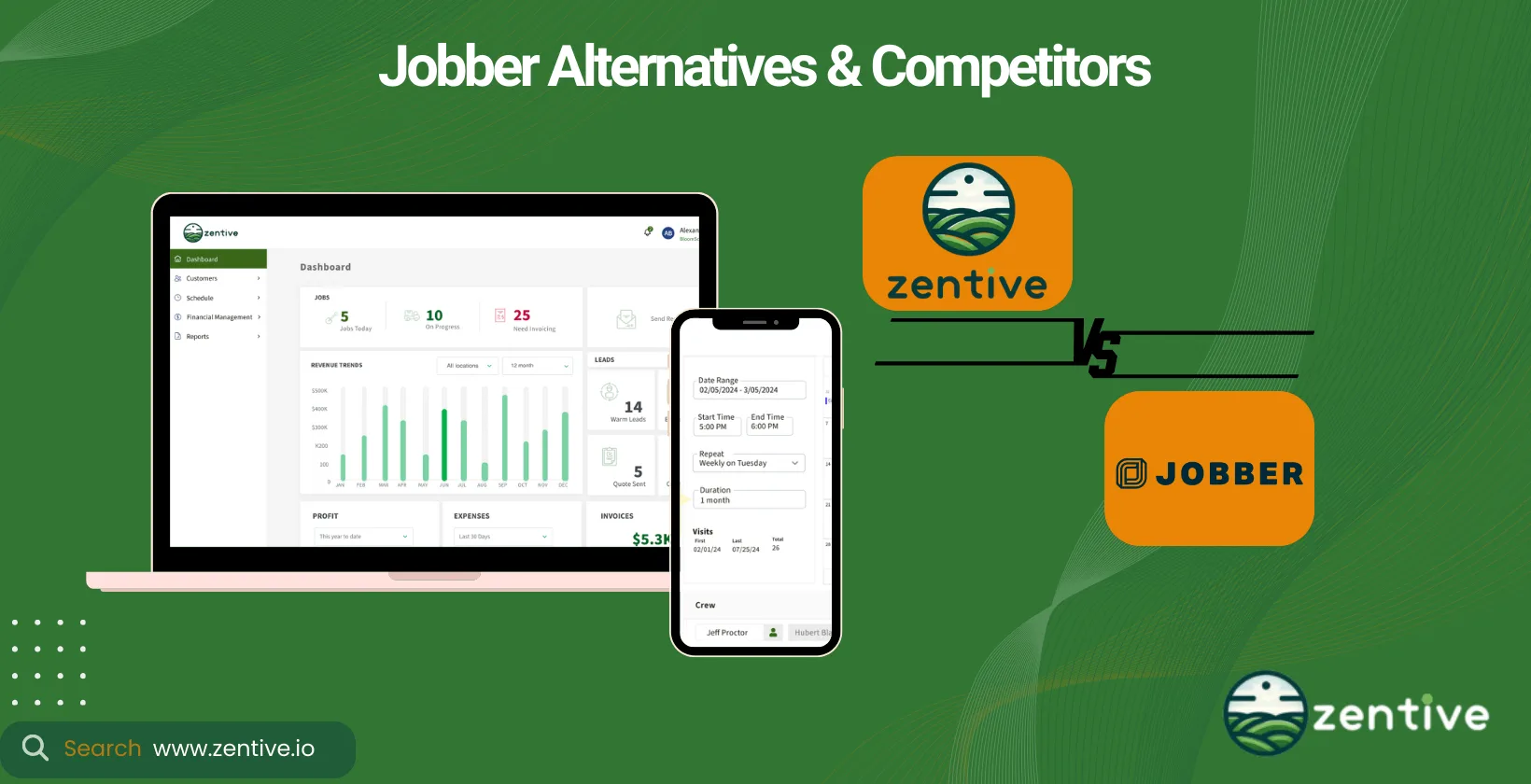
Jobber is a leading field service management software used in over 50 industries. Founded in 2011 by two software engineers and a painter, it has served over 200,000 field service businesses in more than 60 countries. They have a large customer base and significant market value. In 2021, they raised $60M for their platform.
Jobber serves various industries, including landscaping, HVAC, and cleaning services. However, while Jobber is well-known, businesses in niche industries like landscaping may benefit from specialized software. A software manager like Zentive is tailored for the landscaping industry.
When choosing a Jobber alternative, consider pricing, features, integrations, and the industries served to ensure the software meets your business needs.
The best alternatives to Jobber are listed below.
- Zentive: Specializes exclusively in landscaping business management through comprehensive industry-specific features.
- ServiceTitan: Provides advanced field service tools for residential and commercial service businesses with comprehensive analytics capabilities.
- FieldPulse: Delivers affordable field service management solutions for small-to-medium service businesses with user-friendly interfaces.
- Salesforce Field Service: Leverages robust CRM functionality with field service capabilities for enterprise-level operations.
- FieldEdge: Focuses on home service contractors through specialized features for HVAC, plumbing, and electrical businesses.
- Service Fusion: Offers extensive fleet management capabilities with integrated voice and text functionalities for contractor-related services.
- Skedulo: Optimizes scheduling and dispatching for large mobile workforces with automatic scheduling algorithms.
- SalesRabbit: Emphasizes sales enablement through lead tracking and territory management for field service companies.
- Clip: Addresses lawn care operations specifically through EPA data tracking and route optimization features.
- Kickserv: Delivers affordable management solutions with integrated navigation maps for small service businesses.
1. Zentive
Zentive is a field service management software that specializes in the landscaping industry, especially lawn care, tree service, hardscaping, and snow removal.
The app is loaded with features, including job scheduling, routing, CRM, quoting and invoicing, mobile app support, and data reporting. Compared to Jobber, Zentive's strength lies in its specific focus on the green industry and its integration capabilities.
14-Day FREE Trial · No Credit Card Needed
Zentive serves landscaping, lawn care, tree service, and snow removal businesses, whether residential, contractor, or commercial businesses. It's the best Jobber alternative for the landscaping industry if you're looking to manage and automate their field service operations in these sectors.
While Zentive is a new player in the field service software industry, it has already gained customer praise. Many enjoy its ease of use, automation features, excellent customer service, and budget-friendly prices.
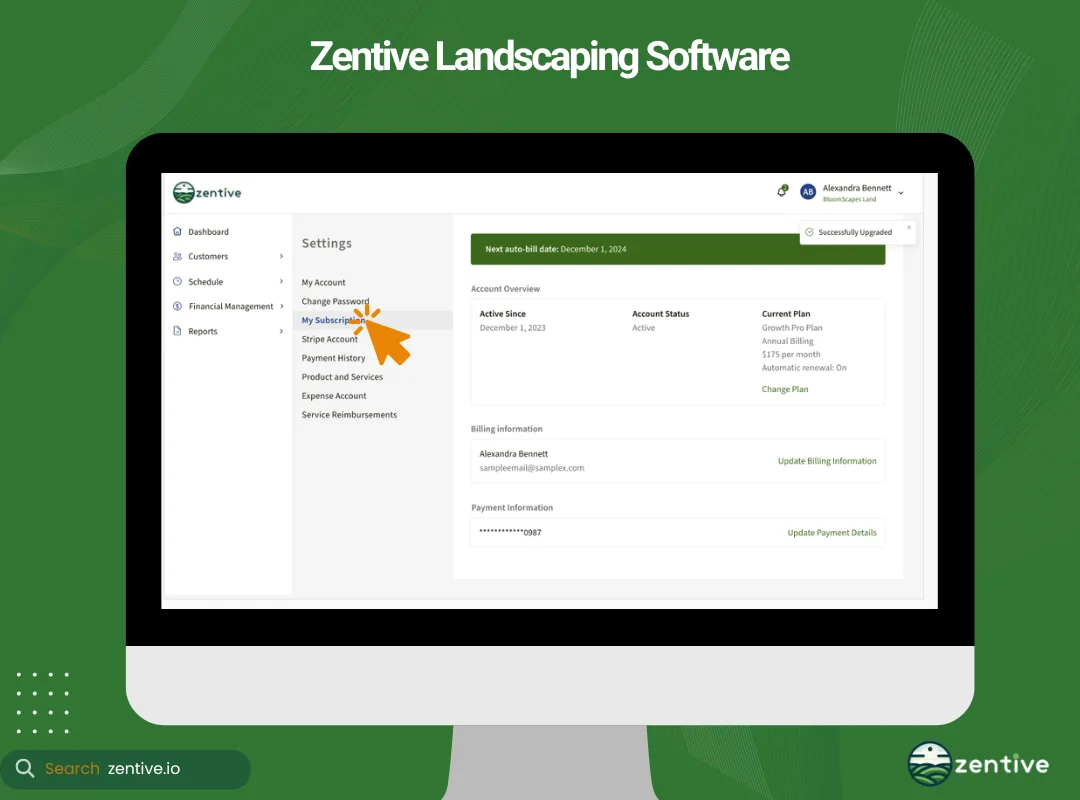
The app boasts numerous integrations, including QuickBooks, Stripe, Google Maps, and Mailchimp, enhancing its financial management, payment processing, routing, and marketing capabilities, respectively. Zentive offers three pricing plans: Starter (basic features for one user), Standard (additional features for five users), and Growth Pro (advanced features for 15 users). It's very budget-friendly and is one of the main reasons why it's the best Jobber alternative.
| Feature/Spec | Pros | Cons |
|---|---|---|
| User Experience | Easy to use, intuitive interface | None reported |
| Pricing | Affordable for small businesses | None reported |
| Integration | QuickBooks integration | None reported |
| Time-Saving Features | Saves hours per day with scheduling, invoicing automation | None reported |
| Customer Support | Responsive and helpful support team | None reported |
| Revenue Impact | Increases revenue through automated follow-ups | None reported |
| Free Trial | 14-day free trial available | None |
2. ServiceTitan
ServiceTitan is a field service management software aimed at residential and commercial service businesses, particularly in HVAC, plumbing, and electrical services. However, it does serve other field service industries like
With ServiceTitan, a field service business can perform scheduling, dispatch, invoicing, customer relationship management, and real-time insights. It's software like Jobber, but it provides more advanced analytics and a broader range of industry-specific tools.
ServiceTitan serves HVAC, plumbing, electrical, pest control, pool service, painting, water treatment, and other residential and commercial field service businesses. The software has 259 reviews on G2, with an average rating of 4.4 out of 5. Customers appreciate its comprehensive features and strong customer support but note its higher price point.
Like Zentive, ServiceTitan integrates with QuickBooks to help improve financial capabilities. ServiceTitan's pricing is more expensive than most competitors. However, you can opt for either one of the three packages, including "Starter", "Essential, "and "The Works."
| Feature/Spec | Pros | Cons |
|---|---|---|
| Comprehensive Toolset | Offers a wide range of features that help increase revenue and efficiency. | None reported |
| Industry-Specific Solutions | Supports various industries like HVAC, plumbing, and landscaping with tailored tools. | None reported |
| Real-Time Insights | Provides real-time data to optimize workflows and decision-making. | None reported |
| Customer Base | Trusted by over 100,000 service professionals. | None reported |
| Customer Support Wait Times | None | Lengthy wait times, 30-60 minutes for support. |
| Invoicing Process | None | Custom-priced invoices are awkward and more difficult than they should be. |
| Customer Service | None | Rushed implementation process, unresolved issues, and poor customer service. |
| Call Handling | None | Frequent transfers and hang-ups during customer service calls. |
3. FieldPulse
FieldPulse is a field service management software specifically for small to medium-sized service businesses. The app includes job scheduling, GPS tracking, clock-in tracking, customer management, estimates and invoicing, and team communication. Compared to Jobber, FieldPulse is noted for its ease of use and affordability.
FieldPulse is one of the best Jobber alternatives if you're looking for business management software suitable for small—to medium-sized service businesses. It serves a variety of service industries, including HVAC, plumbing, electrical, and general contracting.
The software has amassed 250 reviews on G2 with an average rating of 4.8 out of 5. They have a loyal customer base who especially enjoys the user-friendly interface and exceptional customer service.
Like the other Jobber competitors, FieldPulse integrates with QuickBooks. However, it integrates with Xero Sync (an alternative to QuickBooks). FieldPulse is very budget-friendly, and you can even sign up for a free trial to experiment and see how the app works for your field service business.
| Feature/Spec | Pros | Cons |
|---|---|---|
| Customer Support | Kind, helpful, and quick to respond. | None reported |
| Ease of Use | Intuitive and easy to scale with business growth. | None reported |
| Feature Set | Offers a range of features including customer management, scheduling, invoicing, and communications. | None reported |
| Customization | None | System is not as customizable as some users prefer. |
| Performance | None | Can be slow at times, especially when managing multiple tasks. |
| Scheduling | None | Difficult to view schedules for multiple technicians at a glance. |
| Bugs and Glitches | None | Minor bugs that can be annoying but don’t affect functionality. |
| Drag-and-Drop Feature | None | No drag-and-drop feature available for easier task management. |
4. Salesforce Field Service
Salesforce Field Service is a field service management solution that leverages the robustness of the Salesforce platform to provide comprehensive CRM and field service capabilities.
Salesforce Field Service includes CRM, route optimization, scheduling, dispatching, real-time tracking, and analytics. Compared to Jobber, Salesforce is less versatile in terms of providing solutions for the field service industry but offers more advanced integration with CRM.
Salesforce Field Service serves various industries, including utilities, manufacturing, and telecommunications. However, it's not suited for niche services such as landscaping and hardscaping, as they lack some niche-specific features.
The software manager has 415 reviews with an average rating of 4.3 out of 5. Customers appreciate its extensive CRM features and integration with the Salesforce ecosystem but note its complexity and cost. It integrates with the entire Salesforce ecosystem, allowing for excellent extensive customization and functionality. Pricing ranges between $75 per user/month, $165 per user/month, $220 per user/month to $600 per user/month.
| Feature/Spec | Pros | Cons |
|---|---|---|
| Salesforce Integration | Seamless integration with Service Cloud for managing work orders, contacts, and assets. | None reported |
| Automation & Optimization | Dynamic rules for assigning engineers and area maps help optimize resource use. | None reported |
| Extensibility | Easy to extend the package with flows for customization. | None reported |
| Performance Tracking | Records activities and tracks performance for daily, monthly, and yearly insights. | None reported |
| System Performance | None | Can be slow when opening new cases. |
| iPhone App | None | Complaints about notifications being too quiet or not visible. |
| Setup Process | None | Lengthy setup process, requiring many forms. |
| Bugs and Glitches | None | Persistent bugs, even after extended use. |
5. FieldEdge
FieldEdge by Xplor is a cloud-based field service management solution for home service contractors, particularly in HVAC, plumbing, locksmith, appliance repair, and electrical fields.
FieldEdge offers job scheduling, dispatching, tracking, invoicing, customer management, and real-time analytics. FieldEdge is one of the best apps like Jobber, providing industry-specific features and even more robust customer management tools.
The software serves HVAC, plumbing, electrical, locksmiths, and other home service industries. FieldEdge has 78 reviews on G2 with an average rating of 4.2 out of 5. The majority of users applaud its intuitive user-interface and great customer support, but dislike the steep cost.
FieldEdge's main integration is with QuickBooks, allowing for more efficient financial and asset management. The software is quite expensive, and you can choose between three pricing plans: "Select," "Premier," and "Elite."
| Feature/Spec | Pros | Cons |
|---|---|---|
| Reporting and Invoicing | Provides detailed reports and invoices to track performance and financials. | None reported |
| Mobile Capability | Allows field teams to work from anywhere with mobile support. | Not mobile-friendly for office-side tasks. |
| Customer Support | Fast, enthusiastic support with remote troubleshooting. | Poor technical support, slow to resolve issues. |
| Business Growth Focus | Focused on helping customers grow their businesses. | None reported |
| QuickBooks Integration | None | Integration issues with lost data and sync problems. |
| Cost | None | Higher price with few special features. |
| System Performance | None | Glitches and frequent performance issues. |
| Workflow | None | Too many steps required to complete tasks. |
6. Service Fusion
Service Fusion is a cloud-based field service management software specifically for HVAC, locksmith, electrical, plumbing, and other contractor-related field services.
Like the other alternatives to Jobber, Service Fusion offers features such as CRM, estimating, scheduling, invoicing, payments, inventory management, time tracking, payroll, reporting, and integrated voice and text capabilities. Compared to Jobber, Service Fusion offers more extensive fleet management capabilities.
Service Fusion serves small- to medium-sized businesses in industries such as HVAC, plumbing, electrical, locksmith, appliance repair, and overhead and garage doors. The software is rated 4.2 out of 5 based on 110 reviews. Customers appreciate its user-friendly interface and advanced scheduling features, though some have noted issues with server reliability and support.
Service Fusion features a wide range of integrations, including notable ones like QuickBooks, FleetSharp, and Podium. You can choose between three pricing plans: Starter ($195/month), Starter+ ($295/month), and Pro ($495/month). Annual plans are available at a discounted rate.
| Feature/Spec | Pros | Cons |
|---|---|---|
| Pricing and Customization | Affordable with customizable options, allowing businesses to tailor the platform. | None reported |
| User Interface | User-friendly and easy to set up for businesses of all sizes. | Complex for new users to understand initially. |
| Comprehensive Features | Includes dispatching, invoicing, inventory management, GPS tracking, and more. | None reported |
| Mobile Capability | Mobile apps allow for easy management on the go, ideal for field teams. | None reported |
| Customer Support | None | Poor customer support, with slow response times for issues. |
| Buggy Software | None | Frequent bugs, and developers are slow to fix problems. |
| Inventory Management | None | Limitations in tracking and ordering parts across multiple technicians' trucks. |
7. Skedulo
Skedulo is a mobile workforce management software that helps optimize the scheduling and dispatching of mobile workers. The software offers automatic scheduling, real-time job tracking, route optimization, and mobile access for workers. Unlike Jobber, Skedulo excels in managing large mobile workforces with complex scheduling needs.
Skedulo is one of the best Jobber alternatives if you're looking for a software solution that serves industries like healthcare and home healthcare in addition to field service and utilities. It is best suited for enterprises and organizations with large, mobile workforces.
Skedulo has an average rating of 4.1 out of 5 based on 357 user reviews. Customers highlight its modern system, automatic scheduling features, and Salesforce integration. The app boasts numerous integrations, including Salesforce Native, Zendesk, AWS, Zoom, and Lens API.
Pricing details for Skedulo are available upon request as their tailored for your specific requirements. However, it's an enterprise-level software, so expect a hefty price tag.
| Feature/Spec | Pros | Cons |
|---|---|---|
| Ease of Use | Simple and intuitive interface, easy to overview operations. | None reported |
| Operational Visibility | Enables complete overview and management of operations. | None reported |
| Collaboration | Supports strong collaborative working towards shared goals. | None reported |
| Time Management | Offers note completion and time management features. | None reported |
| Reliability | None | Some users experience reliability issues. |
| Functionality | None | Some features may not perform as expected, especially at scale. |
8. SalesRabbit
SalesRabbit is a sales enablement and field service management tool designed to streamline sales processes and improve field operations.
The software includes features such as lead tracking, gamification (an incentive for the sales team), territory management, weather tracking, mobile access, and team communication tools. Compared to Jobber, SalesRabbit focuses more on sales enablement and less on comprehensive field service management.
SalesRabbit serves industries like solar, roofing, pest control, home security, lawn care, landscaping, real estate, and home improvement. It is ideal for field service companies that want a sales management tool rather than a work management solution.
On G2, the software has a rating of 4.4 out of 5 based on 385 customer reviews. Users praise its lead management and mobile app functionality, helping them with day-to-day sales operations. However, they note that it lacks some advanced field service features.
SalesRabbit integrates with Airtable, Salesforce, Mailchimp, Microsoft Teams and Outlook, and Aurora, to name a few. The platform offers excellent pricing options, including a free, $29, $39, and a price-on-request package. However, the cheaper options are very constrained, and all the additions to the $39 option can quickly make the software very expensive.
| Feature/Spec | Pros | Cons |
|---|---|---|
| Visibility and Tracking | Provides clear tracking of sales activities and performance via leaderboards. | None reported |
| Prospect Management | Allows marking prospects for follow-ups and qualifying leads. | None reported |
| Training Resources | Offers a training library to help sales teams improve skills and efficiency. | None reported |
| Lead and Area Management | Helps with lead distribution and organizing territories for reps. | None reported |
| Personalized Support | Works closely with businesses to provide personalized support. | None reported |
| Complexity | None | Can be complex for new users to fully grasp all features. |
| Additional Costs | None | Some add-on services come at an extra cost. |
9. Clip
Clip is a field service management software specifically designed for lawn care businesses, offering tools to manage scheduling, invoicing, and customer relationships.
Clip offers features such as job scheduling, route optimization, EPA data tracking, invoicing, and customer management. Compared to Jobber, Clip provides more specialized tools for lawn care businesses. It's very similar to Zentive but focuses specifically on providing solutions to lawn care business operations, such as mowing, leaf removal, and edging.
The software features two-way integration with QuickBooks for better financial management. Clip's pricing varies based on the plan chosen, with options for small and large businesses. They're fairly affordable compared to Clip software alternatives.
| Feature/Spec | Pros | Cons |
|---|---|---|
| Time Management | Saves time and improves accuracy in managing routes and tasks. | None reported |
| Reporting Features | Powerful reporting tools for creating merge reports and reformatting route sheets. | None reported |
| Route Management | Offers customizable route sheets for flexible staff management. | None reported |
| Billing and Customer Balance | None | Issues with billing and customer balances, especially with QuickBooks integration. |
| Tech Support | None | Unresponsive or ineffective support, especially for billing issues. |
| System Reliability | None | Frequent data loss and error reports disrupt operations. |
10. Kickserv
Kickserv is a cloud-based field service management software for small to medium-sized service businesses, offering tools to manage scheduling, invoicing, and customer relationships.
The tool provides features such as job scheduling, quoting and invoicing, CRM, and mobile app support. Kickserv is basically software like Jobber but is more affordable and easy to use.
It's specifically designed to serve the needs of field-service industries like HVAC, plumbing, electrical, construction, and landscaping. Based on 156 customer reviews, Kickserv has an average rating of 4.4 out of 5. Users especially enjoy the integrated map that allows mobile businesses to easily navigate to new job sites.
Kickserv integrates with QuickBooks, Podium, Stripe, and Mailchimp, among others. Compared to the other Jobber competitors, Kickserv is very affordable, with prices ranging between $0 to $239, and yes, the free option is actually very competent.
| Feature/Spec | Pros | Cons |
|---|---|---|
| Ease of Use | Intuitive and easy to set up with a responsive help desk. | None reported |
| Support | Help desk is super responsive and helpful during setup and use. | None reported |
| Professional and Efficient Growth | Helps businesses become more professional, efficient, and profitable. | None reported |
| Error Handling | None | Error messages are unclear, providing no helpful information. |
| Invoice Management | None | Missing information if job type isn't selected, requiring manual input. |
| Mobile App Functionality | None | Technicians can't see description of charges in the mobile app. |
Which Jobber Alternative Is Best For A Landscaping Business?
The best Jobber alternative for landscaping businesses is Zentive because it offers scheduling, routing, CRM, quoting, invoicing, and tailored landscaping integrations. It's packed with features, including job scheduling, routing, CRM, quoting and invoicing, and mobile app support. Not to mention its robust integrations, all of which are tailored to meet the landscaping industry's dynamic needs. Zentive is arguably the best software to manage landscape business.
Alternatively, you can opt for Clip or Kickserv. Clip is ideal for small businesses that focus solely on lawn care. Meanwhile, Kickserv is a great alternative to Jobber if you're looking for a more affordable and easier-to-use platform.
Which Jobber Competitor Is Best For Small Landscaping Business?
The best Jobber competitor for small landscaping businesses is Zentive because it aligns with smaller business budgets and provides job scheduling, route optimization, CRM, and invoicing. This software is designed with small and medium landscaping businesses in mind. The platform is easy to learn, and its cost structure aligns well with a small business's budget. It provides essential tools like job scheduling, route optimization, customer management, and excellent customer service.
Which Jobber Competitor Is Best For Large Landscaping Business?
The best Jobber competitor for large landscaping businesses is ServiceTitan because it offers advanced CRM, real time analytics, and enterprise level financial tools. This software is equipped with advanced CRM features, real-time analytics, and better industry-suited features, making it suitable for large businesses that require detailed customer and financial management.
How To Pick An Alternative To Jobber Software?
When picking an alternative to Jobber software, you need to consider pricing, features, integrations, and service industries. Start by evaluating the software's cost against your budget. Make sure the software offers value, meaning the features align with the cost, which leads me to the next point.
In the Jobber software alternative, look for features such as job scheduling, CRM, invoicing, and mobile app support. The software should help you run your business more easily, be it helping admin staff schedule employees or field service staff find the best route.
The software should have robust integrations to further reduce administrative overhead. Check if the software integrates with other tools you use, like QuickBooks, Google Calendar, or payment processors.
Lastly, ensure that the software is actually designed for your field service niche. A tool designed for construction might not work well for the dynamic needs of the landscaping or pest control industry. Find a tool that offers relevant features.
How Much Should A Landscape Business Software Cost?
Jobber's Core plan starts at $49 per month, the Connect plan at $169 per month, and the Grow plan at $349 per month, but that doesn't mean there aren't more affordable solutions.
ServiceTitan is the most expensive alternative, starting at $250 per month. Its understandable considering its extensive feature set, advanced analytics, and that it is specifically designed for large businesses.
You can always pot for free Jobber alternatives like Kickserv. Note: while free options can be a good starting point, opt for premium solutions that offer more robust tools and better support, which are vital when you're scaling your business.
What Services Does Jobber Have?
Jobber offers services such as job scheduling, CRM, invoicing, payment processing, and reporting. When compared to Zentive, Jobber is a bit behind, especially if used for the green industry. Zentive features route optimization, enhanced data reporting, and other features tailored for landscaping. Zentive's industry-specific focus gives it an edge for landscaping businesses.
Does Jobber Have A CRM?
Yes, Jobber has a CRM that manages client interactions, data, and communications on a single platform. A customer relationship manager (CRM) manages all client interactions, data, and communications on a single platform. In the landscaping industry, a landscaping CRM app manages landscaping customer relationships, tracks interactions, and personalizes services, leading to higher customer satisfaction and retention.
Compared to Jobber, Zentive's CRM is designed with the green industry in mind, offering features that specifically cater to the needs of landscaping businesses, such as detailed client profiles and service tracking. It's more effective at handling landscaping clients than Jobber is.
Does Jobber Schedule Employees?
Yes, Jobber schedules employees by assigning jobs based on skill level, requirements, and job site location. Scheduling software is a type of software that schedules employees for a specific job based on skill level, job requirements, and vicinity of the job site. Landscaping scheduling software is helpful for allocating jobs efficiently, reducing downtime, and ensuring timely service delivery. The scheduling service enables businesses to complete more jobs daily while maintaining high client satisfaction.
Zentive's scheduling software is more or less the same as Jobber. However, it does offer more advanced scheduling and routing features as it takes into consideration the dynamic needs of individual landscaping jobs and their required skill set. This all enables higher job assignment optimization and routes to maximize productivity and improve on-time performance.
Does Jobber Help Manage Business Finances?
Yes, Jobber helps manage business finances with quoting, invoicing, reporting, and expense tracking features. Financial management tools ensure smoother billing and expense tracking. Some landscaping quote software even offers insights into business performance, helping landscapers make informed decisions.
Jobber and Zentive's financial tools are very similar in that they both offer quoting, invoicing, and reporting features. However, if you're a landscaper, Zentive is definitely the better option as it's tailored for the landscaping industry. The tool provides automated payments, payment follow-ups, advanced Quickbooks integration, and custom data reporting, providing landscapers with deeper insights and more efficient financial operations.
What Software Integrations Does Jobber Have?
Jobber integrates with QuickBooks, Zapier, Stripe, and Gusto, and more to streamline accounting, automation, payments, and payroll. Software integrations streamline operations by connecting different systems. Companies in the field service industry value these integrations as they reduce manual data entry and improve workflow efficiency.
In comparison to Zentive integrations, Jobber is better. Zentive offers Quickbooks integration, Mailchimp, Stripe, and Google Maps. Jobber, with its API, offers more than double the integrations. However, the Zentive team works fast and is hard at work developing more integrations.
| Integration | Description | Jobber | Zentive |
|---|---|---|---|
| QuickBooks | Accounting software to manage finances, invoices, and expenses. | Yes | Yes |
| Zapier | Automation tool to connect various apps and streamline workflows. | Yes | No |
| Stripe | Online payment processing for internet businesses. | Yes | Yes |
| Gusto | HR and payroll software for small businesses. | Yes | No |
| Mailchimp | Email marketing platform for managing mailing lists and creating email campaigns. | Yes | Yes |
| Google Maps | Mapping service to integrate location data into services. | No | Yes |
What Industries Does Jobber Software Serve?
Jobber serves the field service industry businesses such as appliance repair, HVAC, lawn care, cleaning, pest control, pool service, and snow removal. Compared to Zentive industries, Jobber offers more. However, this is a disadvantage, in my opinion.
Think of it this way: would you rather use a tool that dedicates 20% of its resources and capabilities to your industry or a tool that dedicates 100% of its features and resources to your industry? Landscapers performing lawn care, hardscaping, softscaping, snow removal, or leaf removal services benefit more from Zentive's specialized features.
Which Jobber Alternative Is Best For Residential Landscapers?
The best Jobber alternative for residential landscapers is Zentive because it manages scheduling, CRM, and invoicing for recurring homeowner projects. Residential landscaping businesses serve homeowners and revolve around delivering many of the same services on a daily basis. Planning, scheduling, routing, and managing all these clients on a daily basis is very hard, which is why residential landscaping businesses opt for tools like Zentive. Through Zentive, you can do job scheduling, CRM, and invoicing features, which help manage smaller, more personalized projects efficiently and accurately.
Which Jobber Alternative Is Best For Commercial Landscapers?
The best Jobber alternative for commercial landscapers is Zentive because it provides advanced CRM, advanced analytics, and QuickBooks integration for large projects. Landscapers serve businesses, parks, and other clients with large-scale projects. To handle these large-scale projects, landscapers require robust customer management and financial tools. Zentive's advanced CRM, real-time analytics, and QuickBooks integration make it ideal for these needs.
Quick Verdict: Best Jobber Alternative By Category
Get A Detailed Comparison Report
We'll email you a side-by-side feature and pricing breakdown so you can make the best decision for your business.
No spam. Just one helpful email.
Switch To Zentive — The #1 Jobber Alternative
Built specifically for landscaping, lawn care, tree care, and snow removal businesses. Get scheduling, CRM, invoicing, routing, and more — all in one platform.
No credit card required · Cancel anytime