
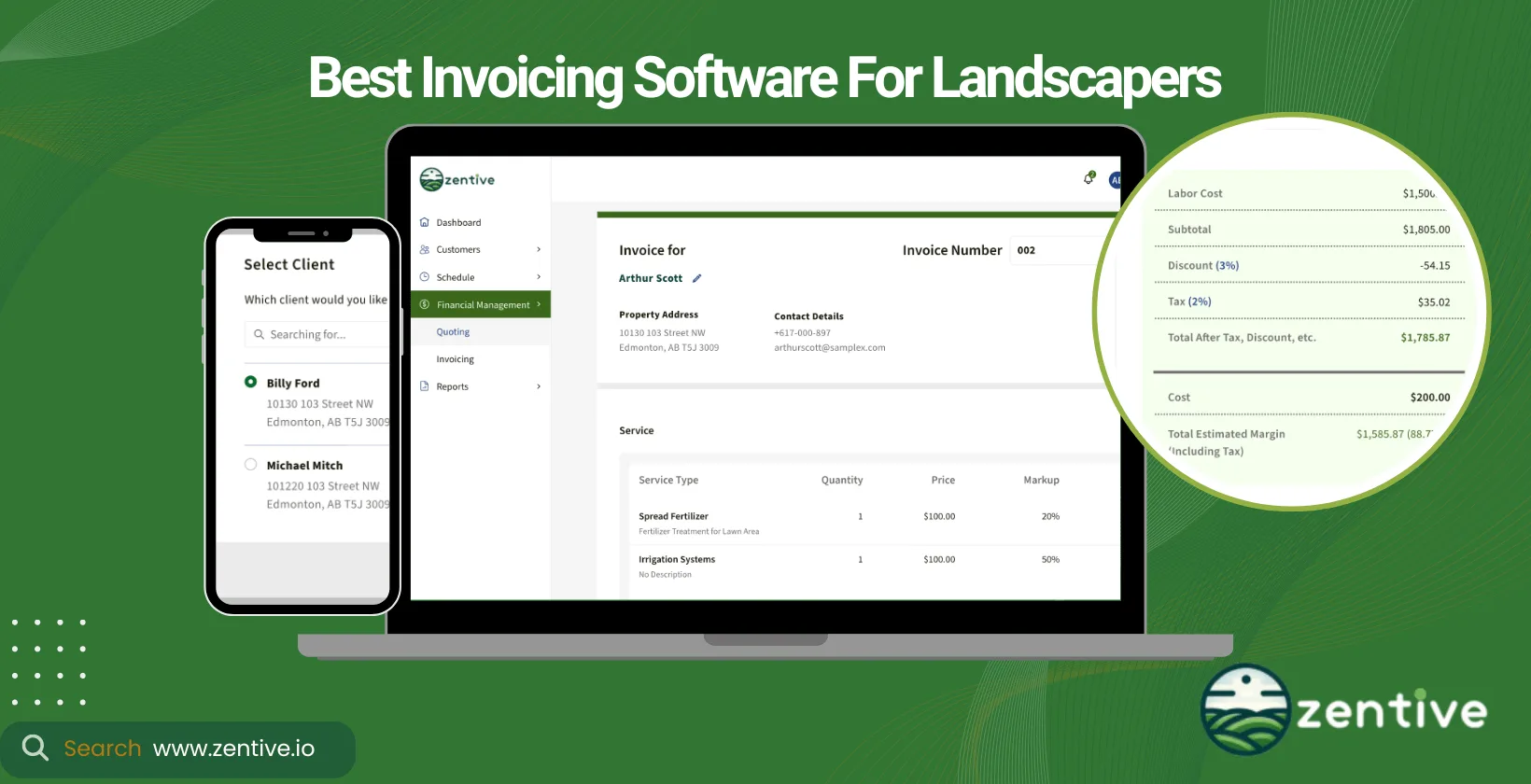
Invoices are vital to the financial management of landscaping businesses, acting as the bridge between services rendered and revenue generated. Landscaping invoice software has become indispensable for landscaping businesses.
An app for invoicing landscaping services offers specialized features designed for the unique billing needs of landscapers. These tools simplify creating and managing invoices, integrate easily with business management systems (CRM, routing, quoting), and offer a holistic approach to managing landscaping businesses.
Zentive is premier landscaping business software for creating invoices. It provides custom invoice templates, extensive features, and integrations at an affordable price.
Before making a final decision on invoicing software, landscapers should evaluate compatibility with their business model, types of invoices used, and specific features benefiting their operations.
Answer 3 quick questions—get a tailored pick (and a runner-up).
What Is A Landscaping Invoice Software?
A Landscaping invoice software is a type of software for landscape management that automates invoice creation, payment tracking, and financial management for landscaping businesses. It's designed to streamline and automate landscaping services' billing and invoicing process. This software allows landscapers to easily create, send, and manage invoices, improving accuracy and saving your team time. Features typically include customizable invoice templates, automatic billing for recurring services, real-time invoice status tracking, and integration with accounting software like QuickBooks.
Why would you want to use landscaping invoice software? The benefits of using such software are manifold: it improves efficiency by reducing the time spent on manual invoicing, improves cash flow with faster payments, minimizes errors through automation, and enriches customer satisfaction with professional and timely invoices.
14-Day FREE Trial - No Credit Card Needed
Top 9 Landscape Billing Software
Here are the nine best landscaping billing and invoicing software.
- Zentive: Best for small-to-medium landscaping businesses needing scalable, industry-specific invoicing.
- RealGreen: Ideal for larger landscaping companies emphasizing high-volume automation and communication.
- Jobber: Great for small-to-medium service businesses wanting versatile quoting, scheduling, and invoicing.
- Invoice2Go: Perfect for freelancers and small businesses needing quick, mobile-friendly billing.
- ServiceTitan (Aspire): Suited for medium-to-large service contractors seeking a comprehensive, higher-tier solution.
- Yardbook: Excellent for small-to-medium landscapers wanting affordable, user-friendly scheduling and invoicing.
- SingleOps: Tailored for mid-to-large green industry firms needing integrated job management and billing.
- Buildertrend: Built for big construction projects but adaptable to large-scale landscaping needs.
- Zoho: Flexible invoicing with broad integrations, serving various industries and business sizes.
1. Zentive
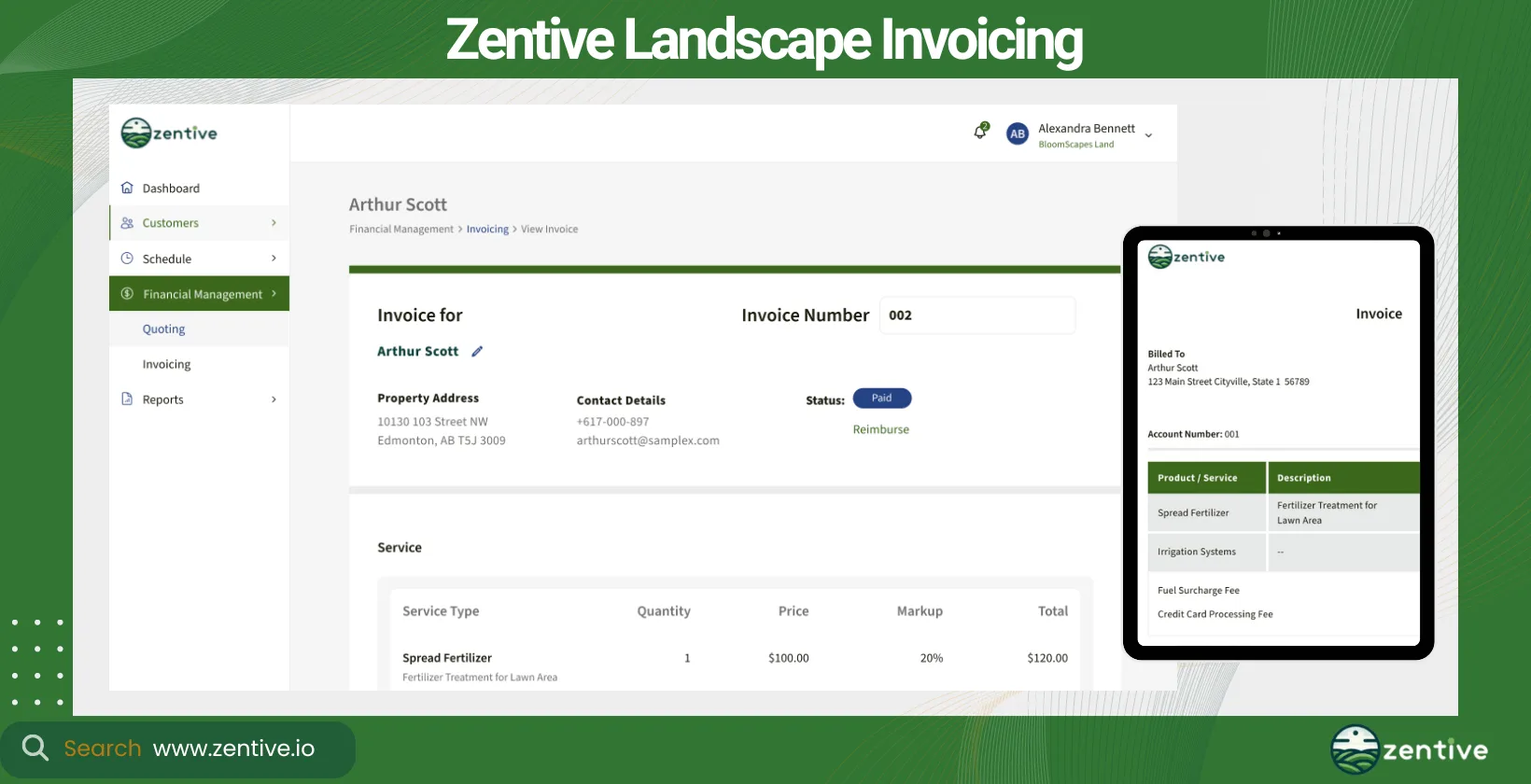
Zentive is the leading landscaping billing software designed to streamline landscapers' invoicing processes. Zentive is tailored for landscaping, lawn care, and related outdoor service industries, such as tree services and snow removal services.
Our tool is best for small to medium-sized businesses and is the perfect tool if you're looking for scalable landscaping and lawn care software that can adapt as your business grows.
Zentive offers very competitive pricing models with excellent value for money. The 14-day free trial allows potential clients to test out Zentive & it's features.
Zentive integrates with QuickBooks, saving time and ensuring easy financial management. You should use it to improve billing efficiency, reduce errors, and strengthen customer satisfaction with transparent invoicing. Our landscape billing software works with Mac, PC or any mobile device.
Zentive is specifically designed for the landscaping and lawn care industries, so landscapers can easily manage billing cycles, client accounts, and service charges for landscaping services in just a few clicks.
Pros:
- Ease of Use: Zentive is very easy to use and can be quickly learned by new users.
- Batch Invoice Creation: The ability to create batch invoices is extremely helpful for managing multiple invoices at once.
- Quoting, Booking, and Scheduling: Zentive simplifies the process of quoting, booking, and scheduling jobs, making these tasks more efficient.
- Client Portal: The client portal is a popular feature that improves customer communication and interaction.
- Improved Daily Functions: The software has made daily business functions easier, particularly in customer communication and interaction.
Cons:
- Search Functionality: When searching for a job or quote, users need to scroll down to find it, which can be time-consuming and inefficient.
| Feature | Positive Feedback | Negative Feedback |
|---|---|---|
| Ease of Use | Very easy to use and quick to learn | None |
| Batch Invoice Creation | Extremely helpful for managing multiple invoices | None |
| Quoting, Booking, and Scheduling | Simplifies these processes, making them more efficient | None |
| Client Portal | Popular feature that elevates customer communication and interaction | None |
| Improved Daily Functions | Makes daily business functions easier, especially customer communication | None |
| Search Functionality | None | Requires scrolling down to find jobs or quotes |
2. RealGreen
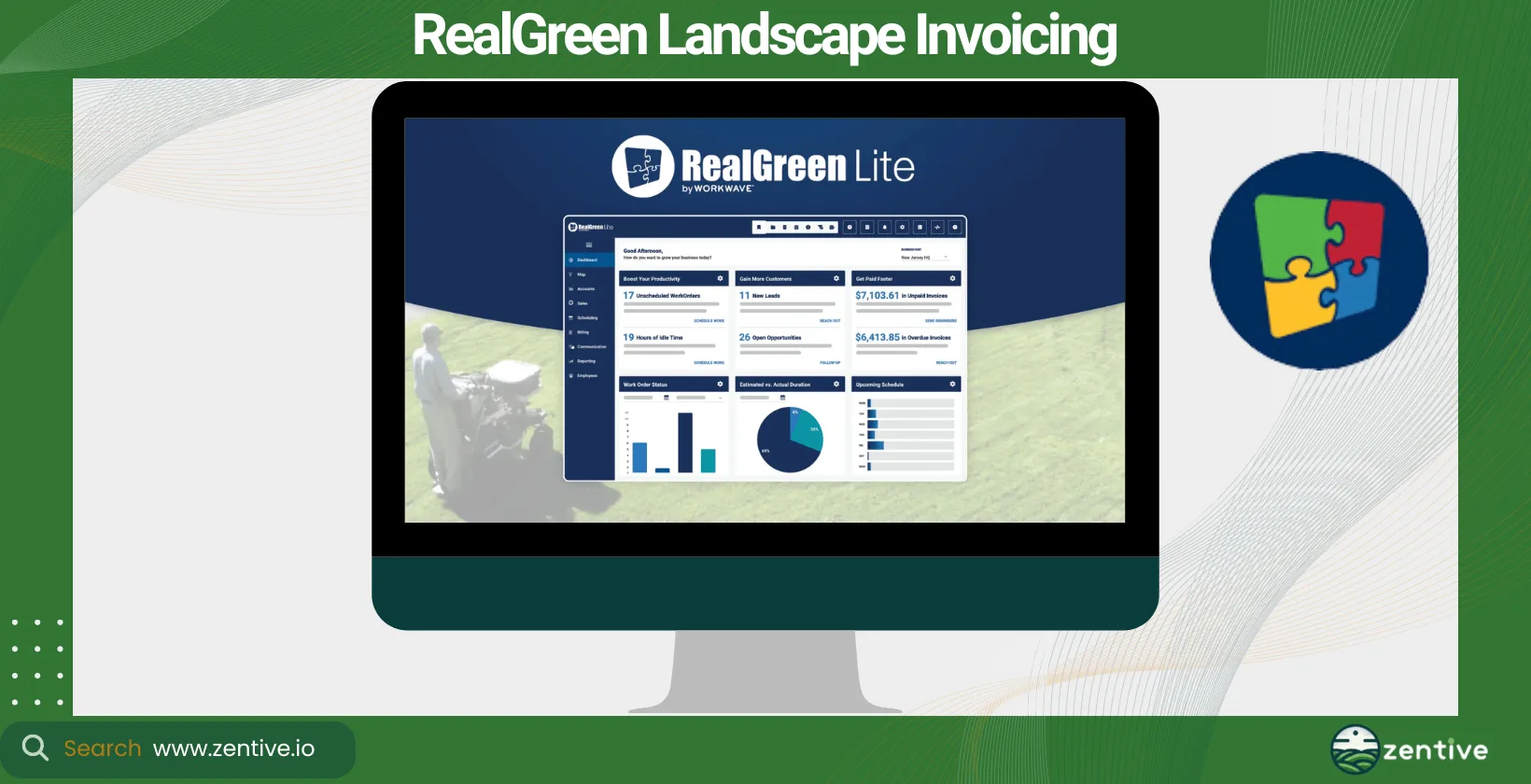
RealGreen is specialized landscape billing software, focusing on automation and client communication to facilitate billing for larger landscaping projects. This landscaping invoice software is primarily for the landscaping and lawn care sectors.
It's suited for large businesses with extensive client rosters. RealGreen has a custom pricing structure with no explicit free option. It offers QuickBooks integration to streamline your business's accounting tasks.
RealGreen's main benefit is improving billing automation and customer communication, improving operational efficiency. However, it has a much steeper learning curve than Zentive, which is why it is a great alternative to RealGreen, especially for smaller teams.
Pros:
- Industry Experience: Real Green has been used by professionals for over 20 years, demonstrating its reliability and effectiveness in helping businesses grow.
- Comprehensive Management: The software effectively manages multiple aspects of a business, ensuring efficient handling of various tasks and operations.
- User Recommendations: Long-term users highly recommend Real Green for its role in creating successful business operations.
Cons:
- Software Accessibility: Some large scale users report occasional limited or no access to the software, which can disrupt business operations.
- Technical Support Response: There are complaints about the slow response times from technical support, which can take days to address issues.
- QuickBooks Integration: Real Green does not integrate with QuickBooks, a major inconvenience for users who rely on QuickBooks for their accounting needs.
- Bug Issues: Despite updates and versions, users still experience bugs and issues that affect the software's performance.
| Feature | Positive Feedback | Negative Feedback |
|---|---|---|
| Industry Experience | Trusted by professionals for over 20 years | None |
| Comprehensive Management | Efficiently manages various business operations | None |
| User Recommendations | Highly recommended by long-term users | None |
| Software Accessibility | None | Occasional limited or no access |
| Technical Support Response | None | Slow response times to support requests |
| QuickBooks Integration | None | No integration with QuickBooks |
| Bug Issues | None | Persistent bugs affecting performance |
3. Jobber
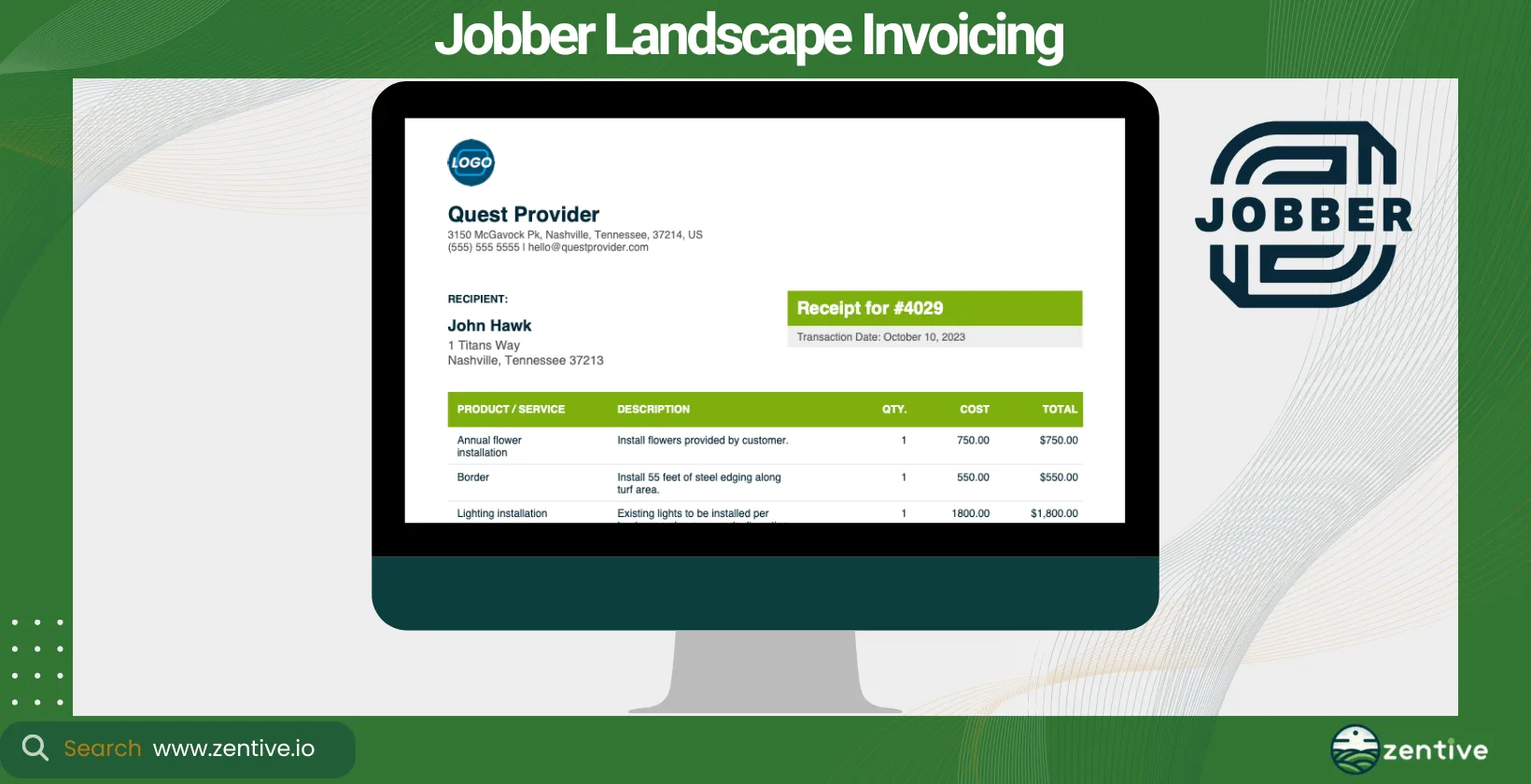
Jobber is versatile landscaping invoicing software that caters to a wide spectrum of field service industry billing needs, including those in landscaping, lawn care, and general service industries.
Jobber is ideal for small to medium-sized businesses seeking scalability and an easy-to-use platform. What we like about Jobber is that it offers a range of pricing tiers, including a free trial, so you can test the product before committing to it.
It offers QuickBooks integration, ensuring your financial activities are easily managed. The main benefit you can expect from Jobber is that it streamlines invoicing and payment processes, augmenting overall business efficiency. However, Jobber is less specifically tailored for landscaping compared to tools like Zentive, which is why Zentive is a great alternative to Jobber if you're looking for a tool specific to the landscaping industry.
Pros:
- Ease of Use: Jobber is user-friendly and simplifies quoting and job management processes.
- Comprehensive Features: The software covers a wide range of business operations, including quoting, scheduling, and invoicing.
- QuickBooks Integration: Jobber integrates with QuickBooks, ensuring seamless financial management.
Cons:
- Implementation Issues: While many find it easy to implement, some users face difficulties during the initial setup.
- Customer Support: The support team may not be responsive or helpful in resolving issues.
- Data Quality: The quality of saved images is poor, making them unusable.
- Pricing Concerns: Some users feel that Jobber employs unfair pricing tactics and policies.
- Scheduling Reliability: Notifications for scheduling can be unreliable, causing operational challenges.
| Feature | Positive Feedback | Negative Feedback |
|---|---|---|
| Ease of Use | User-friendly and simplifies processes | Some users face implementation issues |
| Comprehensive Features | Covers a wide range of business operations | None |
| QuickBooks Integration | Ensures seamless financial management | None |
| Customer Support | None | Support team may be unresponsive |
| Data Quality | None | Poor quality of saved images |
| Pricing | None | Employs unfair pricing tactics |
| Scheduling Reliability | None | Unreliable scheduling notifications |
4. Invoice2Go
Invoice2Go provides a generalized invoicing solution that is not specifically designed for landscaping but adaptable to various small business needs. It's a broad industry application that most businesses can use, including freelancers and small businesses.
The tool is best for small businesses and individual contractors. It offers competitive pricing and a free trial, which aligns with its small business and individual contractor target market.
Invoice2Go does offer QuickBooks integration, but it isn't specifically a landscape invoice software, so you'll be missing out on features some of the other tools on this list include. Still, the tool ensures quick and easy invoicing on the go.
Pros:
- Ease of Use: Once set up, the platform is user-friendly and straightforward, making it easy to manage invoicing and other financial tasks.
- Mobile Accessibility: The iOS app is particularly praised for its usefulness, allowing users to manage invoicing on the go.
- Customization: Users appreciate the ability to customize invoices and other settings to suit their specific needs.
- Responsive Customer Service: The customer service team is noted for being very responsive and helpful.
- Financial Tracking: The software helps users track their income and expenses efficiently, providing clear insights into their financial status.
Cons:
- Settings Adjustment: Some users find adjusting settings to be confusing at times.
- Email Delivery Issues: Sent invoices sometimes fall into clients' spam or junk mail folders, and there can be issues with viewing PDF attachments.
- Bad Experience: Some users have had negative experiences, leading them to switch to free apps with custom databases that meet their needs.
- Reliability: There are occasional issues with invoice delivery and attachment visibility, which can affect client communication and payment processes.
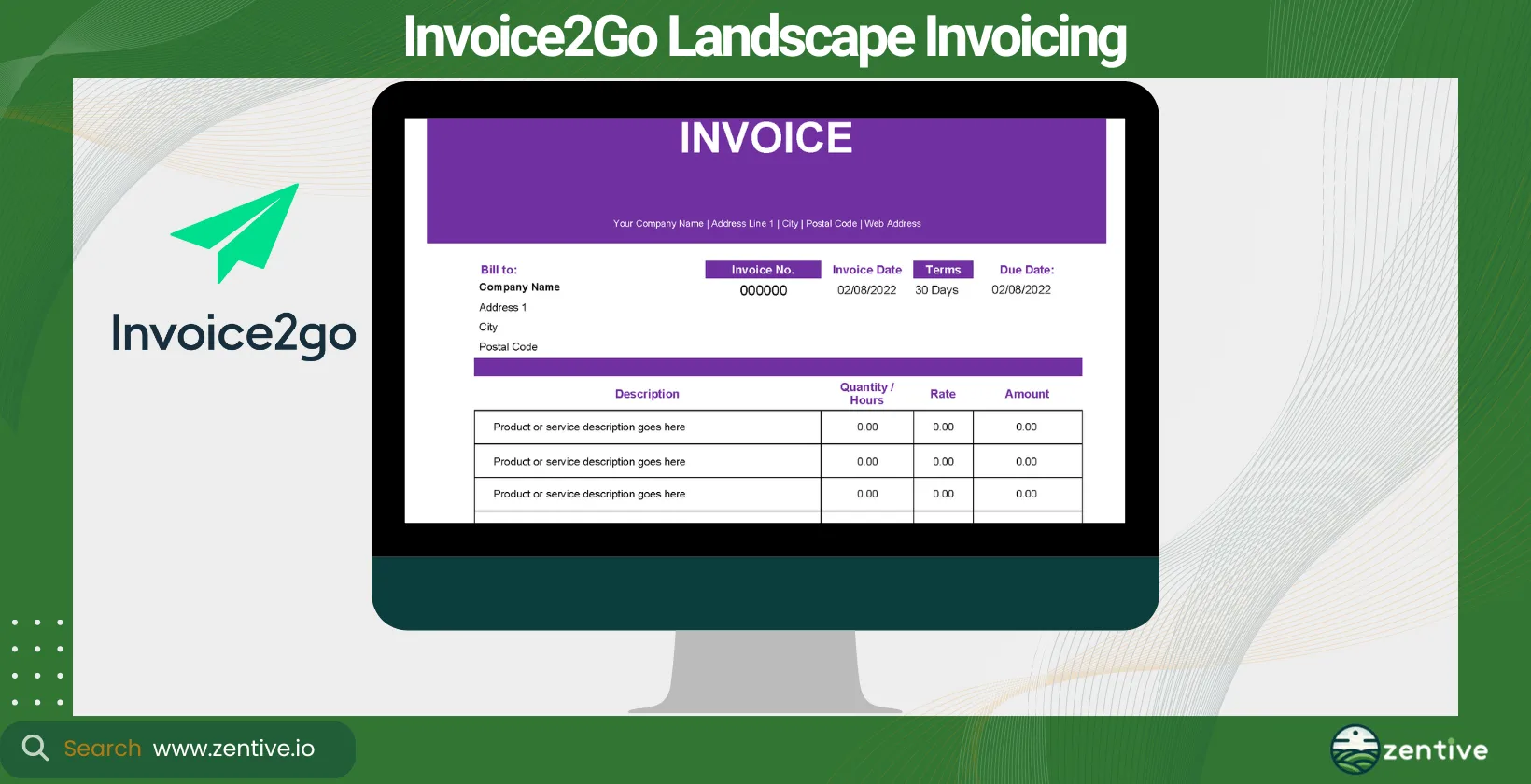
| Feature | Positive Feedback | Negative Feedback |
|---|---|---|
| Ease of Use | User-friendly once set up | Settings adjustment can be confusing |
| Mobile Accessibility | Useful iOS app for on-the-go invoicing | None |
| Customization | Ability to customize invoices and settings | None |
| Customer Service | Very responsive and helpful | None |
| Financial Tracking | Efficient income and expense tracking | None |
| Email Delivery | None | Invoices sometimes fall into spam/junk mail; issues with PDF attachments |
| Overall Experience | None | Some users switch to free apps due to negative experiences |
5. ServiceTitan (Aspire)
ServiceTitan's Aspire is a very comprehensive landscape business billing software solution that offers detailed project management and billing functionalities for medium to large businesses in the landscaping, lawn care, and general service industry businesses.
ServiceTitan is a general tool for the field service industry, so you'll miss out on some features compared to Zentive. The tool is quite expensive, limiting its use for small and medium businesses. For the price, you'll get a powerful suite of project management, billing, and client relations tools, as well as Quickbooks integration.
Pros:
- Ease of Use: Users find the software easy to navigate and use, even with minimal training.
- Business Growth: Aspire has helped businesses grow by providing better insights into job costs on a per-job basis.
- Comprehensive Features: The software includes a wide range of features necessary for managing service contractor businesses, including estimating, scheduling, purchasing, and more.
Cons:
- Language Barriers: The software is difficult for Spanish-speaking crew leaders to use, indicating a lack of multilingual support.
- Accounting Integration: Users report that the accounting integration is limited and does not function as advertised.
- Payroll Integration: There is no integration for payroll worker's comp codes, which can be a significant drawback for businesses.
- Inventory Management: The inventory system is not a true accounting inventory system, limiting its usefulness for comprehensive inventory management.
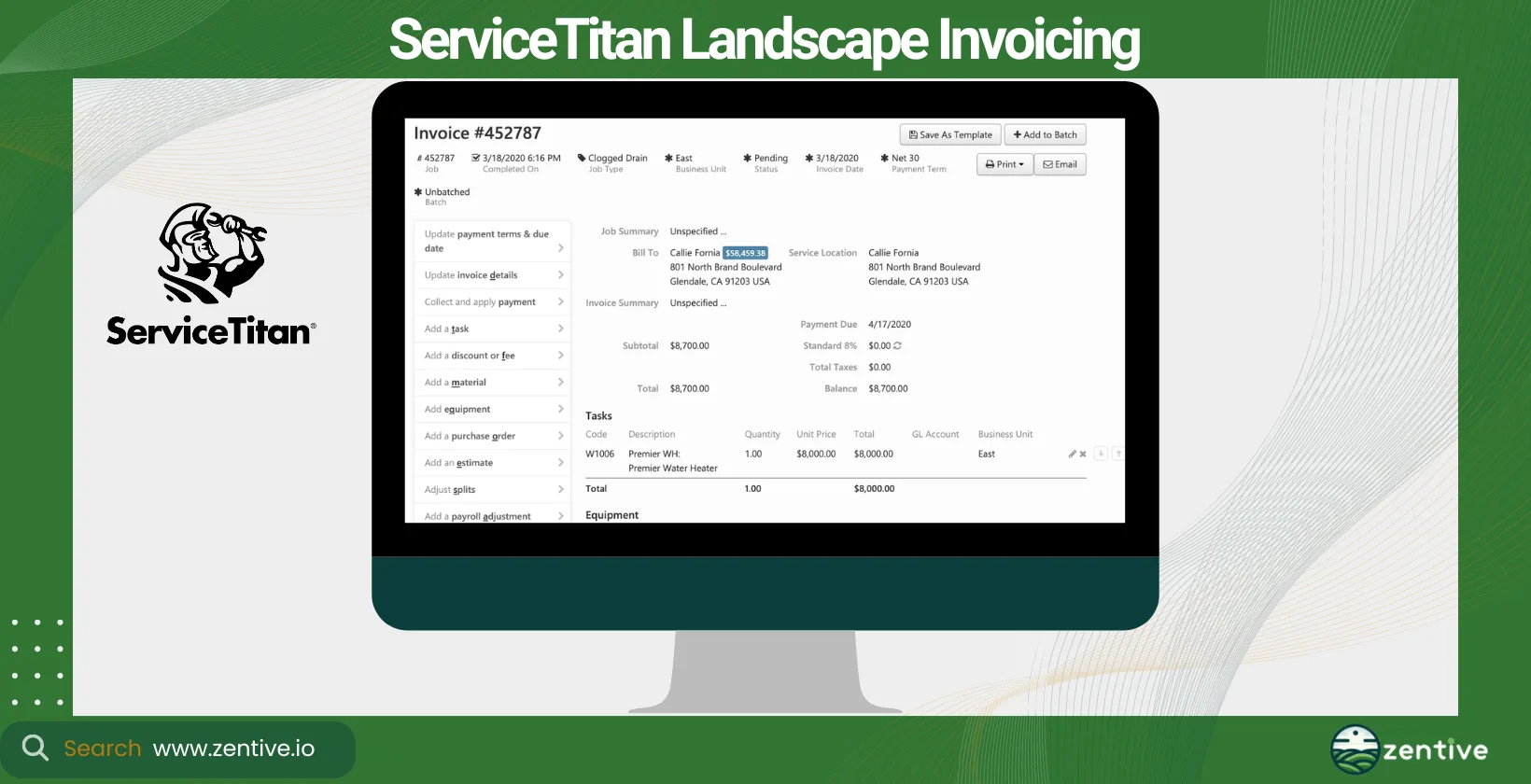
| Feature | Positive Feedback | Negative Feedback |
|---|---|---|
| Ease of Use | Easy to navigate and figure out | Difficult for Spanish-speaking crew leaders |
| Business Growth | Helps businesses grow and gain better insights into job costs | None |
| Comprehensive Features | Wide range of features including estimating, scheduling, purchasing | None |
| Accounting Integration | None | Limited and does not function as advertised |
| Payroll Integration | None | No integration for payroll worker's comp codes |
| Inventory Management | None | Not a true accounting inventory system |
6. Yardbook
Yardbook is landscape company billing software that helps you efficiently manage your invoicing and scheduling needs. Like Zentive, it is tailored to small—to medium-sized landscaping and lawn care businesses.
Yardbook offers a free tier and affordable premium options, the free option is quite limited with its landscaping invoices, online payments, and payment processing features.
Yardbook offers QuickBooks integration to make bookkeeping much easier. With its easy-to-use scheduling and invoicing tools, Yardbook can improve your business's operational efficiency.
Pros:
- Comprehensive Organization: Yardbook helps users keep their customer lists, invoices/payments, staffing, equipment, and routes well-organized.
- User-Friendly: The home page and customer pages are appreciated for their ease of use.
- Cost-Effective: The software is free, making it an excellent option for startups and small businesses looking to manage their operations without a significant financial investment.
- Partner Support: Users appreciate the partnership and support from Yardbook as they grow their business.
Cons:
- Security Features: Yardbook lacks two-factor authentication (2FA), which can be a concern for users prioritizing security.
- Customization: There is limited ability to customize database fields, which can be restrictive for some businesses.
- Text Message Limit: The 280-character limit for text messages can be challenging for users who need to send longer messages.
| Feature | Positive Feedback | Negative Feedback |
|---|---|---|
| Comprehensive Organization | Keeps customer lists, invoices/payments, staffing, equipment, and routes organized | None |
| User-Friendly | Home page and customer pages are easy to use | None |
| Cost-Effective | Free, excellent for startups and small businesses | None |
| Partner Support | Supportive partnership for growing businesses | None |
| Security Features | None | Lacks two-factor authentication (2FA) |
| Customization | None | Limited customization of database fields |
| Text Message Limit | None | 280-character limit for text messages |
7. SingleOps
SingleOps is an all-in-one landscape billing software integrating project management, invoicing, and customer management into one platform. It's specifically designed for the green industry, such as landscaping, tree care, and other outdoor service industries.
Medium-to-large businesses will benefit the most from utilizing SingleOps's software. Like most of the software mentioned on this list, SingleOps offers tiered pricing options to accommodate various business sizes. It does not have a free version but includes a demo.
SingleOps offers QuickBooks integration. What can SingleOps do for your business operation? It can streamline repetitive tasks such as quoting, invoicing, and payments, improving efficiency and reducing administrative overhead.
Pros:
- Job Management: The ability to organize jobs by items used, job type, sales rep, etc., has significantly improved tracking progress, scheduling, crew assignments, and materials purchasing, transitioning from paper-based systems to a clean, efficient digital solution.
- Online Invoicing: Facilitates faster client payments and allows for onsite proposal generation and signing, boosting the customer experience.
- Customizable User Experience: Users can customize their experience by saving sorting criteria and adjusting views to see relevant data, improving usability and satisfaction.
- Productivity: The system has greatly improved efficiency and productivity, reducing reliance on paper-based methods and improving overall job management.
Cons:
- Learning Curve: The software has a steep learning curve, which can be challenging for new users.
- Customer Service: Users have reported slow customer service response times and a lack of immediate support, which can be frustrating during urgent projects.
- Credit Card Processing Fees: The removal of automatic upcharge for credit card processing fees has made it more cumbersome to include these charges in line items manually.
- Documentation and Support: Users sometimes receive unhelpful responses from support, being directed to articles they have already read without resolving their issues.
| Feature | Positive Feedback | Negative Feedback |
|---|---|---|
| Job Management | Organizes jobs by various criteria, improving tracking, scheduling, and crew assignments | None |
| Online Invoicing | Allows faster client payments and onsite proposal signing | None |
| Customizable User Experience | Users can save sorting criteria and adjust views | None |
| Productivity | Significantly improved efficiency and productivity | None |
| Learning Curve | None | Steep learning curve |
| Customer Service | None | Slow response times and lack of immediate support |
| Credit Card Processing Fees | None | Removal of automatic upcharge feature |
| Documentation and Support | None | Unhelpful support responses directing users to already-read articles |
8. Buildertrend
Although primarily a construction management tool, Buildertrend offers invoicing features that can be adapted for large-scale landscaping projects. It provides a platform for project tracking, customer management, and billing.
Buildertrend is best for large businesses engaged in extensive landscaping construction projects. It offers custom pricing based on the scale of your operations, with a free demo available so you can test the software before buying it.
It supports QuickBooks to help your business with financial tracking. The main benefit you get from Buildertrend is that it facilitates better management of large projects, including invoicing and financial oversight.
Pros:
- Comprehensive Tools: Buildertrend provides a wide array of tools that help make the building process methodical. Features like the documents folder for all project drawings and specifications are particularly appreciated.
- Xero Integration: The integration with Xero is a significant advantage, helping streamline financial management.
- Communication Streamlining: The software improves communication with trades, ensuring they get paid on time and helping organize multiple projects simultaneously.
- Project Organization: Buildertrend is excellent for managing multiple projects at once, providing a centralized platform for all project-related information.
Cons:
- Autosave Functionality: The lack of autosave for to-do lists and daily logs is a drawback, as users can lose all data if the program is accidentally closed.
- Subcontractor Adoption: Getting subcontractors to cooperate with the online services provided by Buildertrend can be challenging.
- Mobile Usability: Tradespeople find the software difficult to use on their phones, which can hinder its effectiveness in the field.
| Feature | Positive Feedback | Negative Feedback |
|---|---|---|
| Comprehensive Tools | Great tools for organizing project drawings and specifications | None |
| Mobile Usability | None | Tradespeople find it hard to use on their phones |
| Communication Streamlining | Elevates communication with trades and ensures timely payments | None |
| Project Organization | Excellent for managing multiple projects simultaneously | None |
| Autosave Functionality | None | Lack of autosave for to-do lists and daily logs |
| Subcontractor Adoption | None | Difficulty getting subcontractors to use the software |
9. Zoho
Zoho offers a range of business software, including Zoho Invoice, which is adaptable across industries for creating and managing invoices. It's a broad application across various industries but is not specifically designed for landscapers.
Still, it's an excellent tool for small to large businesses that are already accustomed to its features and functionality. Zoho offers a range of pricing tiers, including a free option for basic use.
This tool allows QuickBooks integration, so you can easily export and import your financial data. The main benefit of choosing Zoho is that it provides a flexible invoicing solution with the added benefit of integration into a broader suite of business tools. Still, I'd rather opt for one of the other tools specifically designed for landscapers.
Pros:
- Comprehensive Features: Zoho Invoice offers at least 90% of the features that small to medium businesses need, including invoicing, expense tracking, and online payment acceptance.
- Generous Free Tier: The free tier is quite generous, allowing businesses to invoice their first few clients before needing to subscribe to a paid plan.
- Automation Workflow: The automation workflow is highly praised for saving time and improving efficiency.
- CRM Integration: Seamless integration with Zoho CRM helps streamline business operations and save time.
- Payment Options: Supports easy payments through Apple Pay and Google Pay, upgrading the customer payment experience.
Cons:
- Customer Service: The customer service is based in India and is not fully staffed during US business hours, leading to potential delays in support.
- Pricing for Additional Features: While the basic features are free, many users find the pricing for additional features and services expensive for small to medium enterprises.
| Feature | Positive Feedback | Negative Feedback |
|---|---|---|
| Comprehensive Features | Offers most features needed by small to medium businesses | None |
| Generous Free Tier | Allows invoicing for first few clients for free | None |
| Automation Workflow | Saves time with great automation features | None |
| CRM Integration | Seamless integration with Zoho CRM | None |
| Payment Options | Supports Apple Pay and Google Pay | None |
| Customer Service | None | India-based, not fully staffed during US business hours |
| Pricing for Additional Features | None | Expensive for small to medium enterprises |
What Is An Invoice?
An invoice is a document sent by a provider of goods or services to the purchaser that specifies the amount and cost of the products or services provided. It serves several purposes: it prompts payment from the client, records sales transactions for bookkeeping, and could serve as a legal document in case of disputes between you and the client.
Invoices come in various forms, including paper, electronic, and digital formats, each serving the same purpose. Digital invoices are the best, especially for field services businesses like landscapers.
Digital invoices offer numerous benefits, including faster delivery and payment, reduced errors, lower processing costs, better brand image, and a smaller carbon footprint, making them ideal for landscaping businesses.
Why Are Invoices Important For A Landscaping Business?
Invoices are important when trying to manage a landscaping business because they detail services, costs, and payment terms, ensuring transparency, trust, and better cash flow. They help ensure transparency and trust between landscapers and the client.
Landscaping invoice software has changed how we create and manage invoices. It allows for quick, accurate, and professional invoices that can be easily tracked and managed, significantly impacting cash flow and customer satisfaction. Spend time picking the best invoicing app for your landscaping business.
How To Pick A Landscaping Invoicing Software?
There are six things you should consider to ensure you pick the right landscape invoicing software.
- Potential Business Benefits: How can the software improve your business operations? Look for features that save time, reduce errors, and boost cash flow.
- Types Of Invoices You Use: Consider if you need standard, progress, or time and material invoices, and ensure the software supports these types.
- Integrations With Other Tools: Seamless integration with your existing tools (e.g., accounting software, CRM) simplifies workflows and reduces manual data entry. Make sure the invoicing software integrates with Quickbooks.
- Type Of Landscaping Business: The software should suit your type of landscaping business, whether you're focused on design, maintenance, or construction.
- Company Objectives: Align the software with your long-term goals, whether it's scaling operations, improving customer satisfaction, or streamlining financial management.
- Type Of Landscape Services: Ensure the software is flexible enough to handle the variety of services you offer, from one-time projects to recurring maintenance. Doing so ensures you get the most benefits from using the landscape invoicing app.
What Are The Benefits Of Using A Landscape Invoicing App?
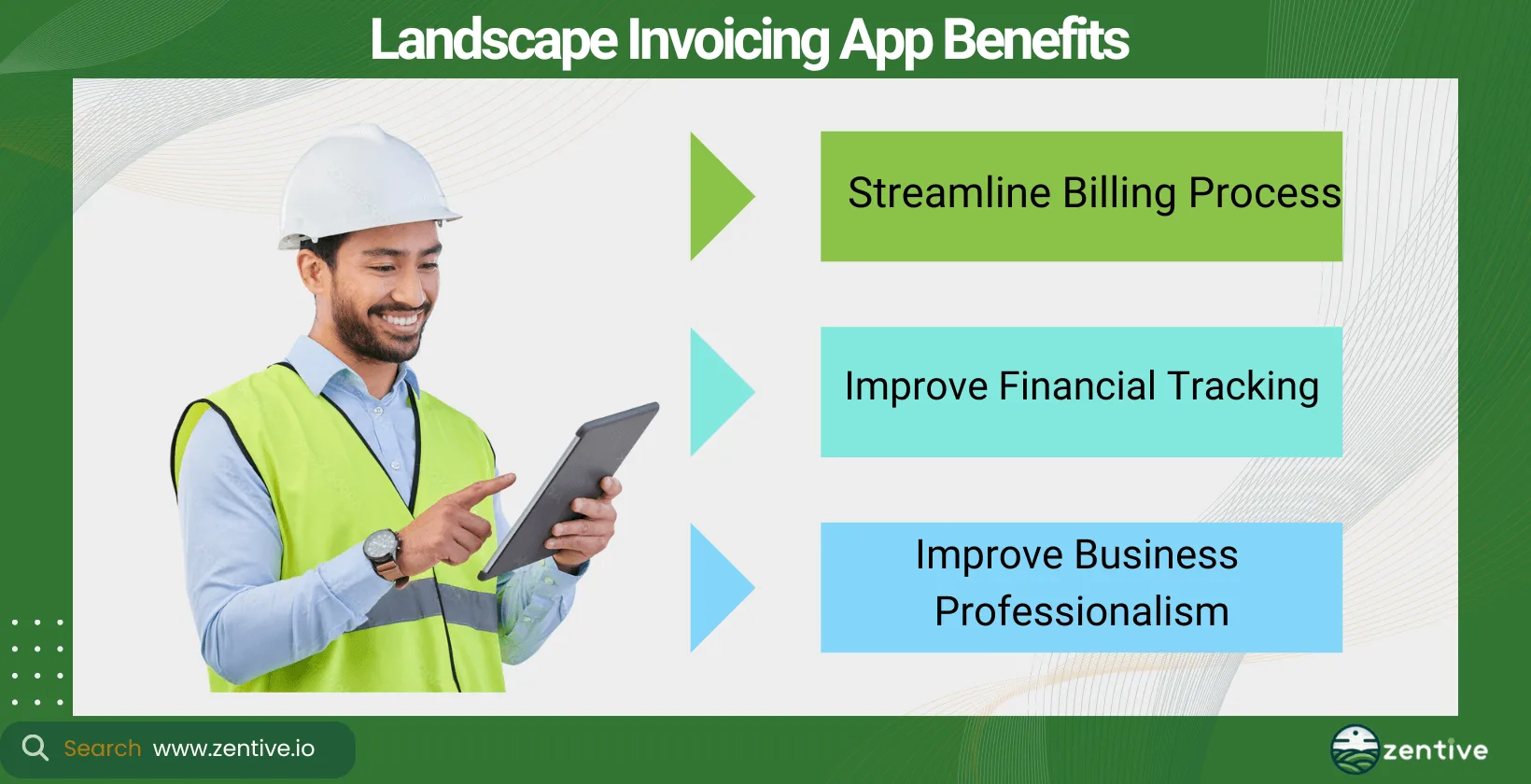
The 3 benefits of using a landscape invoicing app like Zentive include improved billing accuracy, better financial tracking, and boosting professionalism. You can improve the billing process by automating and accelerating the cycle from service completion to payment. This inevitably minimizes delays and improves your operational efficiency.
Landscape invoicing apps improve financial tracking. These apps help you gain real-time insights into your financial health with detailed reports and dashboards, helping you make more informed decisions.
They increase your business's professionalism. Apps like Zentive help you create professional, branded invoices, which improve your company's image and help establish trust with your clients. The below graphic demonstrates the benefits of using a landscaping app.
How Does Invoicing Software Improve The Billing Process?
Invoicing software improves the billing process by integrating documentation (quotes, invoices), job completion, and financial transactions into one dashboard. Many business owners ask how to invoice landscape jobs? The answer is to use an automated invoice software. Upon completing a job, a landscaper can mark it as complete in Zentive. The app then automatically generates an invoice based on the pre-defined service rates and sends it directly to the client.
This eliminates the need to learn advanced methods to invoice landscape jobs, ensures better billing accuracy, and speeds up the payment process.
What Are The Different Types Of Invoices?
The four types of invoices are sales, proforma, retainer, and recurring. A sales invoice is the most standard type of invoice. It's a document issued after a sale detailing the amount due from the buyer for goods or services provided.
A proforma invoice is an estimated invoice sent to a buyer before the delivery of goods or services, often used for customs purposes in international trade. Retainer invoices are used when a client pays upfront for services. It secures a portion of the total service costs or hours as a retainer.
A recurring invoice is sent to customers for ongoing services at regular intervals, such as monthly services. Of all the types of invoices, landscapers performing maintenance jobs mostly use recurring invoices.
What Are The Benefits Of Landscape Billing App Integrations?
The benefits of landscape billing app integrations are streamlined operations, reduced manual data entry, and improved document accuracy. Landscapers can reduce the amount of apps they use as there is no greater pain than navigating between 5+ software solutions just to perform basic business tasks.
By integrating with scheduling software, CRM systems, and quoting tools, landscapers can streamline their operations, ensuring that customer information, appointments, and financial details are all connected in one place. This elevates efficiency and reduces manual data entry, consequently improving the accuracy of your documents.
Do Landscape Billing Apps Integrate With Scheduling Software?
Yes, landscape billing apps like Zentive integrate with scheduling software. Landscape scheduling software helps businesses organize and manage appointments and crew work schedules. When integrated with billing apps, it allows for automatic invoice generation based on scheduled jobs,
After the scheduled job is completed, the billing app takes over from the scheduling software and bills the client directly using the data gathered from the scheduling software, ensuring accurate billing and saving time on administrative tasks.
Do Landscape Invoicing Apps Integrate With CRM Software?
Yes, landscape invoicing apps integrate with CRM (Customer Relationship Management) software. CRM landscaping software handles all client interactions, from contact details to referrals, past jobs, and reviews.
Integrating an invoicing app with CRM software further improves customer interactions. It allows for easier invoice generation based on customer agreements and services rendered (gathered from CRM software), thereby improving customer service and billing accuracy.
Which Type Of Landscaping Business Should Use A Billing Software?
Both commercial and residential landscaping businesses should use billing software. Commercial landscaping businesses manage large projects and contracts, requiring detailed and often customized invoicing.
While dealing with smaller-scale projects, residential landscaping businesses benefit from a smoother billing process to maintain efficiency and customer satisfaction. Billing software helps both types of landscape businesses manage their financial transactions more effectively.
How To Pick Invoice App For Commercial Landscaping?
Choose an invoice app that can support handling large projects, multiple locations, and potentially complex billing arrangements if you have a commercial landscaping company.
Commercial landscaping jobs are complex and require a unique billing approach. You need software that can easily be customized and scaled as the jobs progress and more elements and services are added.
Look for software that integrates with project management tools to accommodate the unique billing needs of your commercial landscape company.
How To Pick Invoice App For Residential Landscaping?
Pick an invoice app that can handle the unique challenges of billing residential landscape jobs is essential for residential landscaping. The tool must be user-friendly, efficient, and capable of handling recurring services and one-time projects. Look for features like customizable invoice templates, easy payment options, and the ability to quickly generate quotes to meet residential clients' expectations.
Should Contractors Use A Landscape Invoice Software?
Yes, contractors should use landscape invoice software because it reduces admin time, improves billing accuracy, and elevates professionalism. This software can make the billing process much less time-consuming, improve invoice accuracy, and increase professionalism. In short, it simplifies the administrative aspect of their work, allowing them to focus more on providing quality services.
How Does A Landscaping Payment Software Help Grow The Business?
Landscaping payment software grows businesses by improving cash flow, improving customer experience, reducing admin burden, increasing billing accuracy, and providing financial insights. First, it boosts cash flow by facilitating faster invoice processing and payments. It improves customer experience through professional invoicing and convenient payment options.
Landscaping payment software reduces administrative burden by automating billing processes, which saves a lot of time and reduces errors. This increases financial accuracy by ensuring precise billing for services rendered.
Landscaping payment software helps facilitate better financial management by offering insights into financial performance and areas for improvement. There are a lot of elements involved in how to grow landscape business smoothly and efficiently, landscaping payment software takes a large chunk of that equation.
How To Invoice Different Types Of Services With Software?
Using landscaping invoicing software like Zentive, invoicing different types of landscape business services becomes straightforward.
For example, for a mulching job, enter the service details into Zentive, including the scope of work, materials used, labor hours, and any applicable taxes or discounts incurred and offered. Zentive automatically calculates the total cost and generates a professional invoice that can be sent directly to the client through its CRM tools.
Get This Guide as a PDF
Save this article for offline reading. We'll send a formatted PDF straight to your inbox.
No spam. Unsubscribe anytime.
Ready To Streamline Your Field Service Business?
Zentive is the all-in-one field service management software built for landscaping, lawn care, tree care, and snow removal businesses. Start your free trial today.
No credit card required · Cancel anytime